

String replace function working in command line but not in .acl
I am using Arbortext 8.3. Here is the simple function in question:
replace("ʼ", "’", 0x2000);The user has a file that contains a mix of apostrophes. We want a consistent character used. The first apostrophe is the U+02BC : MODIFIER LETTER APOSTROPHE {apostrophe} and the second (the desired one) is U+2019 : RIGHT SINGLE QUOTATION MARK {single comma quotation mark.
Using the following text, the last apostrophe is the one we want swapped.
la Loi sur les traitements, aux ministres d’État qui sont à la tête d’un département dʼÉtatUsing the replace function above, if I run from the command line in Arbortext Editor it works perfectly.
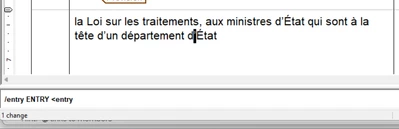
However, when I save that one line of code, as its own ApostropheSwap.acl file, and do a "source ApostropheSwap.acl", it does not find a match.
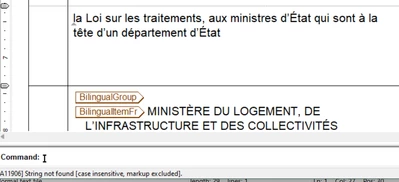
I have tried saving the .acl file as UTF-8 and ANSI, and both get the same result.
Any ideas would be greatly appreciated.
Thanks