1-Visitor
June 15, 2017
Solved

Creo Simulate "Lost network license" while running non-linear analysis with contacts?

  • June 15, 2017
  • 4 replies
  • 9498 views

Hi,

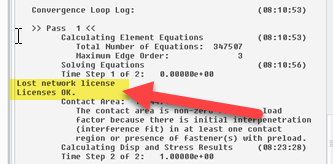
Has anyone else found while running a Non-Linear analysis with contacts that Creo Parametric Simulate loses the network license?

The license server needs to be on a separate computer on the network..

With the license server installed on the workstation performing the analysis the error message goes away and the analysis appears to run up to 20 minutes faster.

Have any of you seen this message?
Thanks,

Don Anderson
Best answer by skunks

Don,

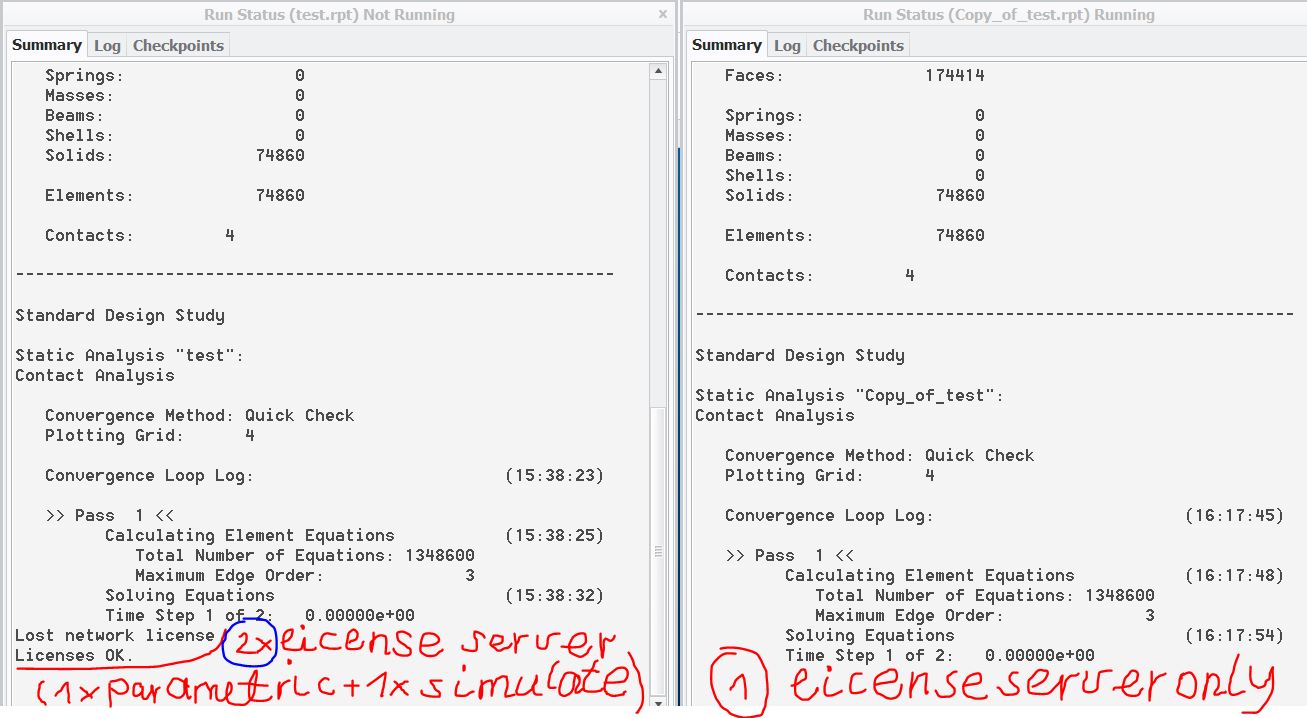
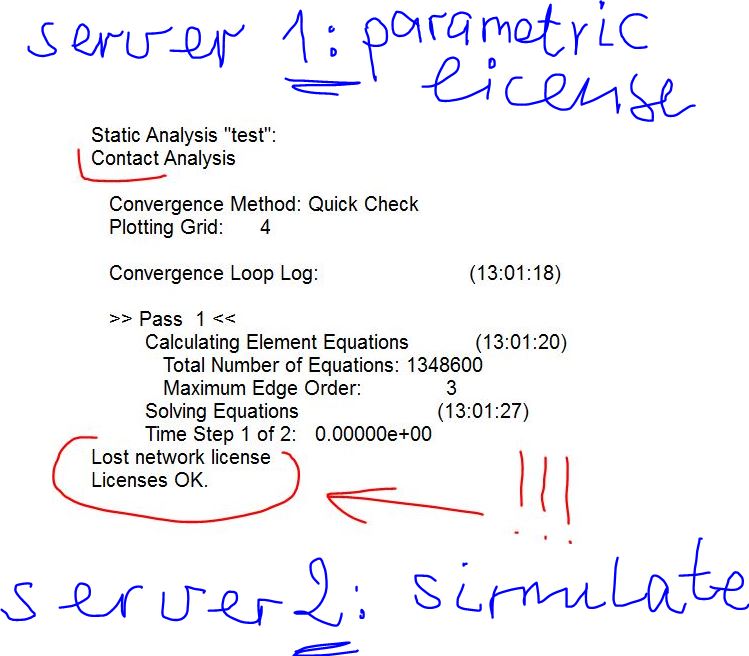
i have a idea: (example attached fe_clamp😞 2 license server

lost_license.JPG

than i have this error

server.JPG

regards

paul

4 replies

skunks
19-Tanzanite
June 16, 2017

Don,

what do You use? Creo Simulate 3.0?

regards

paul

PS: I have it in Creo Simulate 3.0 only:

creo3.JPG

21-Topaz II
June 16, 2017

I would think it's not the type of analysis you are running, but rather how long that analysis is taking. Whenever I've run very long simulations, the licenses are continually being "lost" and then "found". I think it has to do with the fact that even though the CPUs are pounding away on the calculations, if Creo deems itself as "idle" due to a lack of mouse movement or menu picks, it releases the license back to the "license pasture". It then re-acquires it when the simulation does something that requires a license, etc. It probably does slow everything down just from the network traffic.

I've also found that if I have the disk space available, running the big cases is much faster if I have the files on my local machine, rather than on a shared server, 'cause the massive amount of data read/write operations is not going to the server.

13-Aquamarine
June 16, 2017

I think Kenneth broadly has it right.

Worth being aware though that the Mechanica solver uses its own licence (typically MECSTRUCENG), which is separate to both MECSTRUCUI (when you've entered Applications -> Simulate) and the base Creo licence.  (Note that you can actually close Creo completely, and the analysis will continue running.)  So it's not Creo (xtop.exe) that's losing the licence, but Mechanica (msengine.exe).  Might be worth reviewing the licence timeout settings on the server?

And absolutely agree that Mechanica temporary (and results) files should be on a local hard drive, not across the network - copy the results to a network location afterwards, if you need to.  Although you're getting about 1.5:1 CPU time to elapsed time which looks respectable, so you're probably already doing that.

danderson1-VisitorAuthor
1-Visitor
June 19, 2017

Hi Jonathan,

You are correct, temp files are being written to the workstation that's running the analysis and it's a Solid State Drive.

Thanks,

Don

1-Visitor
June 16, 2017

I met this many times and then I changed another version.

skunks
19-Tanzanite
June 16, 2017

Don,

You can easy test: You install for example Creo Simulate 2.0 M080 (my professional release),

then analysis is runing.

regards

paul

14-Alexandrite
June 16, 2017

I´ve seen that a couple of times, I use Simulate 3.0 Academic Version. I have the license installed on the same workstation, for me It doesn´t affect the simulation. It happens after several hours after you started the analysis or sometimes randomly.