Hi Joe,
Following is one way to hide a 2D resource image widget:
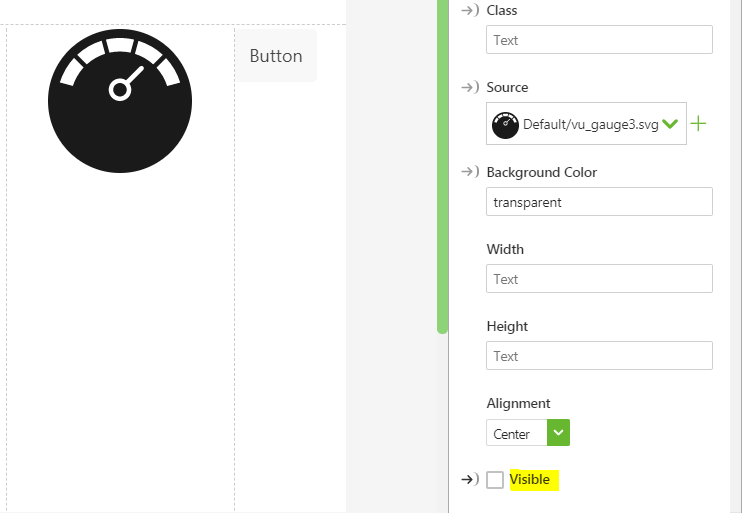
- Drag Resource image on to 2d canvas.
- Select a source
- Uncheck the Visible property as shown below:
- Drag Button widget on to the canvas.
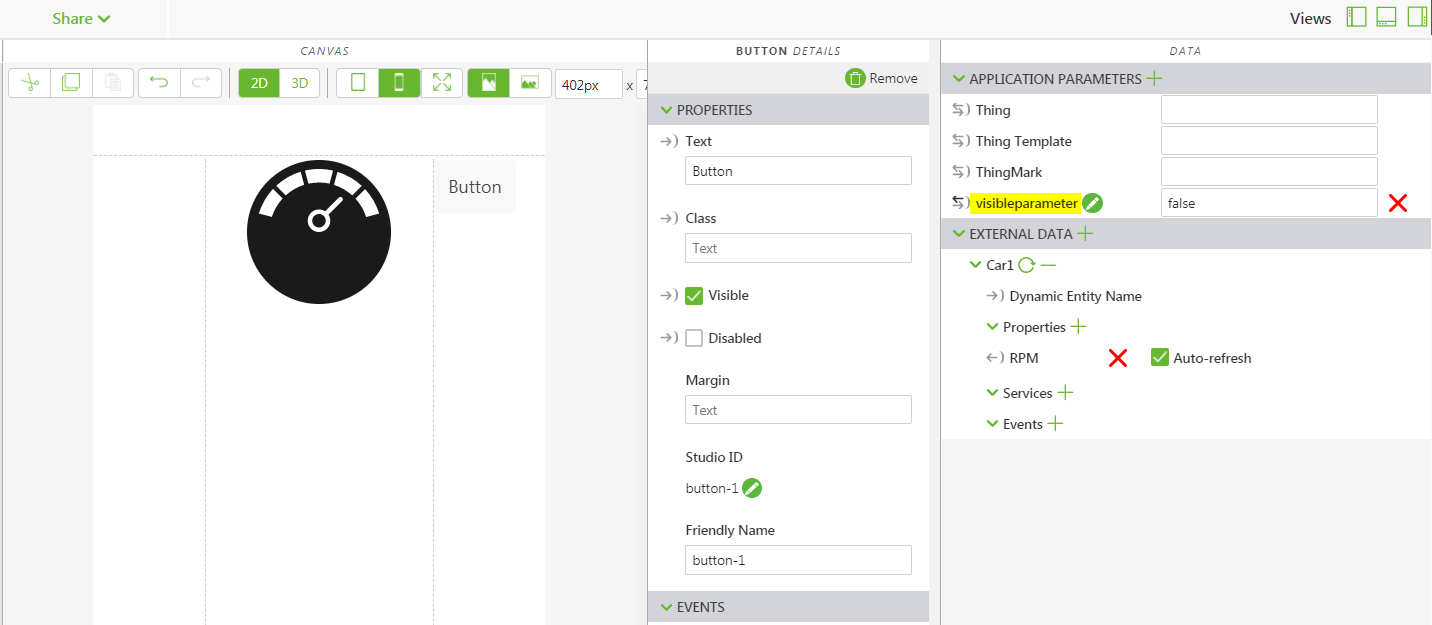
- Now add an application parameter with any name in the Data panel and set it's value to false. For example, click + sign next to Application parameters -> Type a name such as visibleparameter and set the value to false as shown below:
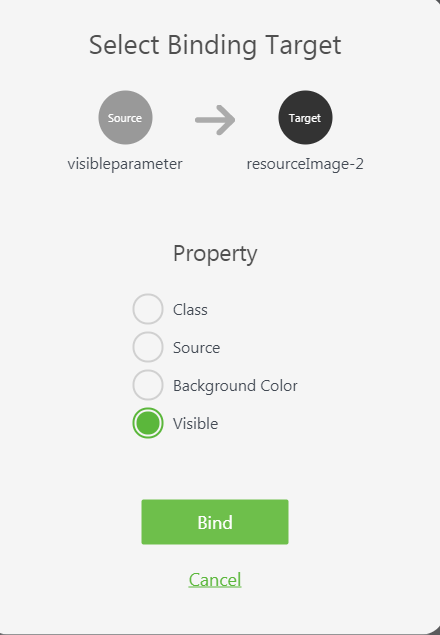
- Drag the
 binding icon infront of the visible parameter and drop it on the resourceImage and select the visible option as shown below:
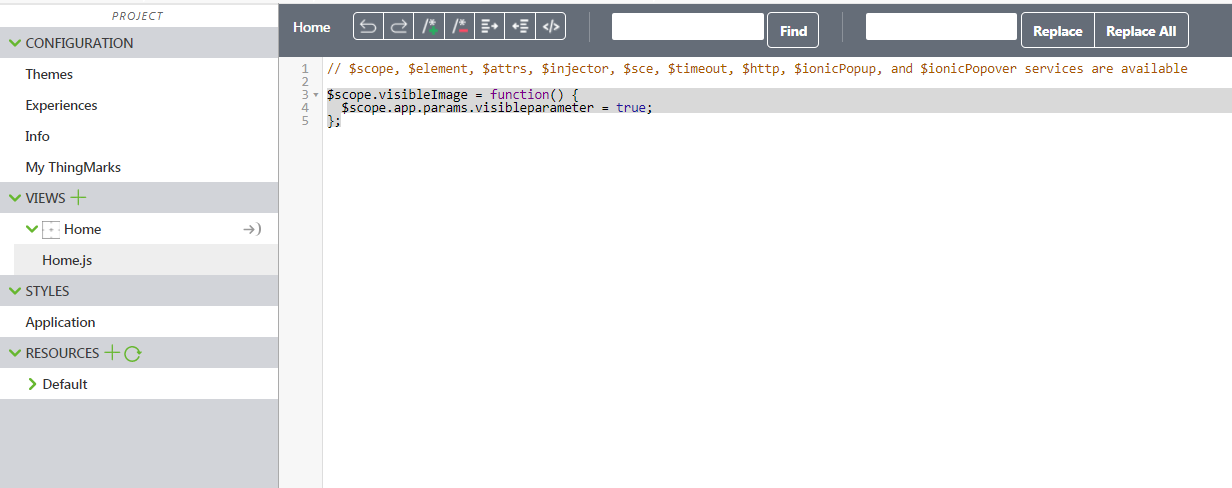
- Now click on Home.js and write the below sample function:
$scope.visibleImage = function() {
$scope.app.params.visibleparameter = true;
};
- Now click on the button widget on the 2D canvas. In the properties panel, click on JS which is next to click event and call the function as follows:
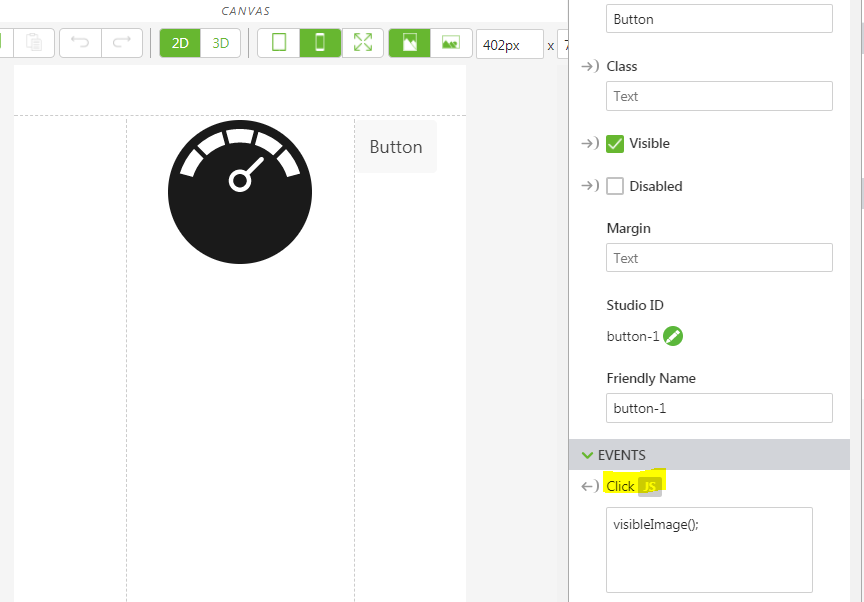
- Save and click on Preview.
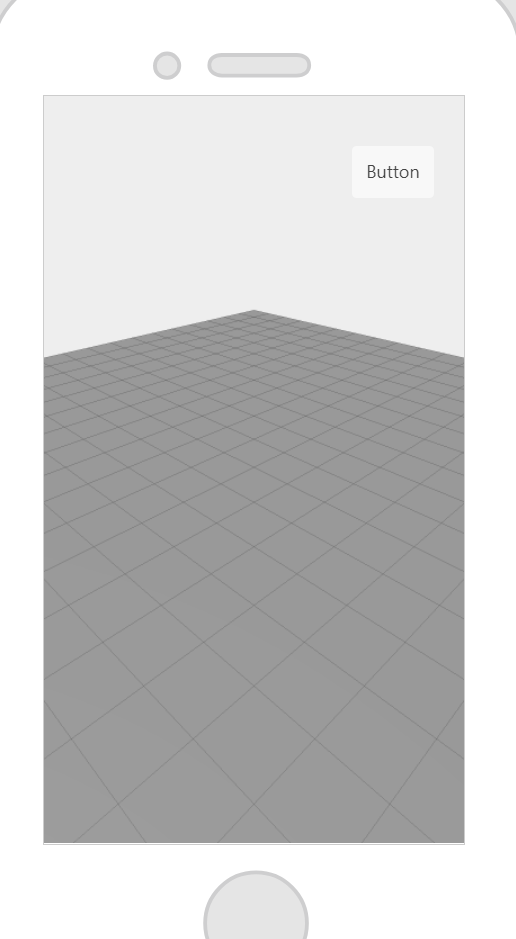
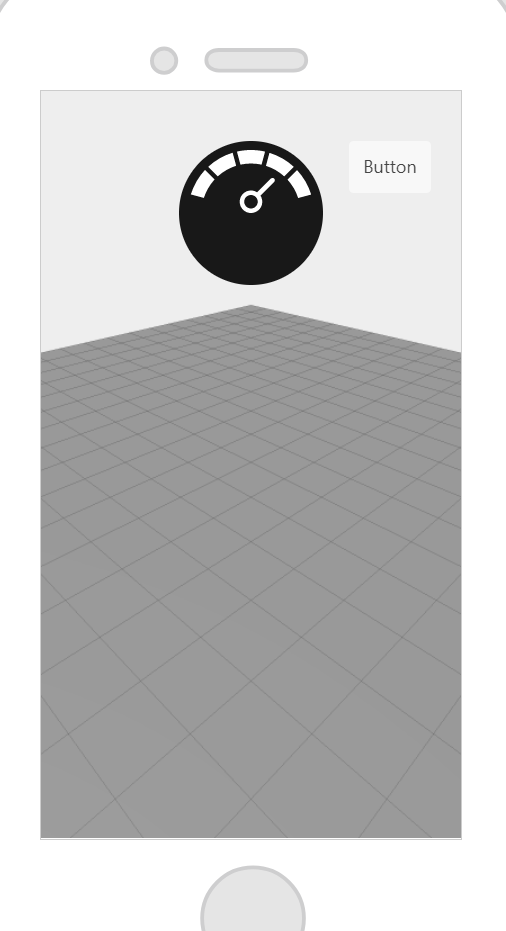
Upon launching the experience, the Resource Image widget is not visible. It is only visible when we click on the Button.
Hope this helps!

