Hi @venkatraj,
thank you for the further explanation. Yes, I could agree that this behavior is a little strange and not intuitively. I see that you are working with Creo parametric and this will make it easily to clarify the problem.
Actually, the good news is that you exactly determine the position of a component via the setting of the coordinates (manually or via script) . But it will be very difficult to add component with correct coordinates via UI drag and drop.
Let consider the model widget.
The best approach is that the model widget will contain (resource model) should be an top assembly. So means when possible all components should be already added there in Creo Parametric . Then you could export it to pvz (Creo View format) and add as resource.
So when you want to display, blank or move an component you have to add an model item for this component (form the existing pvz) and do some operations with this modelitem (e.g. move it, change the color, blank it etc.). So we can define a new modelitem widget for each component where we want to have some actions with it.
In some cases it will be usefull to have more then one modelitem widget (for example we could have different display of the same assembly – e.g. simplified representation, explode state or cut. And this case we can display for the same assembly the different pvz resources which contains the correct display state. This is the approach to have for the same assembly different resources and only one is displayed.
Another possible scenario is when you have different model widget for components. I think this is not recommended to display all components of a very large assembly but in some cases this could be useful for few additional components.
OK now to the position. Let forget the shift what we observed when we set the resource property. We can later set the value for x,y,z,rx,ry,rz to the desired values. What means this values (In terms of Creo parametric)
Every part or assembly in Creo Parameric has a default coordinate system. Mostly the default CSYS is coming with the template. But if there is no such you can see it when you create a new datum feature Coordinate System Default (see picture) :
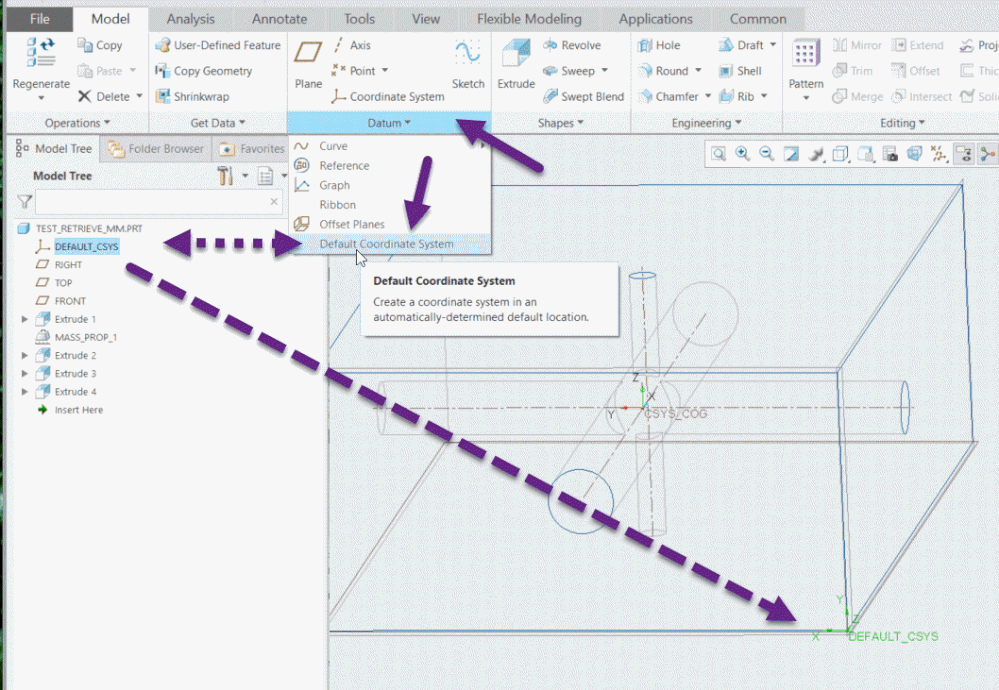
The default coordinate system always exists also, when in Creo there is no explicit feature for it. And often this lead to misunderstanding when there is another coordinate system which was used for the model design but it not coincident with the default csys.
And when you add a new widget with a resource file and set manually the coordinate of it e.g. to x=0,y=0,z=0,rx=0,ry=0,rz=0 -> here this means you will set the coordinate of the model default coordinate system. This is like assembling in Creo using a coordinate system constrain. So means the coordinate properties in Vuforia are the Top assembly csys where you add coincidently the model default coordinate system:
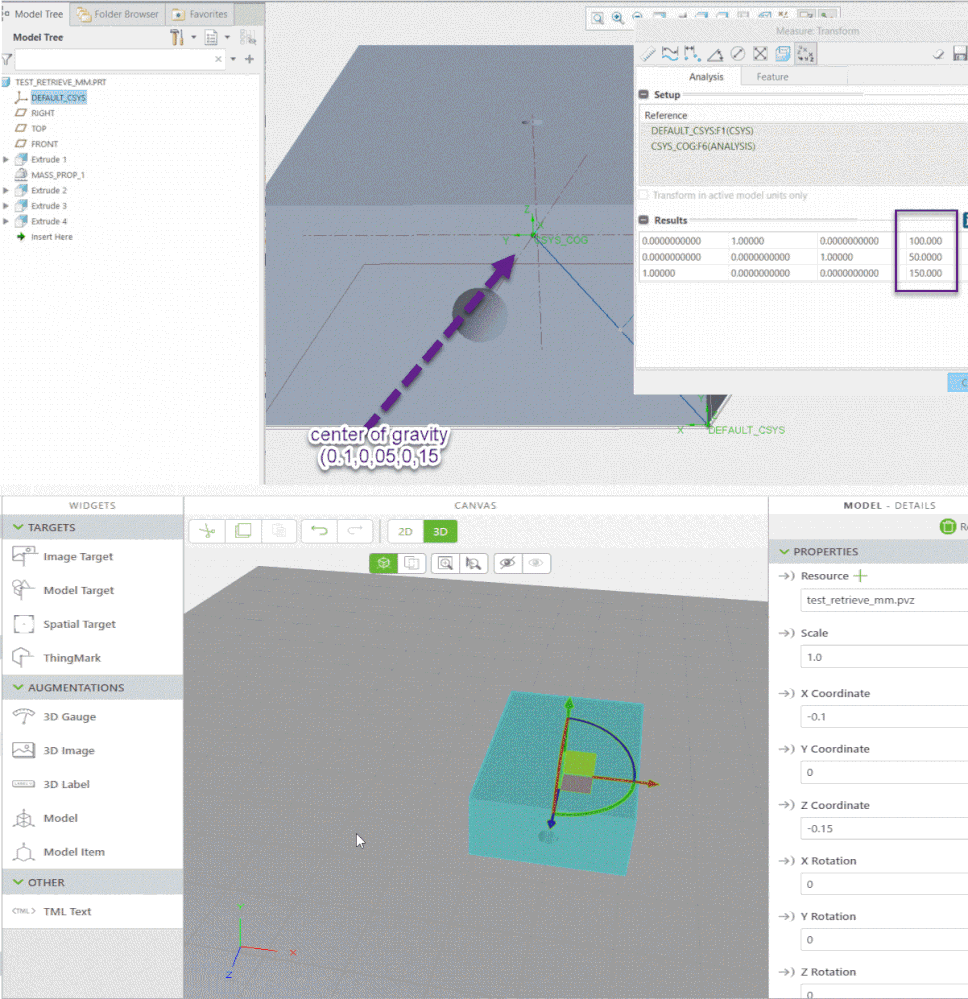
When the model represent an assembly – in this case the used coordinate system is the default coordinate system of the TOP assembly (assembly could consist of many subassemblies)
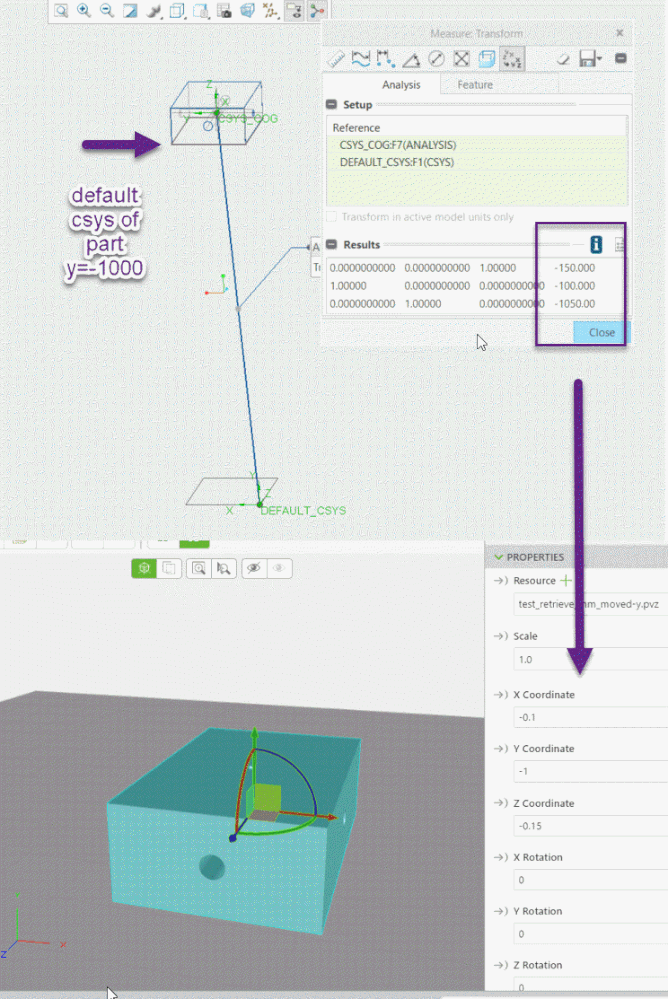
The creation of new widget for a new component is therefore not so convenient because often the default coordinate system is not appropriate for the determining of the position in the Top assembly.
The last point I want to mention here it the shift when we set the resource property. In this case the model “jump” to a new location. Actually we can ignore this and set again the value manually of the coordinate (so set the correct coordinate for the location of the model default coordinate system). I think this automatic shift do not have any practical value - is not intuitive and should be ignored.
My observations regarding this shift are following:
- For each part or assembly (particular pvz resource file) it is the same value.
- When you add a new widget, it will go automatically on 00000 position. When you add an second, third or …. Model widget it will read the approximate coordinate of xz location and will add the new widget on the approximate x,z mouse coordinate and Y=0
- When you set a resource file it will shift the model for specific for this particular model coordinates
The shift of the coordinates
For the x and z coordinate it will move the model so that the x,z coordinate of the center of gravity will go to the original position (when the model was originally to x=0,y=0,z=0,rx=0,ry=0,rz=0 in this case it will move the model coordinates on such manner that now to center of gravity of the part will be on x=0 and z=0. For the y position it will move the model that now the default coordinate system the model y=0 will should be coincided with Vuforia space y=0. I do not think that this is intuitive way but seem to be the current implementation.
My all observations are form the background of Creo Parametric. I do not have idea what will be the behavior for part coming from other system (e.g. where we do not have a solid with center of gravity – may be here is some kind of surface gravity center …)
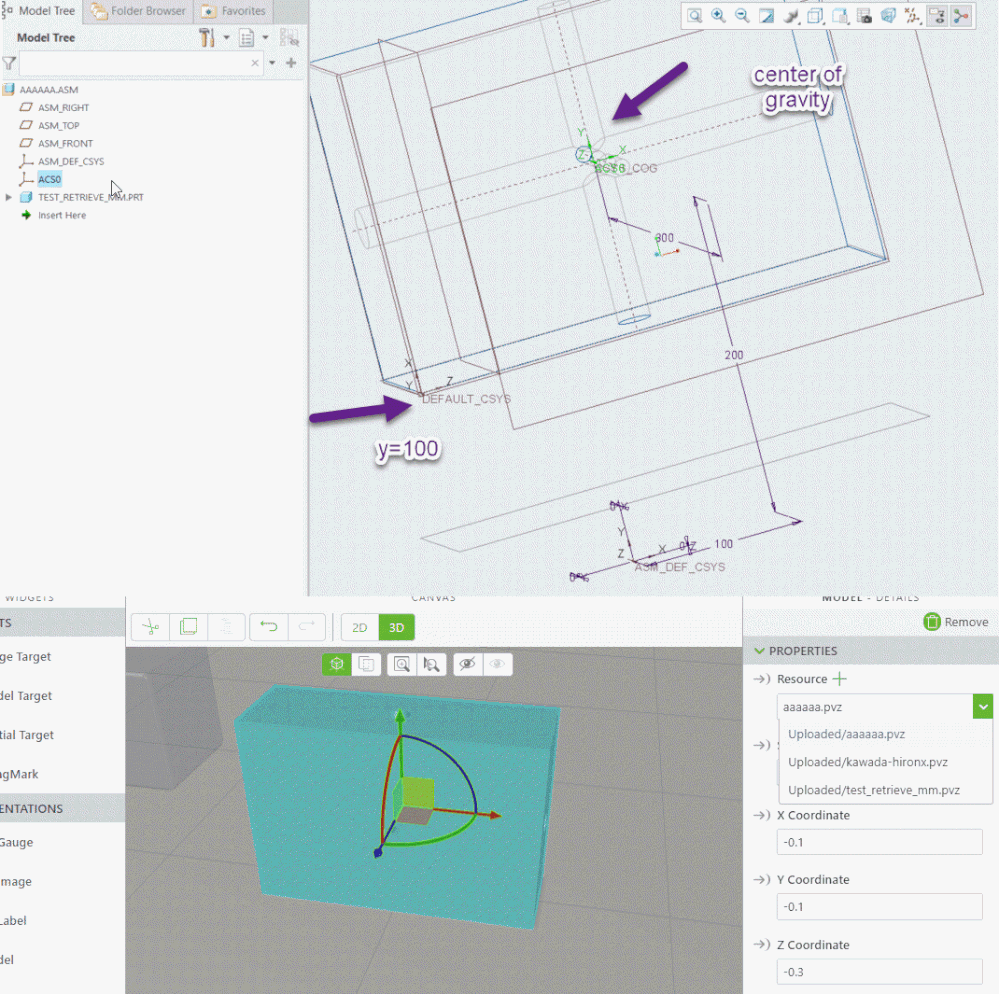


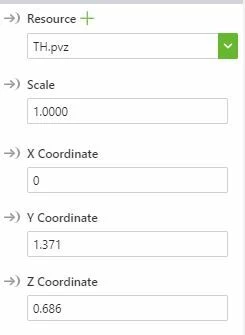 Coordinates after adding resource
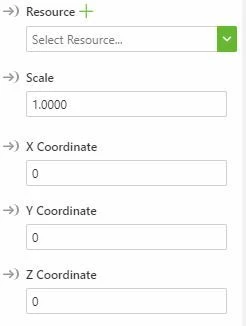 empty model widget coordinates