Hi @DiSiDtwin ,
regarding to the question how to transfer the image data to twx repository .
Following steps could implement a possible option:
1.) add the twx service for the specific repository thing to the external data section:
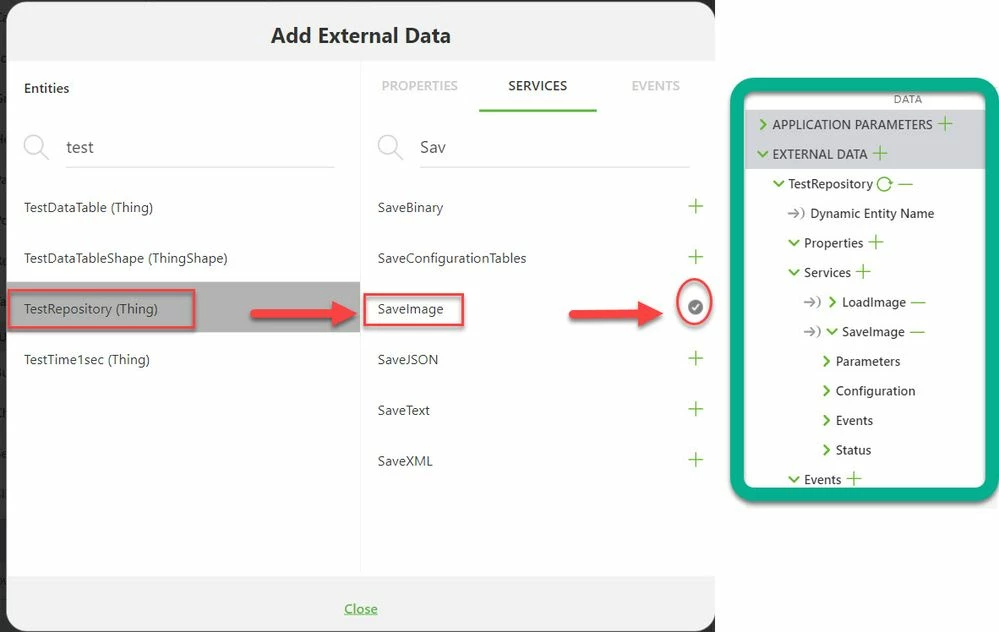
2.) add the following javascript to send the data to Thingworx repository path: / pictures
//=================================================
$scope.app.runMyTWXService = function() {
//sample setting of the parameters
var TWXmodelID = 'myTWXThing'; var serviceName = 'QueryNumberPropertyHistory';
var parameters = {'propertyName': 'Temp', 'maxItems': 10};

 TWXmodelID =arguments[0];serviceName=arguments[1]; parameters= arguments[2]
 console.log("$scope.app.runMyTWXService number of arguments ="+ arguments.length)
 console.warn('twx.app.fn.triggerDataService('+TWXmodelID+','+serviceName+','+JSON.stringify(parameters)+');');
 twx.app.fn.triggerDataService(TWXmodelID, serviceName, parameters);
};
//=================================================
$scope.SaveImageToTwxRepository = function(path, content) {
 $scope.$applyAsync(function() {
 $scope.app.runMyTWXService ('TestRepository','SaveImage',{"content": content, "path":path} )
 } ,500 );
 console.log( "Called -$scope.SaveImageToTwxRepository");
};
//=================================================
// will save the data to repository path /pictures/last.jpg
//----------------------------------------
 $scope.app.takePictureEvent= function() {

 console.log( "called $scope.SaveImageToTwxRepository!");
// will save the picture data into the imageUrl
 $scope.setWidgetProp('3DImage-1', 'src', $scope.view.wdg['camera-1']['imageUrl']) ;
 //alternative call
 //$scope.view.wdg['3DImage-1']['src']=$scope.view.wdg['camera-1']['imageUrl'];
// will save the picture image data to the repository
 $scope.SaveImageToTwxRepository('/pictures/last.jpg', $scope.view.wdg['camera-1']['image'] );
$scope.$applyAsync();}
//=============================================================================
In the code above the path to save the picture is fixed. When we call it then it add / or override if existing / the /picture/last.jpg
The image property of the camera widget will be used as content for the SaveImage service
The imageUrl property of the camera widget will be assigneed to the resource property (src) of the 3DImage widget - so that the taken photo will be displayed
This could be done directly by binding e.g.:

or by js - something like:
$scope.setWidgetProp('3DImage-1', 'src', $scope.view.wdg['camera-1']['imageUrl']) ;
3.) add to function app.takePictureEvent() to the UI of the camera Picture Taken event:
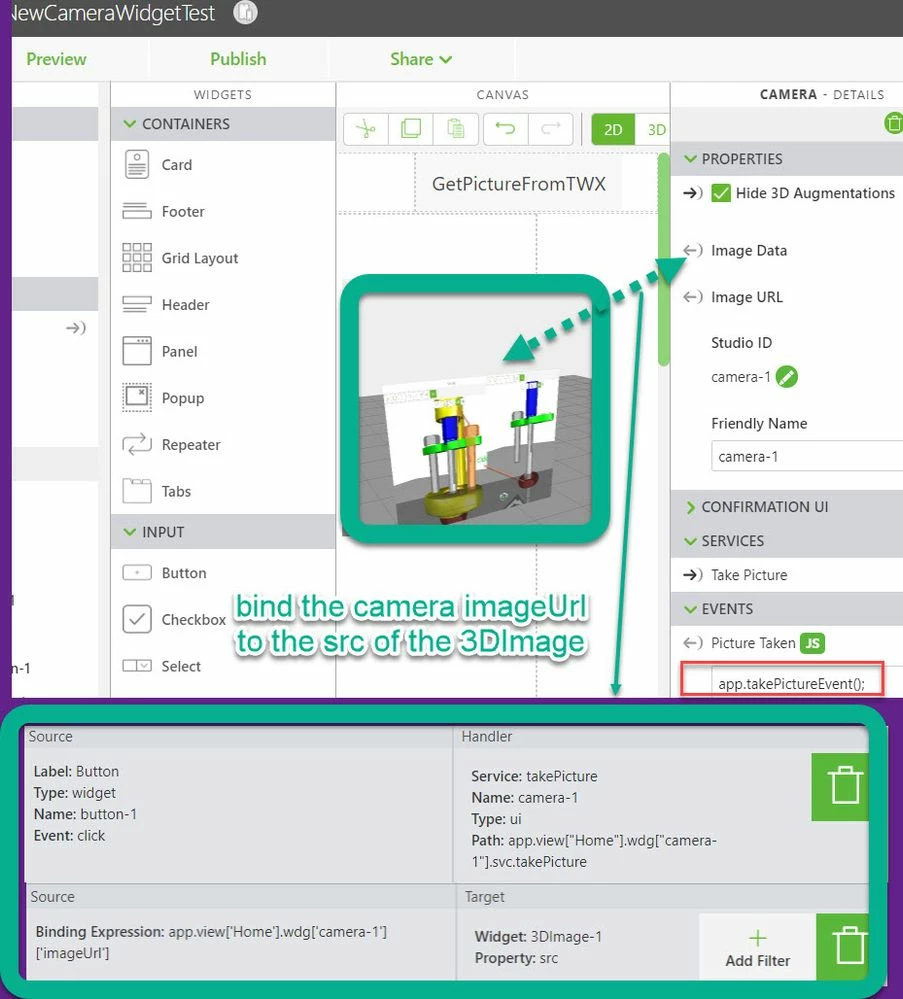
4.) create a binding for the camera widget property imageUrl to 3DImage resource (src) property . This will have the effect that when you have taken a photo then it will be displayed on the 3DImage. Also via the UI js Box it will call the app.updatePicture() function - where the data will be send to the Thingworx repository
5.) when we test it in the preview mode - we will have some thing like this:
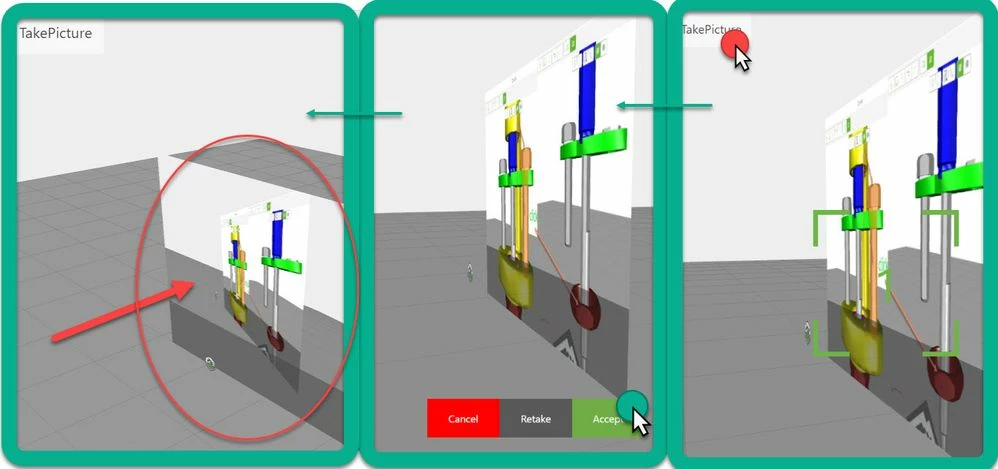
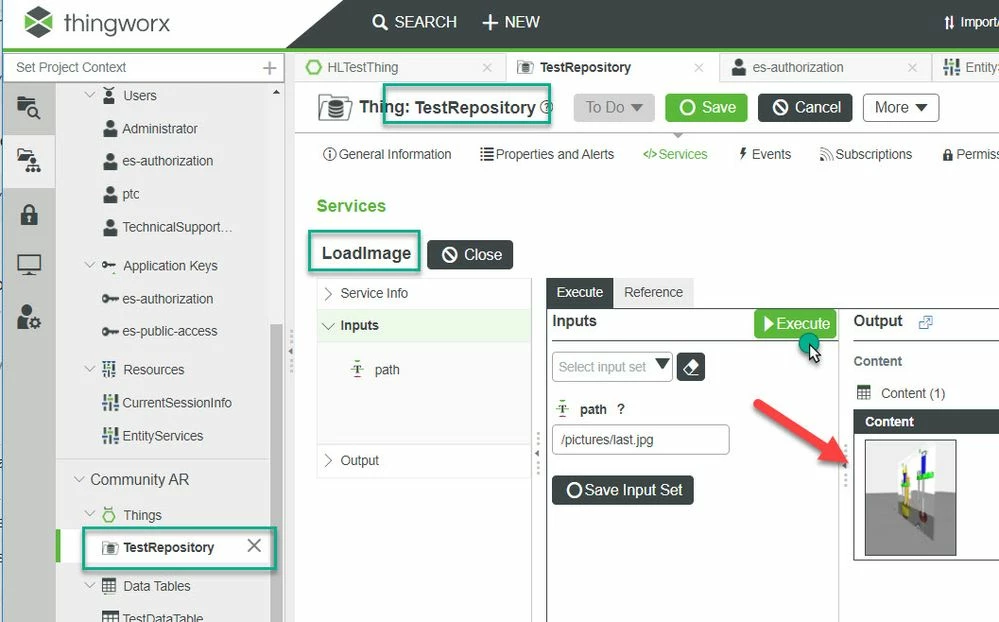
6.) go to TWX to check if the data was sent: Here we can call the repository service LoadImage( path = /pictures/last.jpg ) - When we test it - we can see the picture which was sent to TWX:
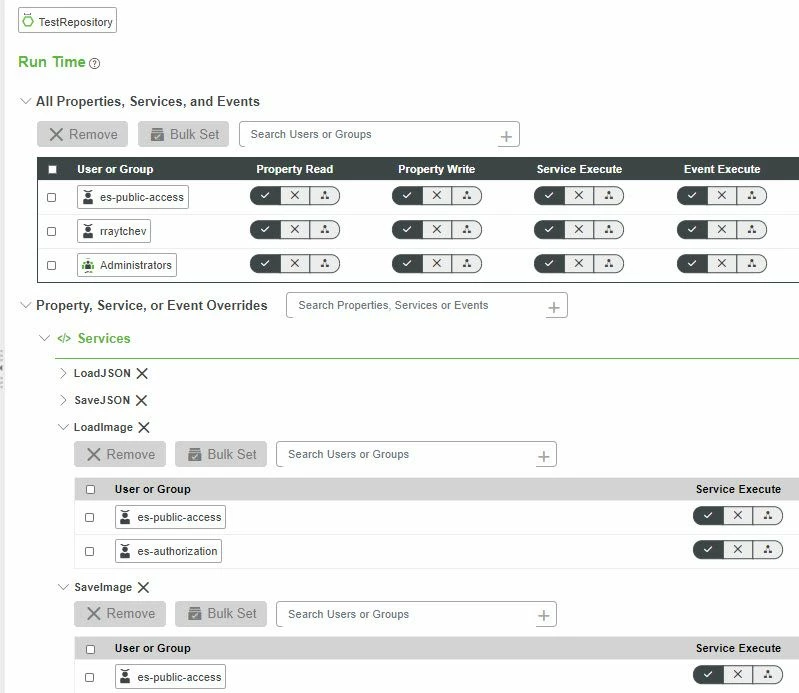
7.) If the experience should be used without credentials in this case we need also to set the permission of the service SaveImage for the es-public-access group: