Best answer by TomD.inPDX

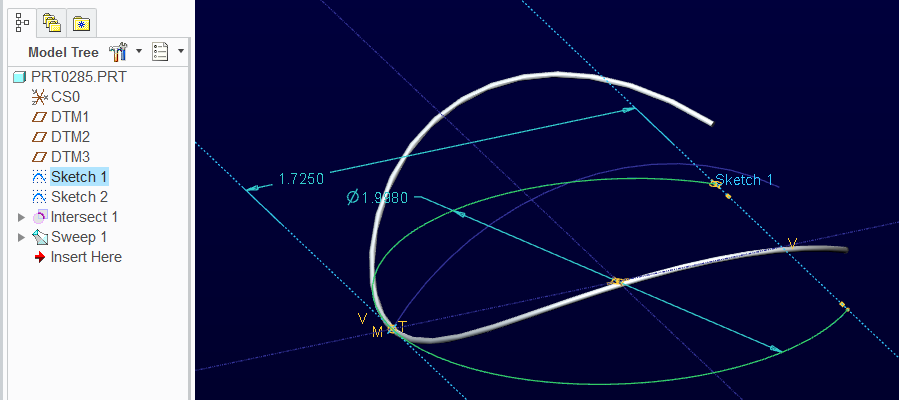
top down curve sketch

spring1.PNG

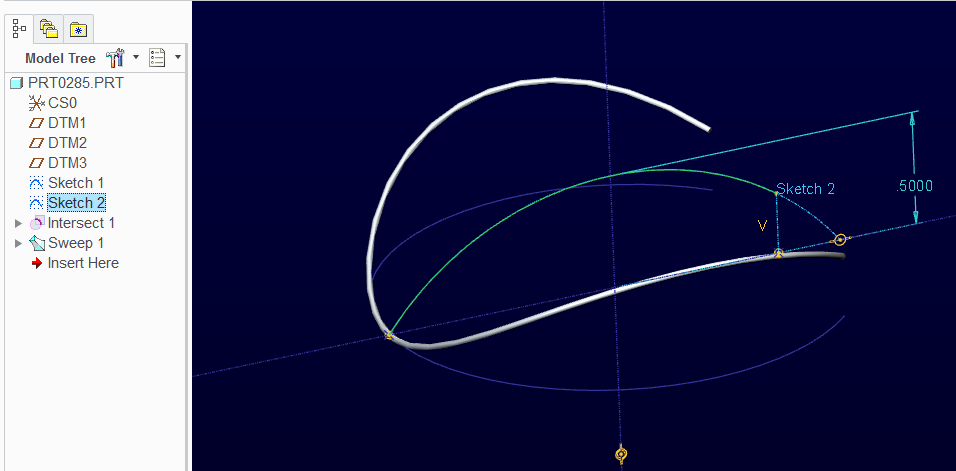
Side view sketch

spring2.PNG

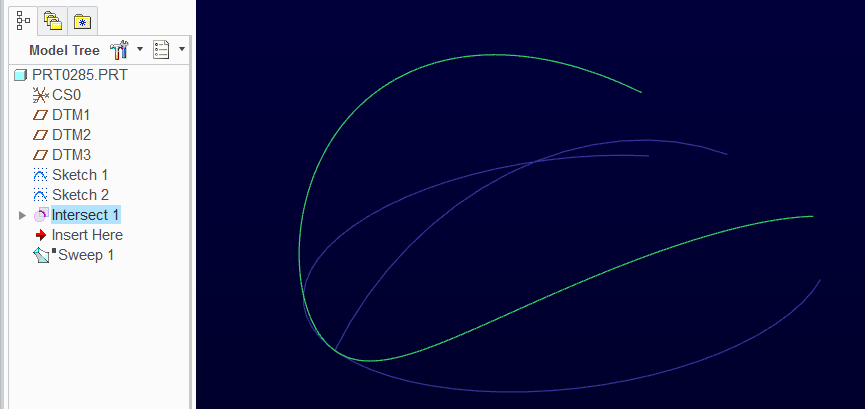
Intersect 2 sketches

spring3.PNG

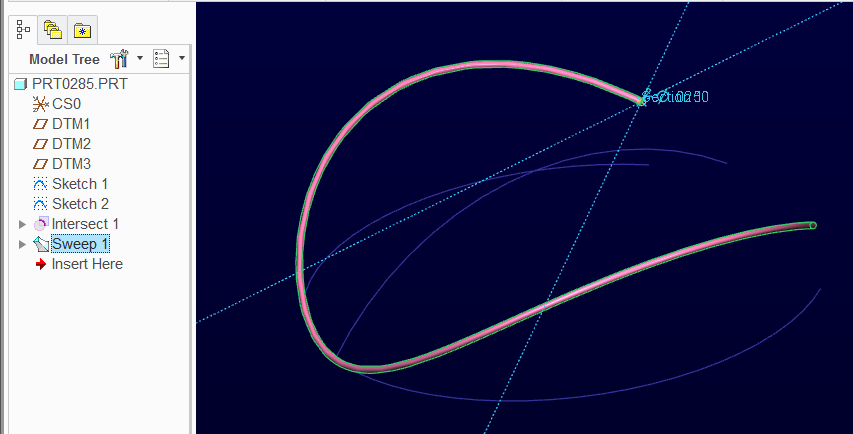
Sweep

spring4.PNG

4 replies

21-Topaz II
January 16, 2014

It's a bit hard to tell, but I'd say it looks like two simple sketches projected together. Perhaps a circle on top and a shallow arc on the side.

aminhas14-AlexandriteAuthor
14-Alexandrite
January 16, 2014

can you make a tutorial?

21-Topaz II
January 16, 2014

Swamped right now, but it's fairly simple. Sketch 3/4 of a circle on the top plane, sketch a shallow arc on the right plane (same length front to back) and then use the intersect tool to intersect the two.

21-Topaz II
January 17, 2014

Funny, I came in this morning with this on my mind and decided to make a quick model. Then I find that you've already got your solution.

Oh well, I made the model so I decided to post it anyway. It's in WF4 so pretty much anyone can open it.

17-Peridot
February 25, 2014

The challenge has changed slightly as the 2 free ends are now straight.

This time I used a wrap feature to better preserve the radius.

Creo 2.0 model attached.

wrap_wire.PNG

aminhas14-AlexandriteAuthor
14-Alexandrite
February 25, 2014

very nice work is that possible make video?

kind regards,

17-Peridot
February 25, 2014

The wrap feature is discussed in this video:

Closed and Ground Spring - Alternative to Helical Sweep

You have to be careful about running the ends beyond the surface. If you check both options in the wrap feature, it may ignore it. However, I have also had it fail. I measured the length of the surface to use in the "U" shaped sketch in the included example.

Patriot_1776
22-Sapphire II
February 25, 2014

One thing, depending on the desired result, you either want a wrapped curve, or a projected curve. Wrap does exactly that, preserving the overall length of the curve. Project does what Antonius did first with the intersection of two curves, which will stretch/distort the overall length.