1-Visitor
July 12, 2010
Question

Animated GIF generation

  • July 12, 2010
  • 3 replies
  • 7821 views

Is there any way in Mathcad to generate an animated GIF?

I would like to do this based on meshes I generated or output from something like 3D plot.

Here is an example of the kind of stuff I would like to generate:
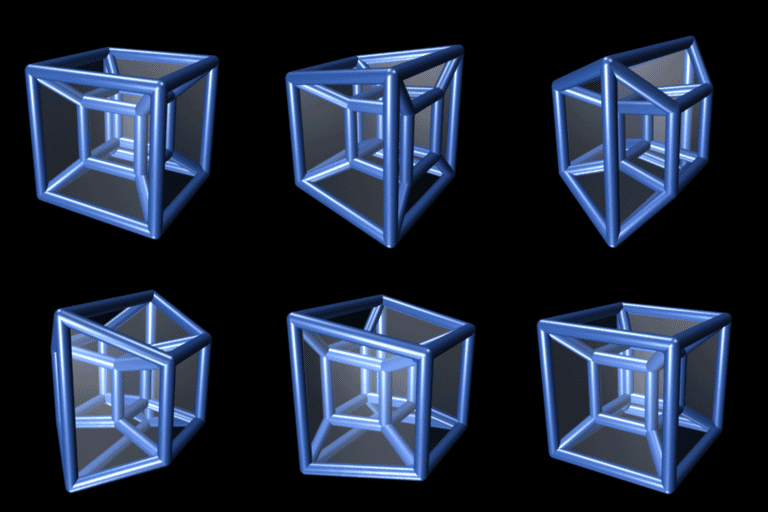
8-cell-simple.gif

3 replies

1-Visitor
July 12, 2010

If you can't see the animation, click on it. If that doesn't work, download the image (if you can?)

Unfortunately, in this mode of post generation, I can't edit or preview the post, so I didn't discover until after I posted that you don't see the animation as I could when I writing the post.

1-Visitor
July 12, 2010

No worries.

Not sure about GIFs, per se. Mathcad does have the ability to animate some things based on iterations on calculations within a sheet. Usually outputs to AVI, I think.

1-Visitor
July 12, 2010

For that particular one, it would be almost impossible because Mathcad is not a graphic package. With simpler geometry , i.e: geometry created in the work sheet, you can use a Microsoft something called " movie " [not so sure exact name]. I tried it long time ago and declared to myself " f..k it" , The "movie" if that's the name will keep the animation for ever. But in Mathcad you can save as *.AVI and it will run for all the frames in the composition...not bad for 2D's. For Mathcad 3D's with colors, the Mathcad 11 "Codec" AVI used to be of very poor quality based on different codec truncation [some are wavelets ...] . In other words the Matcad 11 *.AVI didn't render even at 100% quality. It could be that Mathcad didn't have the full license for none of the codec.

jmG

1-Visitor
July 13, 2010

This kind of animation is easy to compose in Mathcad , compose for one cycle. For more than one cycle, no idea if possible.

mouches2.gif

convgaus.gif

jmG

1-Visitor
July 13, 2010

That looks good, but I tried 3D plot, and it loses on both resolution and lighting. However by making it very large in mathcad in order to produce a smaller video seemed to work OK. I've only gotten as far as the .avi file and haven't tried converting it to animated GIF. I am about to try that.

jean, what tools & process steps did you use to get your nice animations into the GIF files?

1-Visitor
July 13, 2010

"Jean, what tools & process steps did you use to get your nice animations into the GIF files ?"

__________________________

The convolution is from the Mathematica web page on convolution.

Les mouches [bugs] got them from a french site, Maple based.

The Mathcad animation tool does not have the option to save as

animated gif and not sure if IrfanView has the option.

So, In Mathcad AFAIK: only one cycle, i.e: no repeat.

Cheers John

Jean

It works fine with IrfanView [freeware, a must !]