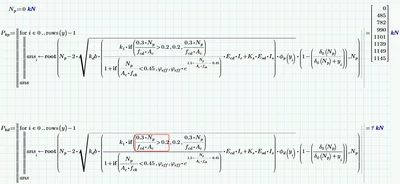
I added a function to represent your expression using phi.p, which has no problems with the zeros.
As you can see, the difference is that the graph is move up and the jump occurs from positive to positive value. The zero is far to the left and can be calculated without problems.
That shifting of the graph is due to the difference in the values of phi.d(y) and phi.p(y). A smaller value moves the graph upwards.
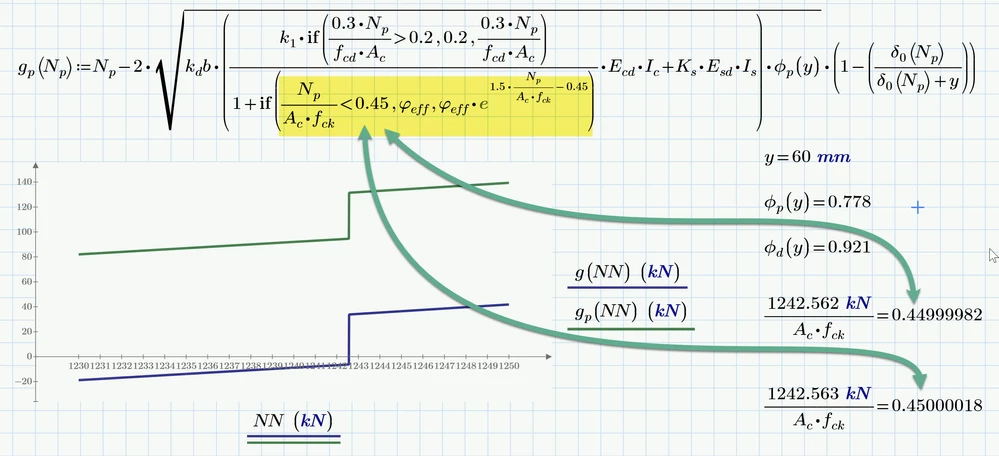
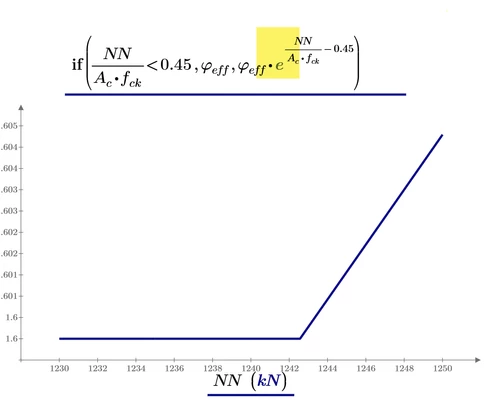
The picture also shows the reason for that jump, which is present for all values of y and also in both function (the one using phi.d and the one using phi.p). Its the if-statement in the denominator. The jump occurs when the value goes over 0.45.
It looks like this
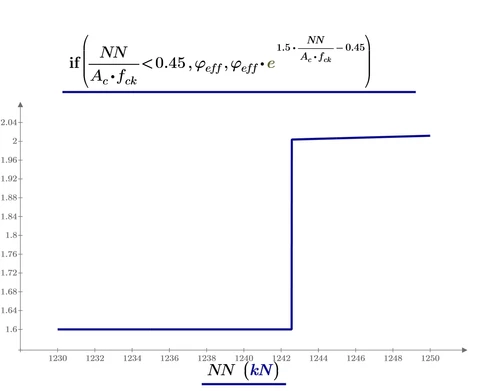
I am not sure if the jump here is really correct and intended, Normally I would expect a continous graph, like is the case in the if-statement in the nominator.
Here the graph is continuous at the position where the expression exceeds 0.2 (at 1104.5 kN).
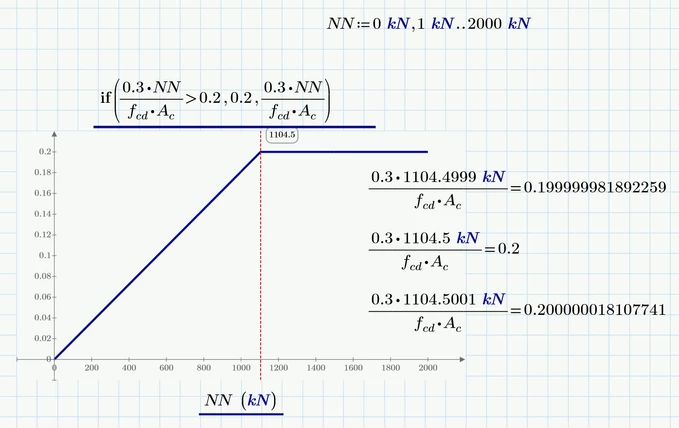
Something which could be achieved in the other if-statement as well if you simply replace the 1.5 by 1.
But I have no experience whatsoever in your field of work so I can't say if this would make sense
Another option might be to multiply the 0.45 with 1.5 as well

EDIT: I just noticed that you had exactly that in an expression in the front of the sheet:

So probably the mistake was just that you forgot to type the parentheses ?