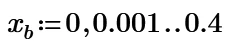
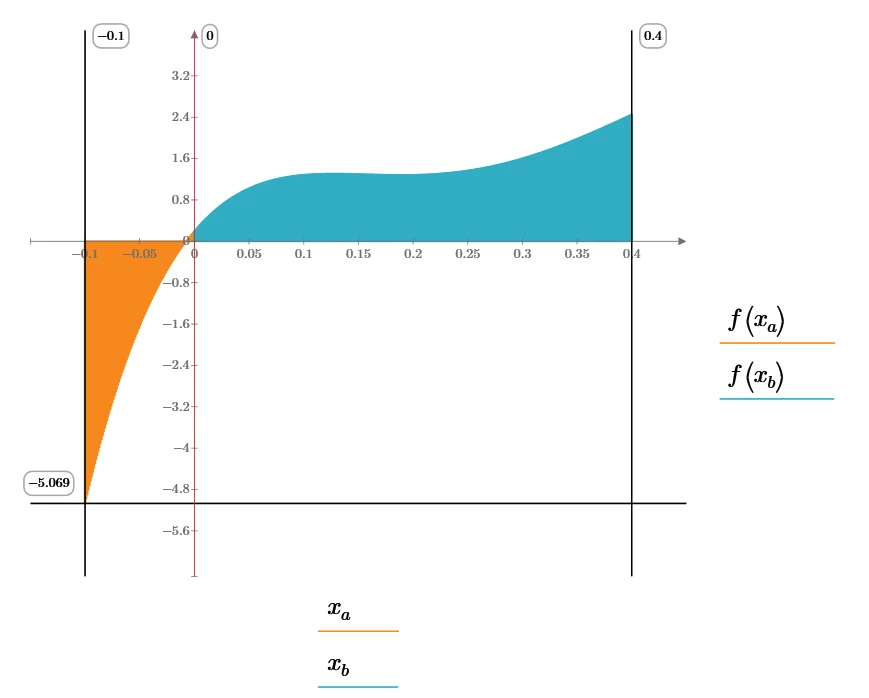
Best answer by ttokoro

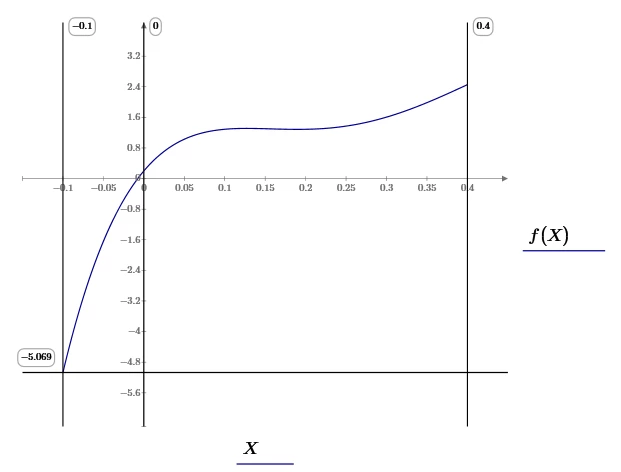
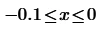
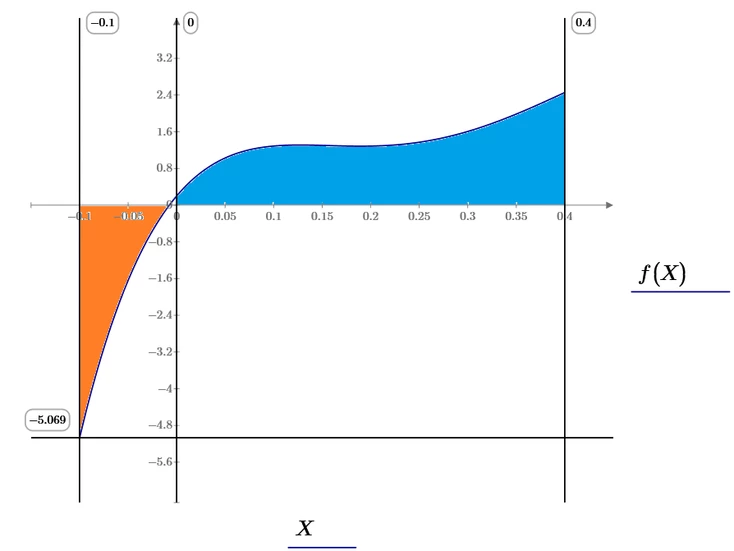
Traces, Change Type, Column Trace.

image.pngimage.png


image.png

5 replies

Cornel19-TanzaniteAuthor
19-Tanzanite
July 21, 2023
ttokoro
21-Topaz I
21-Topaz I
July 21, 2023

image.pngimage.png

t.t.
ttokoro
21-Topaz I
ttokoro21-Topaz IAnswer
21-Topaz I
July 21, 2023

Traces, Change Type, Column Trace.

image.pngimage.png


image.png

t.t.
25-Diamond I
July 21, 2023

Maybe that way

Werner_E_1-1689933909133.png

Werner_E_2-1689933932826.png

Werner_E_3-1689933954031.pngWerner_E_4-1689933967064.png

I had not done so, but actually the color fills should be placed in the plot first and only then followed by f(x) and f(X) so these would be on top and visible!


25-Diamond I
July 21, 2023

You may wonder, why the usage of Fill() required the argument

Werner_E_0-1689937909877.png

This is because my Fill() function is designed to shade the area between the graphs of two functions, not necessarily between the x-axis and one function. So this expression simply is the function for the x-axis.

Werner_E_1-1689938112291.png


Cornel19-TanzaniteAuthor
19-Tanzanite
July 21, 2023

Do you know some similar variant like @ttokoro showed above for shading the area between the x-axis and one graph using xa and xb ranges but now for shading the area between two graphs? Or is it not possible such a variant using some xa/xb ranges for shading the are between the 2 graphs? I mean writing like that: xa = ...., xb = ...., xc= ...., xd = ...., and then plotting these variables with f(xa), f(xb), f(xc), etc, the area between 2 graphs to be colored.

25-Diamond I
July 21, 2023

One last remark - if you really want to dig into the depths of shading regions using Primes native plot, you should study the comprehensive 30-page (nothing of value comes easy) worksheet of Prof. Byrge Birkeland.

You may know his outstanding work on "Amazing Images" for real Mathcad:

Werner_E_0-1689972495572.png

Here some appetizers from his work on shading areas in Prime:

Werner_E_1-1689972608024.pngWerner_E_2-1689972659738.pngWerner_E_3-1689972758948.png

Werner_E_7-1689973003128.pngWerner_E_5-1689972932248.png

Werner_E_8-1689973075166.pngWerner_E_9-1689973096470.png


The attached file stems back from 2013, so I guess its in Prime 2 format.

Have fun!


Cornel19-TanzaniteAuthor
19-Tanzanite
July 24, 2023

@LucMeekes @Werner_E @ttokoro 

How to do like this?

Cornel_9-1690188093833.png
Cornel_10-1690188099666.png

Cornel_11-1690188110733.png

Cornel_12-1690188116841.png

Cornel_13-1690188124248.png


Cornel_8-1690188043640.png 

Cornel_2-1690187681740.png


Cornel_0-1690187926073.pngCornel_1-1690187933255.pngCornel_2-1690187942791.pngCornel_3-1690187949129.png


Cornel_4-1690187961750.pngCornel_5-1690187968914.pngCornel_6-1690187975609.png


Mathcad Prime 8 file attached.

ttokoro
21-Topaz I
21-Topaz I
July 24, 2023

Only this plot use a tric. Others are only plot 2 Line Traces and One Column Trace. 

image.png

t.t.
23-Emerald IV
July 23, 2023

For those limited to express, the following set of functions implement @Werner_E 's Fill() function with the added benefit that it also accepts scalars instead of functions, so the construct "tmp(x)<-0" is not needed:

LucMeekes_0-1690122886737.png

LucMeekes_1-1690122897795.png

example:

LucMeekes_5-1690123076916.png

LucMeekes_2-1690123041010.png

LucMeekes_3-1690123049264.png

LucMeekes_4-1690123056286.png


Prime4 file attached.


Success!
Luc


23-Emerald IV
July 26, 2023

I managed to get Fill() for Prime Express into a single function:

LucMeekes_0-1690363840030.png

Success!
Luc

Cornel19-TanzaniteAuthor
19-Tanzanite
July 26, 2023

@LucMeekes @Werner_E @ttokoro 
So, from my understanding, all above functions that you posted so far are for the following 2 variants:

Cornel_1-1690365491842.png


Cornel_0-1690365395035.png


So, for the variant when someone wants to fill with colour the area between one function f(x), two points given on the x-axis x1 and x2, and x-axis (0 line). or for the variant when someone wants to fill with colour the area between 2 functions f(x) and g(x) and 2 points given on the x-axis x1 and x2.

But when someone wants to fill with colour the area between 3 functions f(x), g(x) and h(x) and only one point given on the x-axis x1 or when someone wants to fill with colour the area between 4 functions f(x), g(x), h(x) and t(x), then is it possible something like that?

Cornel_2-1690365748843.png


Cornel_3-1690365767516.png