1-Visitor
October 29, 2012
Solved

Creating coagulation tank

  • October 29, 2012
  • 3 replies
  • 5138 views

hi guys

i haved attached a photo please see the model of tank and give idea how to create it.

or anyone please attach and mail me. it will be more helpfull.


thanks & regards

Viswanathan.K

    Best answer by DavorGranic

    Ok if i got geometry right from pic this is what you can do:

    1. Create curve that tangents corner edge. Point on bottom you define by ratio (0.5)
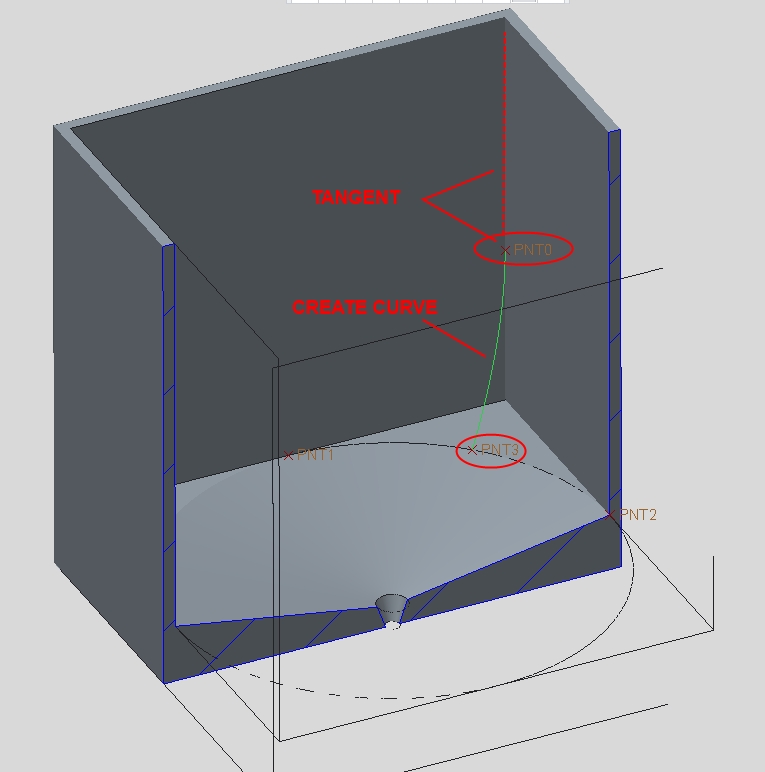
    1d.jpg

    2. Create surface in style-surface.(Or use revolve and select axis of bottom hole and get surface from that)
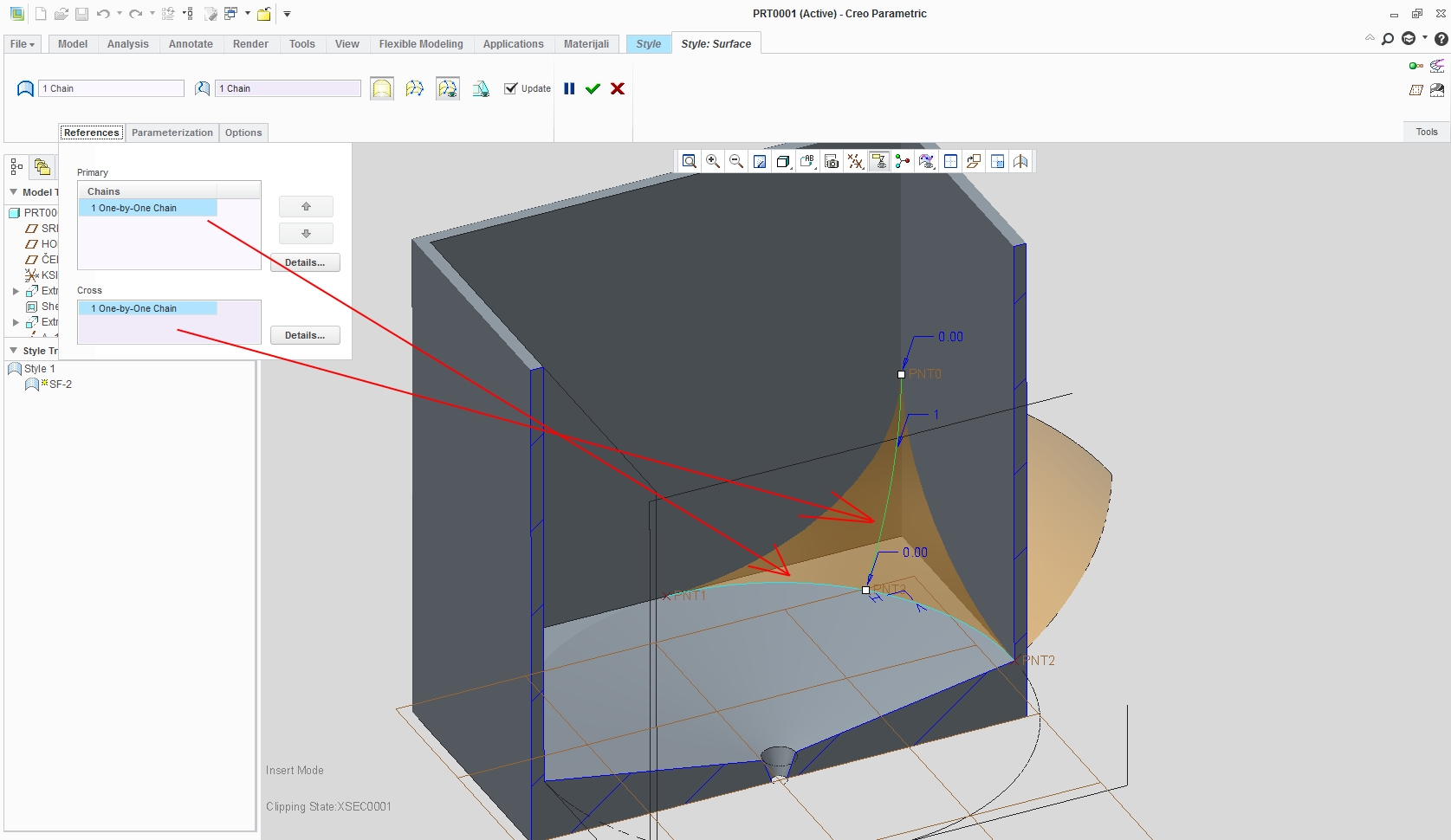
    2d.jpg

    3. Create interect curves (where your surface cuts trough side walls of tank.(to be used for triming)
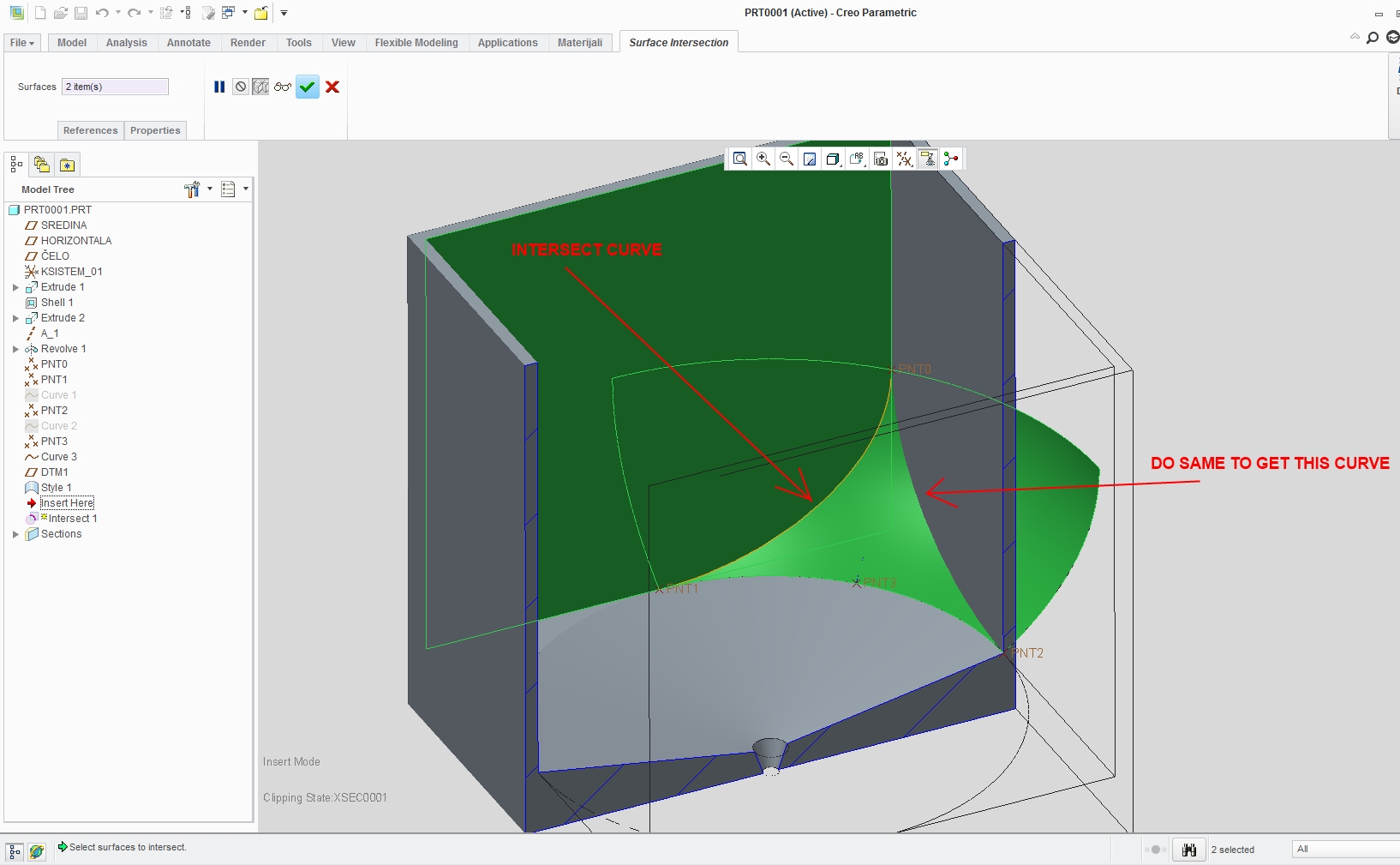
    3d.jpg

    4. Trim surface using those intersect curves.
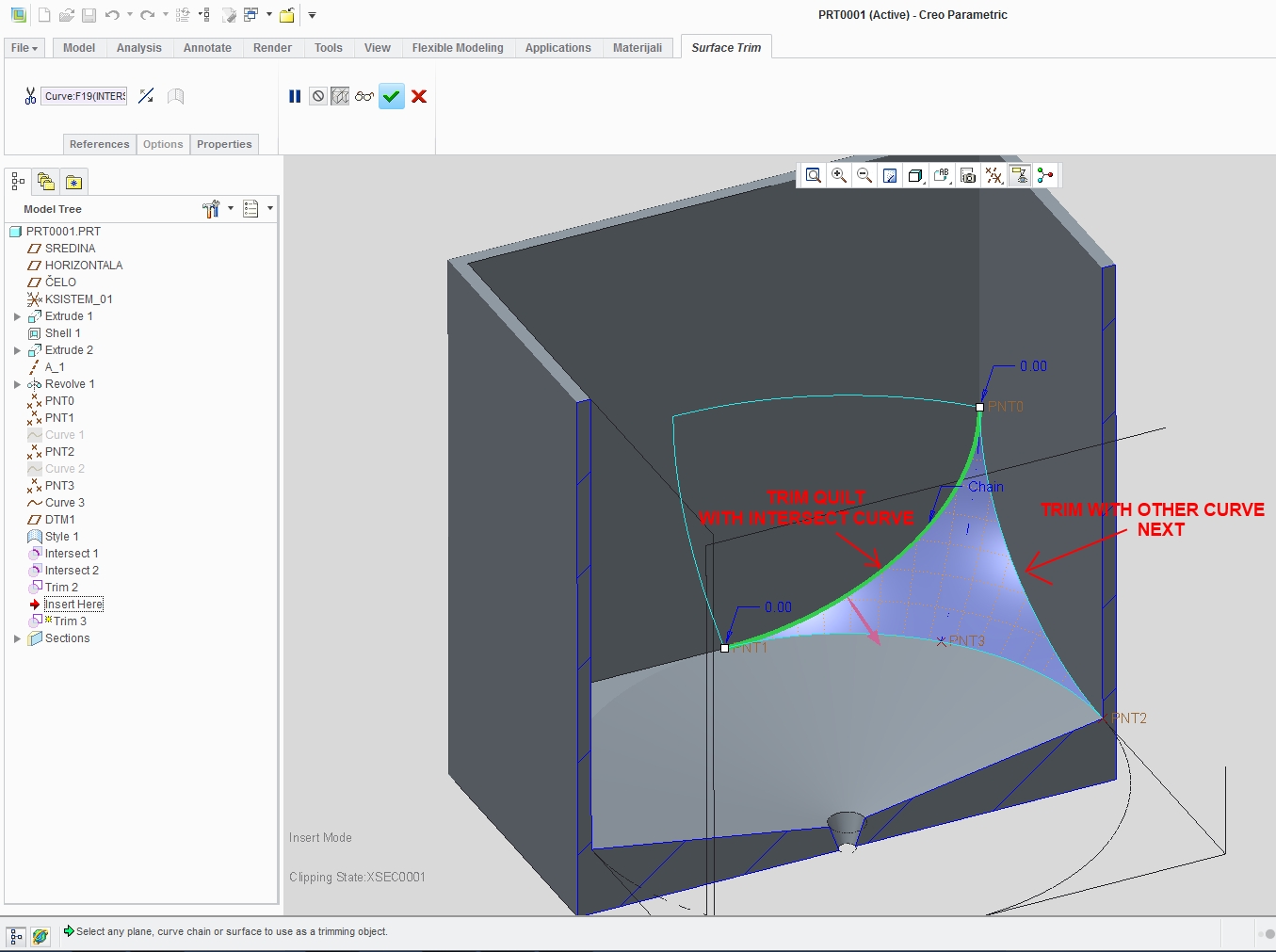
    4d.jpg

    5. Solidify trimed surface.(Make sure direction of solidify is pointed to bottom of tank
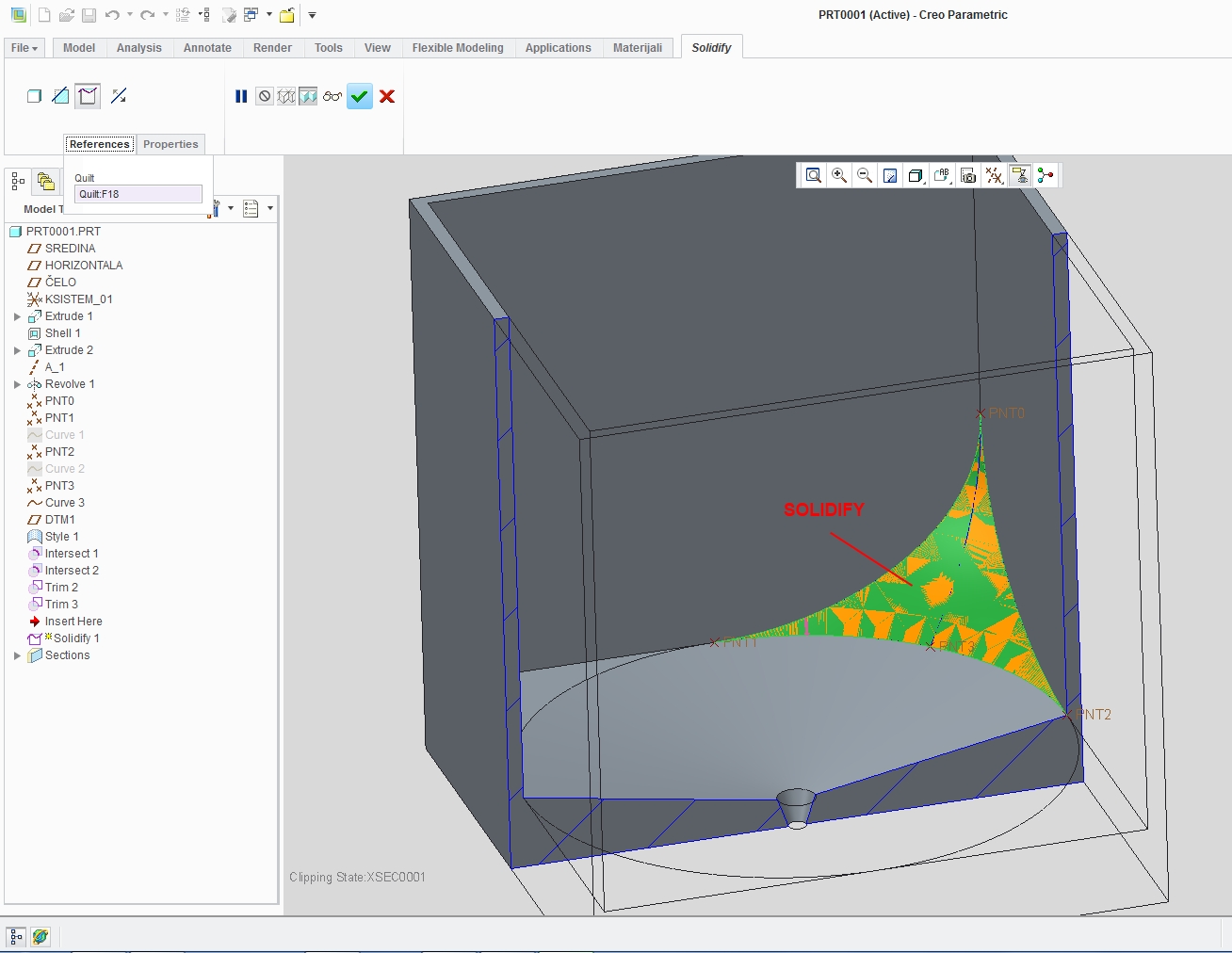
    5d.jpg6d.jpg

    As far as i can see from your cross section you have same slope on other side,

    Cheers.

    3 replies

    visu1-VisitorAuthor
    1-Visitor
    October 29, 2012

    i hope i will get soon answer for this

    thanks in advance.

    16-Pearl
    October 30, 2012

    Hi,

    You can draw boundary curves and use boundary blend and later solidify it. But that one cross section isnt enough info. Do you have more views of part?

    visu1-VisitorAuthor
    1-Visitor
    October 31, 2012

    Dear Davor Granic:

    i need to create those corners, others i have create it already.

    could you just create one rectungalar tank, and try those corners. if you need more details just google coagulation tank. you can see that corner clearely and you can get an clear view. kindly help me.

    thanks&regards

    Viswanathan.K

    16-Pearl
    October 31, 2012

    Ok if i got geometry right from pic this is what you can do:

    1. Create curve that tangents corner edge. Point on bottom you define by ratio (0.5)

    1d.jpg

    2. Create surface in style-surface.(Or use revolve and select axis of bottom hole and get surface from that)

    2d.jpg

    3. Create interect curves (where your surface cuts trough side walls of tank.(to be used for triming)

    3d.jpg

    4. Trim surface using those intersect curves.

    4d.jpg

    5. Solidify trimed surface.(Make sure direction of solidify is pointed to bottom of tank
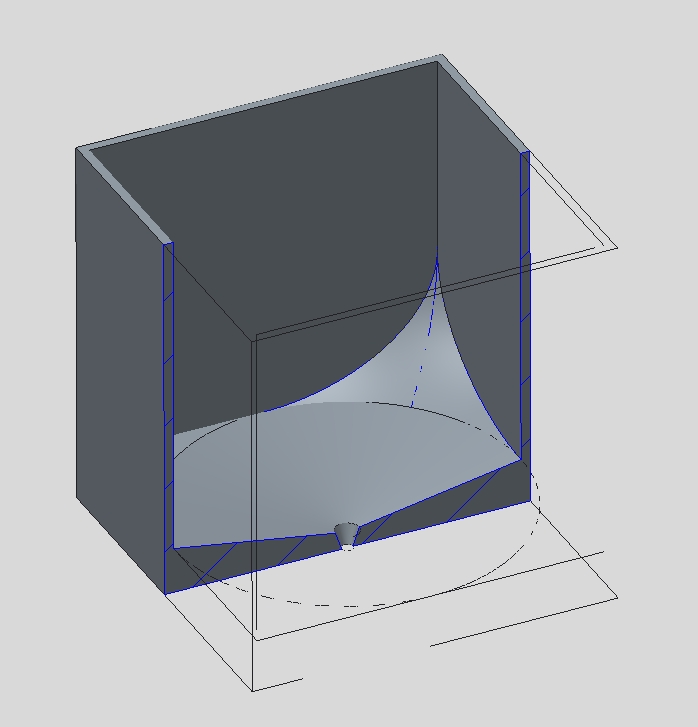
    5d.jpg6d.jpg

    As far as i can see from your cross section you have same slope on other side,

    Cheers.

    1-Visitor
    October 31, 2012

    Revolve with 2 conus angles:

    Capture.JPG

    visu1-VisitorAuthor
    1-Visitor
    October 31, 2012

    dear sylvain
    Could you please send this part file to following email -

    Thank&regards

    Viswanathan.K

    1-Visitor
    November 12, 2012

    Sorry, I cannot send it but it's simply an extrusion of a square section followed by a revolve feature.

    You can see the shape of the revolve section in the picture above.