

Ask the Expert: How can I use Git to achieve continuous integration with ThingWorx?
Disclaimer: Please note that, while the ThingWorx Git Backup Extension is a very useful tool, it is not a PTC product, nor is it supported by PTC.
Hi ThingWorx users,
Trying to manage your ThingWorx application artifacts in a CI process? Wondering who changed that line of code in your Thing Service? Trying to see what your Mashup looked like last release? Time to Git excited! Introducing the Git Backup Extension, an open-source tool available here to offer a stronger integration with the Git source repository. This Git feature can push or pull code and artifacts (like entities, data exports or extension dependencies) to your Git repository.
Here are some highlights of how this works within ThingWorx:
First, configure your Git repo to work with ThingWorx by creating a Git Backup Thing. Then, simply open your new Thing, navigate to the Configuration editor and enter information like your Git URL, your Git username and password, your repo and branch names, etc. See example below.
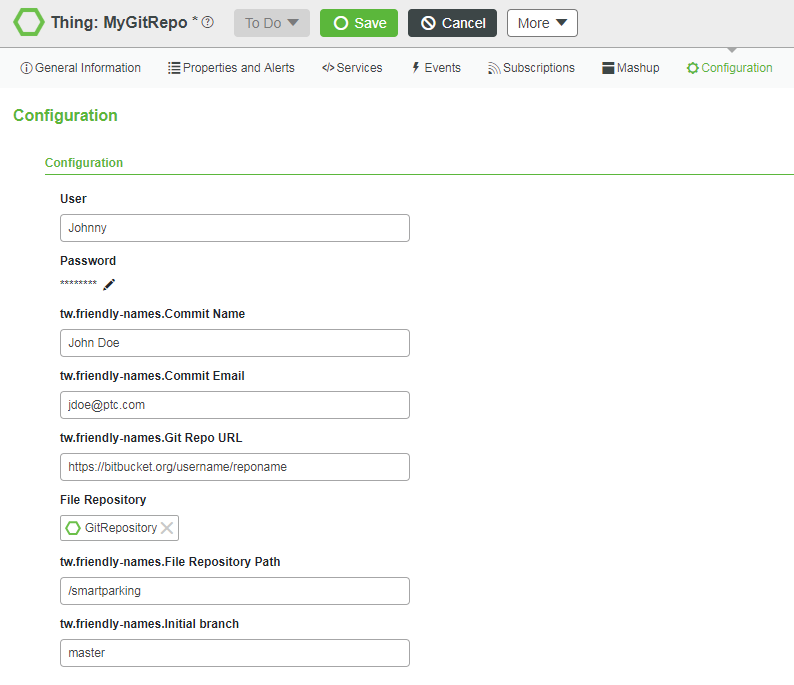 Configuring your Git repoWith this configuration in place, you can now use the Home Mashup of this new Git thing to browse the repository and pull down contents to your local ThingWorx instance. For new projects, you can also push new entities to the repo as you work on your application.
As you and your team are working, you’ll want to see the differences of the files you are editing and working on collaboratively. The Git extension feature makes this easy. Just like you can see diffs clearly delineated for a file with your Git client, you can see the same with this Git integration in ThingWorx. Similar to the git status command, the Git ThingWorx extension will show you the list of files you have changed that are available to push, as well as their diffs. See an example below.
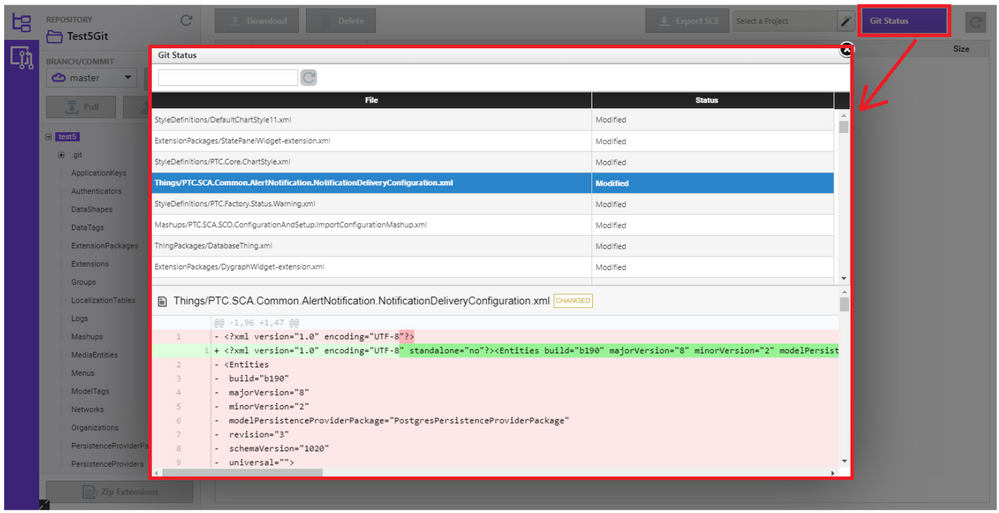 Checking the Git status
While working, if you want to switch branches or pull down a new project, you can check out a specific version and see all commits available on that branch (see below).
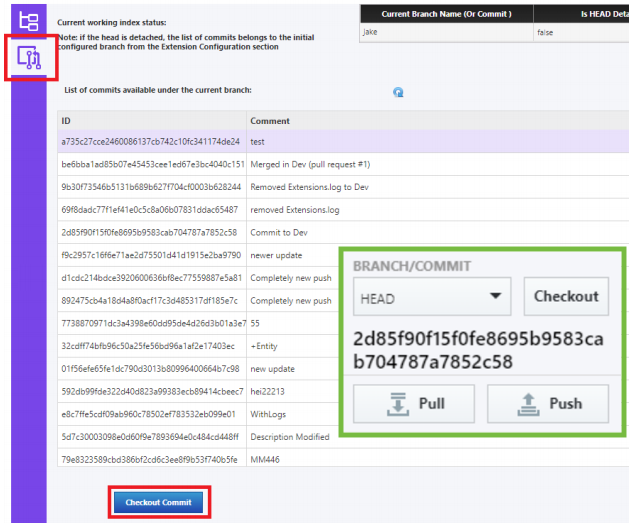 Checking out a specific commit
Want to learn more or try it for yourself? Find the open-source Git Backup Extension here and check out the Git Backup Extension User Guide for guidance.
Stay connected,
Kaya
P.S. What do you think? Comment your thoughts below!