- Timers and Schedulers can also be created and configured programmatically via custom services.
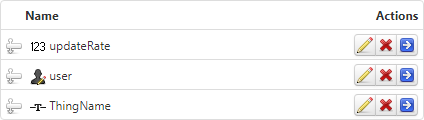
- The following service, which can be created on any Thing, will create a new Timer using the following Inputs:
// create new Thing

var params = {
	name: ThingName /* STRING */,
	description: undefined /* STRING */,
	thingTemplateName: "Timer" /* THINGTEMPLATENAME */,
	tags: undefined /* TAGS */
};

Resources["EntityServices"].CreateThing(params);

// read initial configuration
// result: INFOTABLE

var configtable = Things[ThingName].GetConfigurationTable({tableName: "Settings"});

// update configuration with service parameters

configtable.updateRate = updateRate
configtable.runAsUser = user

// set new configuration table

var params = {
	configurationTable: configtable /* INFOTABLE */,
	persistent: true /* BOOLEAN */,
	tableName: "Settings" /* STRING */
};

Things[ThingName].SetConfigurationTable(params);
- This code is an example which could also be used to create a new Scheduler.
- The configuration table for a Timer has the following attributes:
- updateRate
- enabled
- runAsUser
- The configuration table for a Scheduler has the following attributes:
- schedule
- enabled
- runAsUser

