

Bug in specific situations when selecting a pattern of points in Creo simulate?
Hello,
My motivation was to create a pattern of points to be used as measurements (in this case the rotation of these points in relation to a selected CS in the main assembly)
As rotation cannot be used in solid elements, I created a pattern of point to points linked by rigid links to do the job. This is after imported in the main assembly and finally patterned. My hope was to not have to define rotation measurement manually from each point later. With measurements in a pattern, this would be made automatically by Creo Simulate.
However, I cannot select this pattern using the “pattern” option for anything – but I can use other patterns – and this does not make sense.
Is there a bug or a limitation that is not clear? Is there any work around?
I am avoiding manual solutions, as it may involve hundreds of points.
Here the explanation:
Pattern 1 cannot be selected for any feature that has “Pattern” as option.
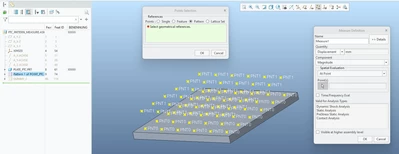
However, I can select another pattern made in the same assembly
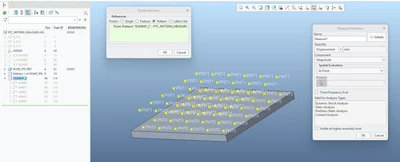
And I can even select a pattern that belongs to the pattern that cannot be selected!
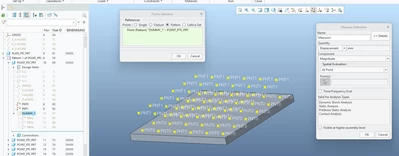
Without many details, I need to pattern rigid linked points and read the rotation of each of these points. However, this final pattern is not recognized as a valid pattern reference for anything. This means measurements, hard points for meshing, etc.
This does not make sense, as Creo Simulate accepts similar patterns.
My first thought is that this is a bug. I am using Creo 10
Looking forward for any feedback!
Thanks!