
1-Visitor
February 27, 2013
Solved

Fill surface with guide curves

  • February 27, 2013
  • 7 replies
  • 35913 views

We are trying to create a surface that fills in a sketch and uses 2 curves to create a domed top. Can anyone tell me how to do it?

Here is a quick sketch of what we are trying to create. The 2 cross sketchs are raised.
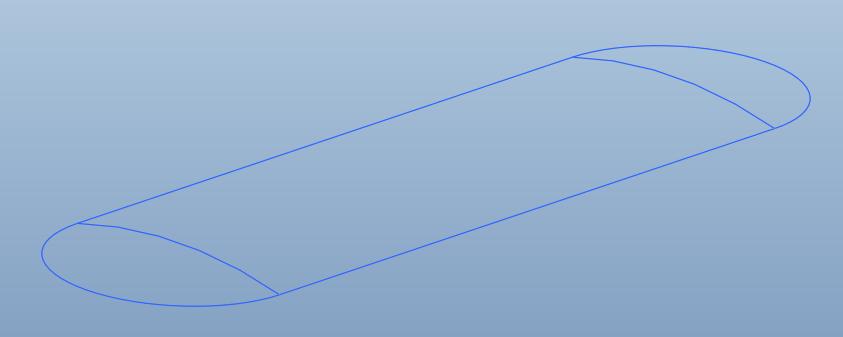
skelshape.jpg

I have attached a model of this skeleton. I also attached a STEP file of what we are trying to end up with.

*** Note *** we need it to be a curvature continuous surface.


This thread is inactive and closed by the PTC Community Management Team. If you would like to provide a reply and re-open this thread, please notify the moderator and reference the thread. You may also use "Start a topic" button to ask a new question. Please be sure to include what version of the PTC product you are using so another community member knowledgeable about your version may be able to assist.
Best answer by Patriot_1776

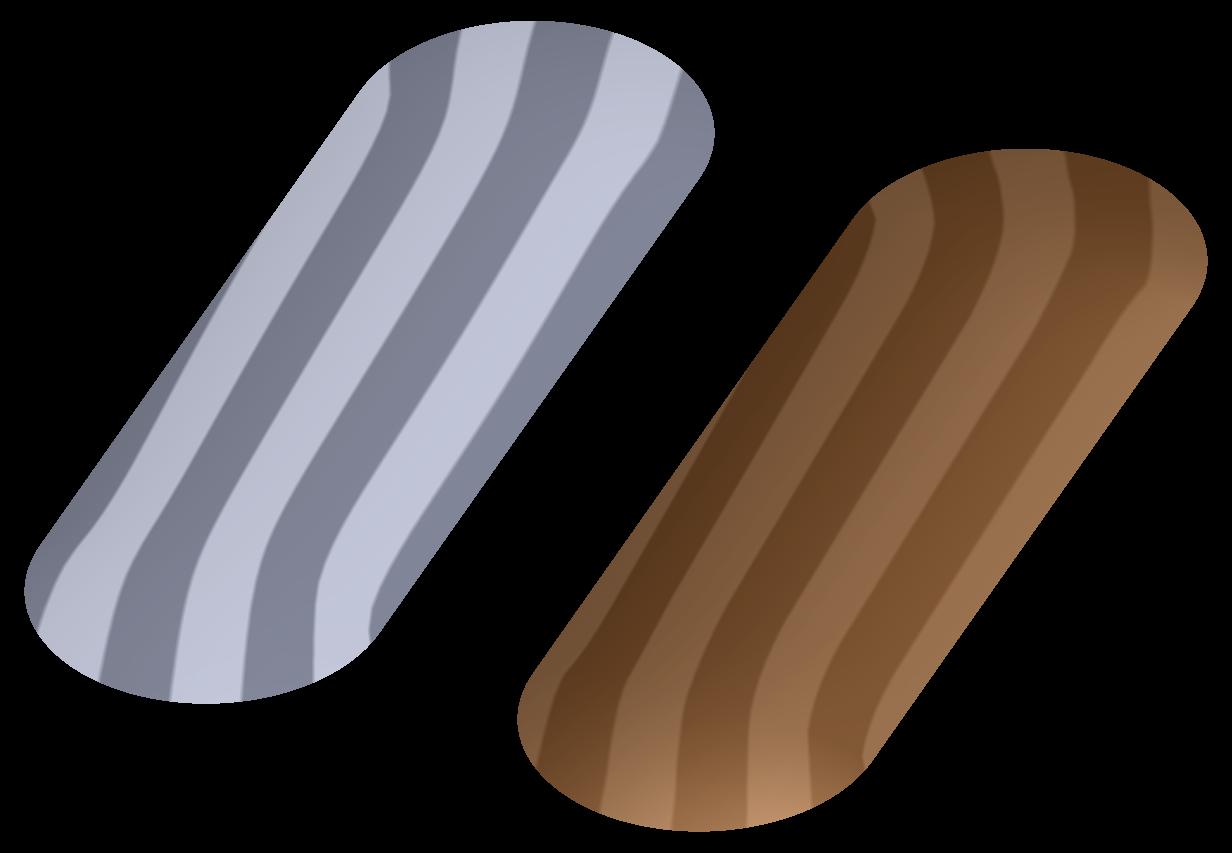
Ok, here's the latest and last stab at it. The surface is made with a VSS and with the exception of the spine, all the trajectory curves are conics with the rho vale for a perfect 90deg arc (use the sketcher section relation: rho = sqrt(2) - 1). If I used conics in the section of the VSS, it gave some funny artifacts at the curved edge, so the section was an arc driven by the 3 spines. I think this is a LITTLE better, but I think this is also the practical limit to Pro/E without the ISDX package. The grey surface is Pauls first STEP file, the bronze one is my latest. Have fun!

APPROX_C2_SURFACE-02.JPG

7 replies

17-Peridot
February 27, 2013

Very simple:

Extrude the arc on the right up to the arc on the left. Next, revolve 1/2 of the arc by creating a new sketch on the lft vertical plane, 180 degrees. Next, mirror that new endcap to the right side using the center plane. Next, select the center bit, and the the two ends (with CTRL) and click "merge"

17-Peridot
February 27, 2013

lofted-slot.JPG

...attached is Creo 2.0

pwyndham1-VisitorAuthor
1-Visitor
February 27, 2013

I tried that route but it creates a tangency at the points where the revolve meets the central extrude.

Here are some screenshots showing the reflection lines on the revolves compared to the STEP file.

Stripes.jpg

Notice the much smoother reflection lines on the grey part below.

Stripes2.jpg

Industrial Design is requiring us to not have the tangency.

17-Peridot
February 27, 2013

You didn't say that

There must be some smoothing in the original that your sketch does not account for. This needs to be accounted for, obviously.

You might look up Tweak Tools... there are some tools that can take a planar surface and loft them based on guide curves. Specifically look at "section dome".

pwyndham1-VisitorAuthor
1-Visitor
February 27, 2013

In theory the center section would go straight across and not have the two humps in it. We originally thought we had it licked with the extrude/revolve trick, but the ID guy is stuck on the C2 idea for the top surface.

Getting the center flat can be done in SW by adding a 4th sketch between the two guide curves.

centerline.jpg

Attached are a copy of the SW file I am messing with and a step created from the SW file.

17-Peridot
February 27, 2013

Now it is a very different part.

17-Peridot
February 27, 2013

The "humps" are doing a lot for softening the transitions.

From a logical standpoint, I used the original profile to closely mimic the larger radius of the vertical section and came up with something that looked like this for surface transitions.

top_surface1.JPG

...which translates to this with the analysis:

top_surface2.JPG

which compares to the original step as:

top_surface3.JPG

I don't have the style module so I cannot go into this further. The tweak feature might give you something completely different.

Patriot_1776
22-Sapphire II
February 27, 2013

Without what used to be called the ISDX surfacing module you can't really get C2 curvature. You can attempt it, but not quite get there. I'd tell your ID guy it's close enough unless he feels like doing it. The style guys want this and that, but unless you're doing high-speed airflow, or it's a reflector for a light, or it's the sheetmetal for a car, it's not reallya big hairy issue, he's just being too picky and Pro/E doesn't have the tools to 100% do it without that module. It's not the "tangency" that's the issue, it's that it's not C2 continuous curvature.

Here's a model I did with a couple different types of surfacing on it for ya.

Also.....why not just import the surfae where you want it, and do a solidify to add it to whatever solid geometry you have?

17-Peridot
February 28, 2013
Sometimes Frank doesn't even know what kind of evil genius he really is...

Oh, did I say that out loud?

The Boundary Blend is probably the closest one can get without the Style extension. Notice that the command does have curvature options.

The attached was created with similar thoughts as the previous posts. When I tried to mirror only half the boundary blend, it had a really bad edge. Making the entire form in one go helped a lot.

You will find an ellipse in the flange face (for edge tangency) and you will find the "domes" controlled by a spline with an arc as a control feature. I am sure further refinement could be done with more boundary influence curves.

BTW: if you need to do this regularly, why don't you have the Style extension?

top_surface5.JPG

Patriot_1776
22-Sapphire II
February 28, 2013

....insert Dr. Evil chuckle here......

I thought the VSS option was kind of interesting. Now I'm wondering if maybe using a conic section instead of an arc will smooth things out. Gonna try that.

I did the boundary blend with the curvature option (vs the tangency option if I remember) in the part I posted, and that still had the line that's so objectionable to the ID guy. I think in some instances a VSS gives you some options that the blend doesn't, and vice versa. I think the VSS opteion smoothed the transition out near the ends, but was obviously flattened (I emphasized it) in the middle. Although, I like that surface from a "styling" standpoint better than the ID guys! Looks cooler.

I'm going to try a conic and see where that gets me, and post that.

Did anyone have any luck opening the file I posted? I know some couldn't open things in the past.

The thing is, EXACTLY what surface do you want? The ID guys surface is NOT a cylindrical center with two fully radial ends, so what, exactly, is NEEDED (not neccessarily just wanted).

1-Visitor
February 28, 2013

In order to have C2 continuity, the basic oblong shape cannot consist of two lines and two arcs.

Where the line meets the arc you will get C2 discontinuity by default. Any resulting surface will also have C2 discontinuity at this point.

the two arcs will have to be to curves with C2 continuity, instead.

This can be achieve by creating curves thru points and setting curvature at the ends.

I think it is a lot easier to create this in ISDX....

Patriot_1776
22-Sapphire II
February 28, 2013

Interesting. Perhaps use conics for the oblong shape and just set the rho value to be an arc?

I think I got 99% of what Paul had just by eyeballing it relative to his STEP file.

pwyndham1-VisitorAuthor
1-Visitor
March 1, 2013

Hey thanks for working on this so much everyone. I have been swapped with other things today so I have not been able to work on it much. Hope everyone has a good evening.

17-Peridot
March 1, 2013

It has been a very interesting discussion, Paul.

Patriot_1776
22-Sapphire II
March 1, 2013

Second that. When I get time, I'm going to try and cheat with 2 more conics and see what happens. I'm thinking that MIGHT work to get that last 1% perfection.

G'nite y'all....

pwyndham1-VisitorAuthor
1-Visitor
March 1, 2013

Here is what I have come up with so far with all your help. I think it looks good and the ID guy hopefully won't have a problem with it.

surfacefill.jpg

Here is the attached file. I had to do some messing around to put in some trims but it looks like it will work.

Oops just noticed the trims aren't flat. Got to do some more work.

Patriot_1776
22-Sapphire II
March 1, 2013

There was a pic, but no attached file. I probably can't open it anyways.....

Dale_Rosema
23-Emerald III
23-Emerald III
March 1, 2013

Maybe no attachment because he noted that an error was found.