
Label on a spherical surface
Hi all,
Wonder if anyone can help.
I have a common situation where I need a drawing of a label (so its flat), and also need to show it on the assembled product (where it is curved around a surface). Seems from my searches that the most recommended method is to use a family table, which is fine.
The problem I am having is modelling the actual label in its assembled form! My first thought was to model it in the assembly, so I created a new part and sketched out the label on a plane, and projected it onto the surface in question. I am then able to open the part separately and have the formed projection in the part. So I now need to create the part from this projection, which is where I get stuck.
I have not used projection much in the past, but I am assuming this is just an outline that I need to create a surface on, and then make solid so I can give a thickness ? Alas I have zero experience with surface modelling so am not even sure where to start 
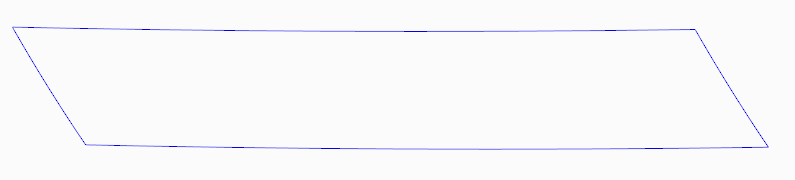
Its hard to see from the image, but the "horizontal" lines have a slight curve, and so do the "vertical" lines.
Any advice ? If there is a tutorial somewhere that I can read/watch, thats fine, but I really have no idea what to be searching for and everything I have tried so far has not worked. I've read most posts/threads/forums about "curved" labels, but unfortunately they all seem to be related to curving in a single plane.
Appreciate any replies,
BR
Dave
This thread is inactive and closed by the PTC Community Management Team. If you would like to provide a reply and re-open this thread, please notify the moderator and reference the thread. You may also use "Start a topic" button to ask a new question. Please be sure to include what version of the PTC product you are using so another community member knowledgeable about your version may be able to assist.