8-Gravel
August 12, 2025
Solved

Unable to split a body using plane

  • August 12, 2025
  • 4 replies
  • 2723 views

Creo Parametric version 8.0.7.0


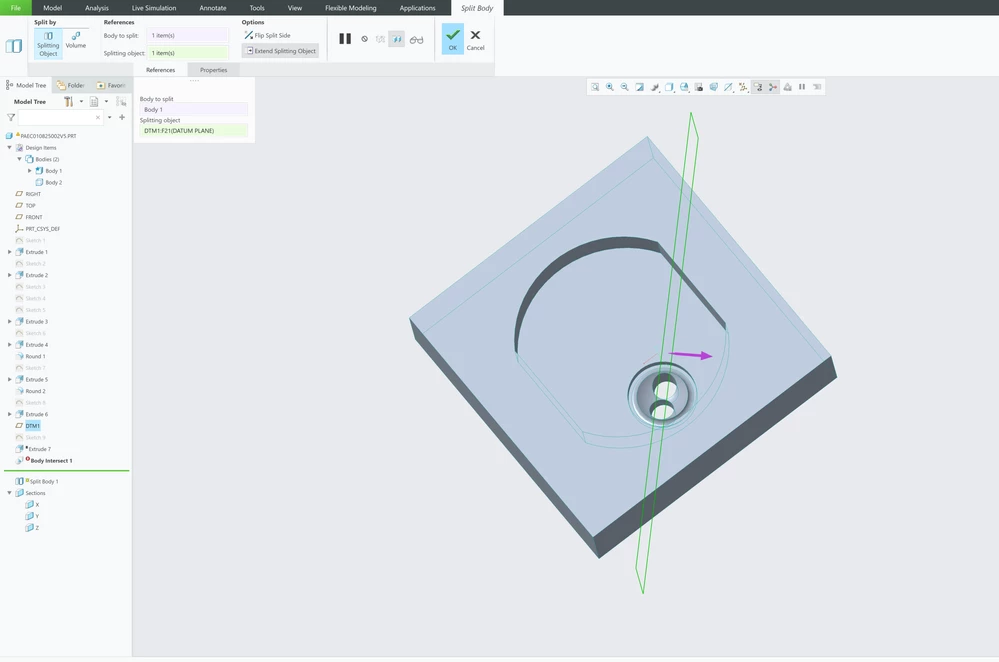
I'm trying to create a mold for my subject and want to split the body using a plane. Which fails.


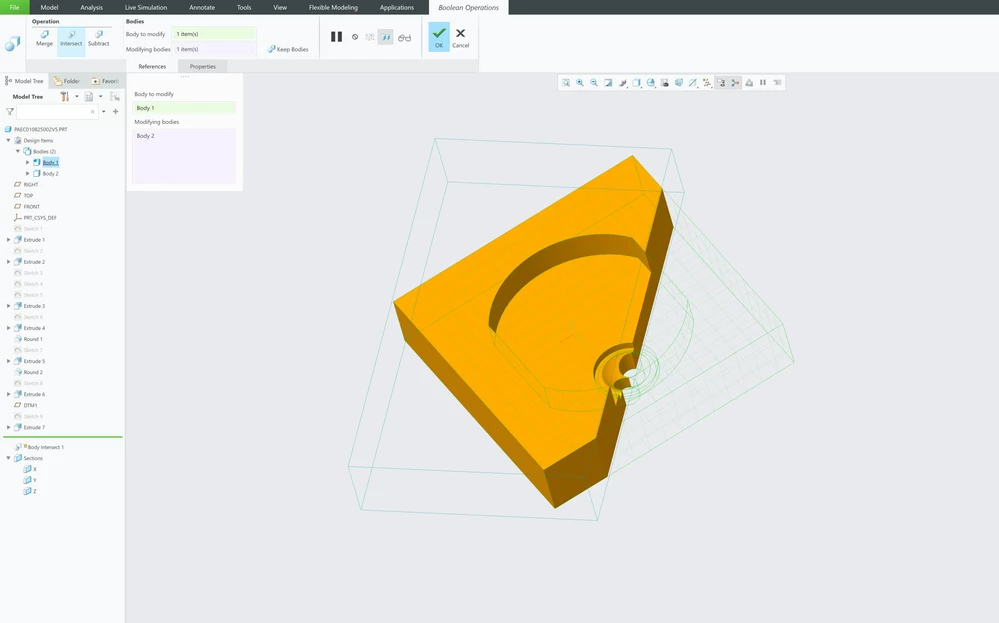
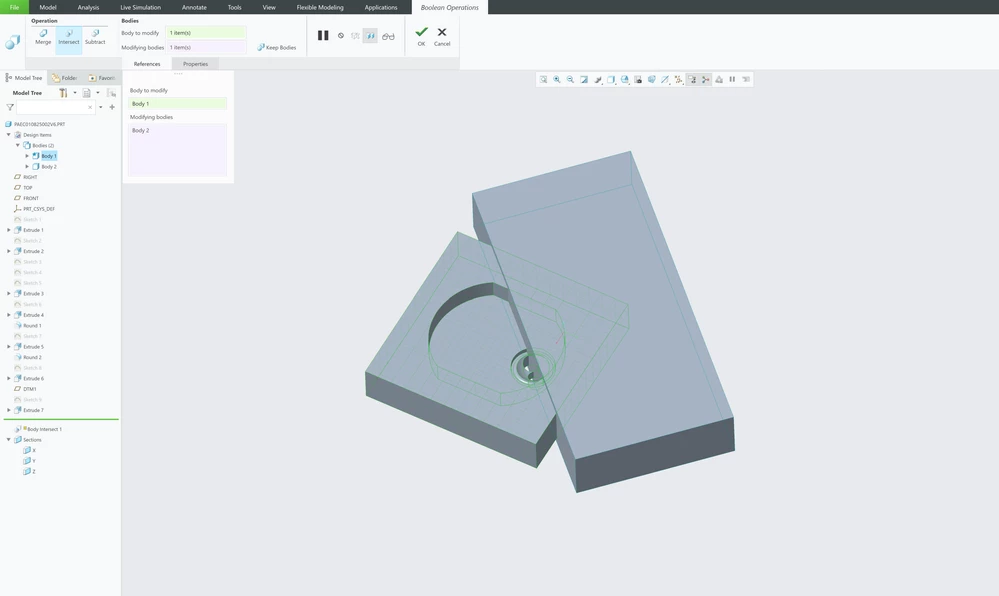
Then I tried to extrude a body out of the plane I want to split, and the use boolean operation feature to either intersect or subtract the bodies. I was successful on one side, but the other side fails, which I believe the same problem it may have faced when splitting using the plane.


Any advise, help is greatly appreciated. Thank you! Fails trying to split using a planeFails trying to split using a planeOne side successful using another body to get the intersectOne side successful using another body to get the intersectOther side fails trying to do the same operation.Other side fails trying to do the same operation.
Best answer by tbraxton

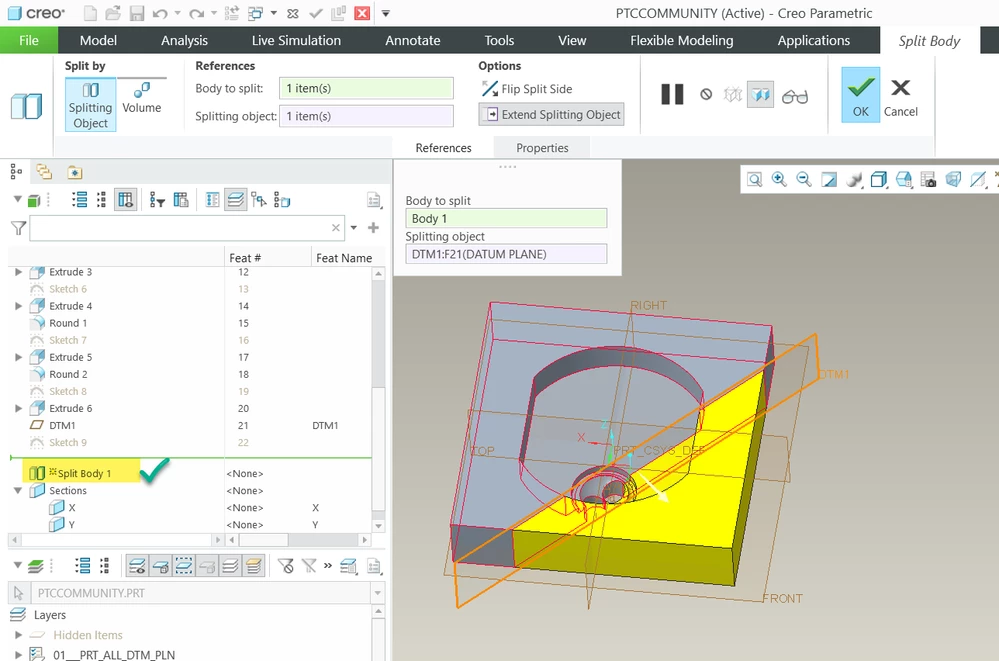
Change the accuracy of the part from 0.01 mm to 0.001 mm, regenerate the model and then create the split feature, it should work.


tbraxton_0-1755619378242.png


4 replies

tbraxton
22-Sapphire II
22-Sapphire II
August 12, 2025

If you are using a commercial license (not educational) then post this model here for review. Determining the issue is not easy without access to the model.

8-Gravel
August 19, 2025

Hi! Apologies for not replying sooner.


I tried to upload the part to this thread. But I get this error message instead. 

" The attachment's ptccommunity.prt content type (application/octet-stream) does not match its file extension and has been removed." 


23-Emerald III
August 19, 2025

Zip the file and attach.

tbraxton
22-Sapphire II
tbraxton22-Sapphire IIAnswer
22-Sapphire II
August 19, 2025

Change the accuracy of the part from 0.01 mm to 0.001 mm, regenerate the model and then create the split feature, it should work.


tbraxton_0-1755619378242.png


tbraxton
22-Sapphire II
22-Sapphire II
August 19, 2025

The issue was created by round 2, it creates a geometry artifact that results in a small edge when the split body feature is applied. That spherical well should be created to avoid this unless your design intent was to create that small flat between the holes.


Did you come to Creo after using Solidworks prior to working in Creo? I am asking because you have externalized sketches on most features, and I am curious as to where you were taught to do this. I am not insisting it is wrong, but it is something I have to deal with from time to time with users and teaching the efficient and optimized implementation of design intent within Creo when modeling standards are enforced in some organizations.


tbraxton_1-1755619934760.png


KenFarley
21-Topaz II
August 20, 2025

We had some guys who went to Creo training and they were apparently taught this "make a sketch, then make the feature that uses the sketch" technique. I don't understand why this philosophy was adopted, except to perhaps soothe people from other software packages that use it. It makes model trees at least twice as long as necessary with no really discernible benefits I can see. I'll use a separate sketch if the geometry defined is going to be used in multiple features, but otherwise I don't do that. Is it a matter of personal preference? Perhaps. But I definitely find it more understandable and "neat".

12-Amethyst
August 20, 2025
I have to support your input on embedding sketches in a command versus sketches outside your command. All you state is so well said, and many Creo instructors enforce the best practice to embed your sketches. Yes, sketches outside make model tree extra-long and less neat. Also, you have better down the road integrity if the sketch is embedded within a command. Low risk otherwise outside, but if you have very large number of commands in your tree and you manipulate that tree you stand a higher risk of issues that could develop, and that you have to chase those issues. Plus, at low risk, that sketches outside command 'might' have less direct tie to the command in the world of unseen algorithms. I've taught CAD and PTC products for decades in college and workplace and like many other instructors I prefer to embed your sketches as a best practice. Again, though it does depend on your application and use of sketches for multiple commands.

16-Pearl
August 20, 2025

Check your accuracy.


If you don’t want the other side you can select the plane and choose solidify.