

24-Ruby III
July 11, 2011
Question

Working with geometry of parts.

  • July 11, 2011
  • 5 replies
  • 7960 views

Hello!

Using the STEP format I import into Pro/E part, which, accordingly, has no history of creation. In a new sketch I projecting one of the edges of the parts. Next, I want to know the coordinates of the curve relative to the axes X / Y, but with a certain step / interval, for example, every 0,5 mm. How to implement it in Pro / E (may need to use export to text file formats). Any ideas?
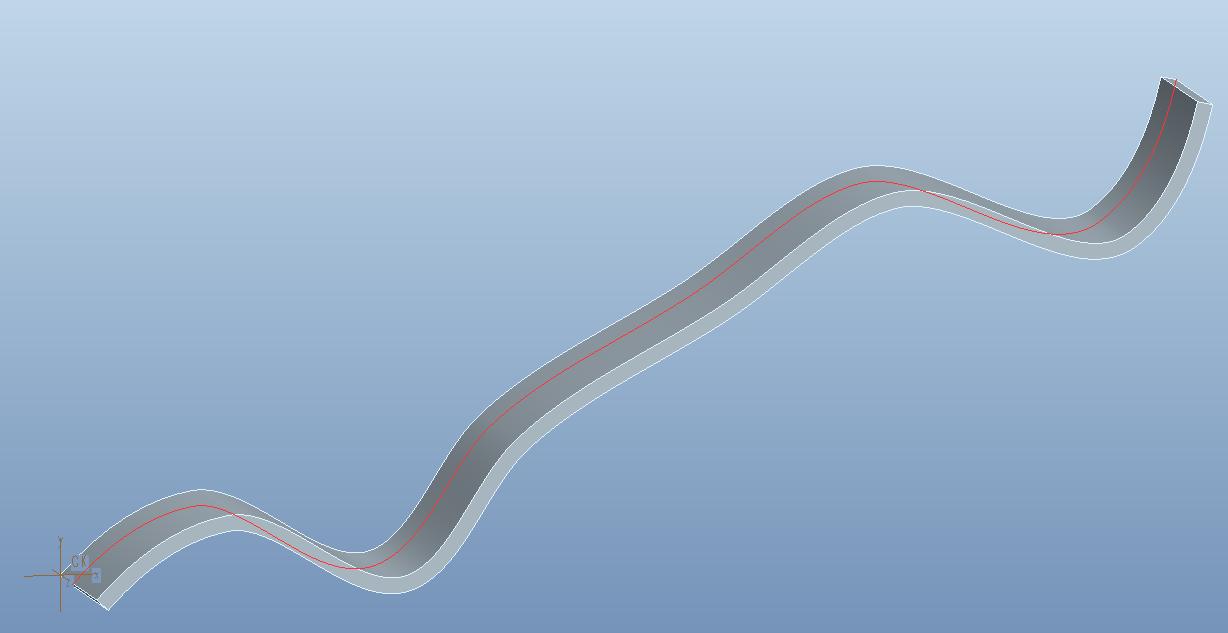
Part_example.jpg


This thread is inactive and closed by the PTC Community Management Team. If you would like to provide a reply and re-open this thread, please notify the moderator and reference the thread. You may also use "Start a topic" button to ask a new question. Please be sure to include what version of the PTC product you are using so another community member knowledgeable about your version may be able to assist.

5 replies

1-Visitor
July 12, 2011

Hi Vladimir

Here's what I'd do. Does this help you?

Copy the edge that starts at the Origin in order to make a curve.

Create a datum plane on the Origin that represents your Y axis from the side.

Create a datum point that is constrained to the plane and the curve, and is therefore at 0, 0, 0.

Pattern the plane and the point in the X direction at 5mm intervals*. The patterned points should keep their constraint to the curve and vary in Y

Create a new curve through the new points using straight lines, not splines*

Thin extrude that curve to 100mm*

Remove the all other geometry*

Export to Alias Wavefront format (.obj) and open the exported file in notepad. That file will contain the co-ordinates based on the Co-ordinate system.

Remove the lines that include the 100 Z value (they will be grouped together and easy to delete). The Replace function can help in tidying up the file to give just the co-ordinates, or you use Excel.

I'd have done it for you but got stuck on the steps I've put asterisks on. Any tips on those? I had to select the points one by one as shift-select didnt' work.

Cheers

VladimirN24-Ruby IIIAuthor
24-Ruby III
July 14, 2011

David, hello!

Thank you for your help. I think this is a tricky way to solve this problem. The main idea of the solution consists that I needed a lot of points (for accuracy), and also it is necessary to automate process of transfer of coordinates of points (manually specify each desired point is impossible). Can you please attach the document ".prt" of your solution?

1-Visitor
July 12, 2011

Vladimir,

There are probably a few ways you could approach this. It may depend somewhat on how many points you need, how often you need to recalculate, and whether or not you want the data to automatically appear in a table. One approach would be to place a Datum Point on your curve at the spacing distance from the beginning of the curve, then Pattern the Point by the spacing distance as many times as you need. Then you can use Analysis Features to measure the distances from the patterned points to the reference planes. If there are not too many points and you only need to do this once this would be fairly straight forward.

David

VladimirN24-Ruby IIIAuthor
24-Ruby III
July 14, 2011

David, hello!

David Butz wrote:

Vladimir,

There are probably a few ways you could approach this. It may depend somewhat on how many points you need, how often you need to recalculate, and whether or not you want the data to automatically appear in a table...

Yes, I need to use a lot of points for greater precision of further calculations (accordingly the step between points will be small). Also, this process (of obtaining the corresponding coordinates of points) need to automate.

1-Visitor
July 12, 2011

Another way of doing it would be to create a UDA. You can create graphs of the X/Y data in seperate plots and export to excel. The setup would be similar to method David mentioned.

VladimirN24-Ruby IIIAuthor
24-Ruby III
July 14, 2011

Kevin, hello!

Kevin wrote:

Another way of doing it would be to create a UDA. You can create graphs of the X/Y data in seperate plots and export to excel..

I understand that all these options are available in the module of Pro/E "Behavioral Modeler"?

1-Visitor
July 15, 2011

Yes. Here is the file you posted with a UDA. To see the plots in ProE select the User Defined Analysis icon or you can find in under the Analysis menu. In the dialog box that comes up there is a Saved Analysis section that shas two analyses for the X and Y data plots. You can retrieve the data and a plot will be generated. You can export the data to excel format. You need to combine the X and Y data to generate a plot and you should get something similar to this:

XY Plot.jpg

VladimirN24-Ruby IIIAuthor
24-Ruby III
July 13, 2011

Thank you all for your answers! I will discuss later all the proposed solutions.

VladimirN24-Ruby IIIAuthor
24-Ruby III
July 14, 2011

So, my colleagues have prompted to me as it is possible to automate the process of obtaining the coordinates X/Y with the desired curve. The basic idea is to use the "Analysis Feature", and then create and work with the "Family Table".

Family_Table.jpg

1-Visitor
July 14, 2011

Very clever, Vladimir! Using a Family Table in that way was a great idea.

VladimirN24-Ruby IIIAuthor
24-Ruby III
July 15, 2011

Thanks, David. It would also be interesting to see the implementation of the method proposed by Kevin:

You can create graphs of the X / Y data in seperate plots and export to excel.

P.S. In the files attached above two variants are considered:
1. The step for each of points makes 5 mm.
2. The relative step 0,01 for curve breakdown is used.