

Simulate Results Template .rwt not showing in drop down menu.
Simulate results templates are context sensitive, that is they only show up in the drop-down menu if they apply to the analysis type selected.
Templates can be stored for re-use in a common folder.
config file setting sim_pp_template_dir path
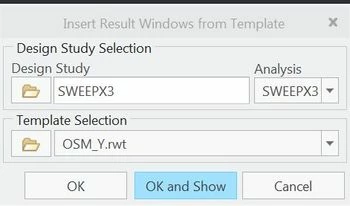
A programming error in CREO that has been present up to CREO 4 M020 prevents some templates from showing due to the context sensitive filtering being done by CREO.
The fix is to edit the header in the .rwt file using a text editor such as notepad or notepad+ +
This is my specific example. There may be additional issues with this header for varying analysis types.
Here is the incorrect header.
<results>
<header product="mechanica" studytype="4" analysistype="8" nonLinearTemplate="true"/>
Here is the corrected header.
<results>
<header product="mechanica" studytype="4" analysistype="8" nonLinearTemplate="false"/>
I posted this because I had solved this years ago, but lost and forgot the solution.
If you find this useful for other .rwt header errors, please post your solution.