
1-Visitor
August 7, 2015
Solved

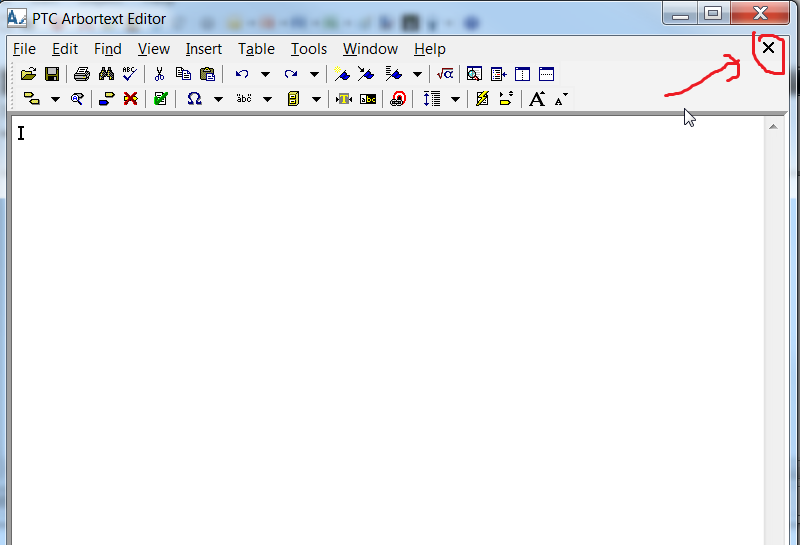
How to delete close button 'X' in the menu dialog ?

  • August 7, 2015
  • 2 replies
  • 1214 views

Hello all,

I am new to PTC Community i just started to configuration of Arbortext Editor with small tasks.

The menu_delete function is perfectly working for me on some cases but there is one more thing that i should disable also in Arbortext 6.1 Editor dialog.

How should i delete the 'X' menu item on ArborText editor, what is the menu item name of this item ?

Could you please tell me ? I couldn't find it on the reference somehow, maybe not get in deep...

Any help would be appreciated, many thanks in advance!
2015_08_07_15_55_23_Start_New_Discussion_PTC_Community.png

    Best answer by rpaisley

    One approach we used was to define a callback in our startup ACL code to manage the user's use of the X button and other quit actions

      session_add_callback('quit', 'CheckQuit', 'PREPEND');

    Where CheckQuit had the form (parameter "code" is not used)

    function  CheckQuit(code) {

        if (modified()) {

            ### Do what you need here

            set modified=off;

        }

    }

    2 replies

    rpaisley1-VisitorAnswer
    1-Visitor
    August 12, 2015

    One approach we used was to define a callback in our startup ACL code to manage the user's use of the X button and other quit actions

      session_add_callback('quit', 'CheckQuit', 'PREPEND');

    Where CheckQuit had the form (parameter "code" is not used)

    function  CheckQuit(code) {

        if (modified()) {

            ### Do what you need here

            set modified=off;

        }

    }

    5-Regular Member
    August 21, 2015

    Hi Oğuz,

    Were you able to get this accomplished using Robert's information?

    If so, feel free to mark his answer as 'Correct'/  Otherwise, let us know what other questions you may have.

    Thanks!