Turn on suggestions
Auto-suggest helps you quickly narrow down your search results by suggesting possible matches as you type.
Showing results for
Please log in to access translation
Turn on suggestions
Auto-suggest helps you quickly narrow down your search results by suggesting possible matches as you type.
Showing results for
Community Tip - You can Bookmark boards, posts or articles that you'd like to access again easily! X
- Community
- Creo (Previous to May 2018)
- Creo Modeling Questions
- SKETCHED Line Thickness
Translate the entire conversation x
Please log in to access translation
Options
- Subscribe to RSS Feed
- Mark Topic as New
- Mark Topic as Read
- Float this Topic for Current User
- Bookmark
- Subscribe
- Mute
- Printer Friendly Page
SKETCHED Line Thickness


Oct 22, 2008
06:39 PM
- Mark as New
- Bookmark
- Subscribe
- Mute
- Subscribe to RSS Feed
- Permalink
- Notify Moderator
Please log in to access translation
Oct 22, 2008
06:39 PM
SKETCHED Line Thickness
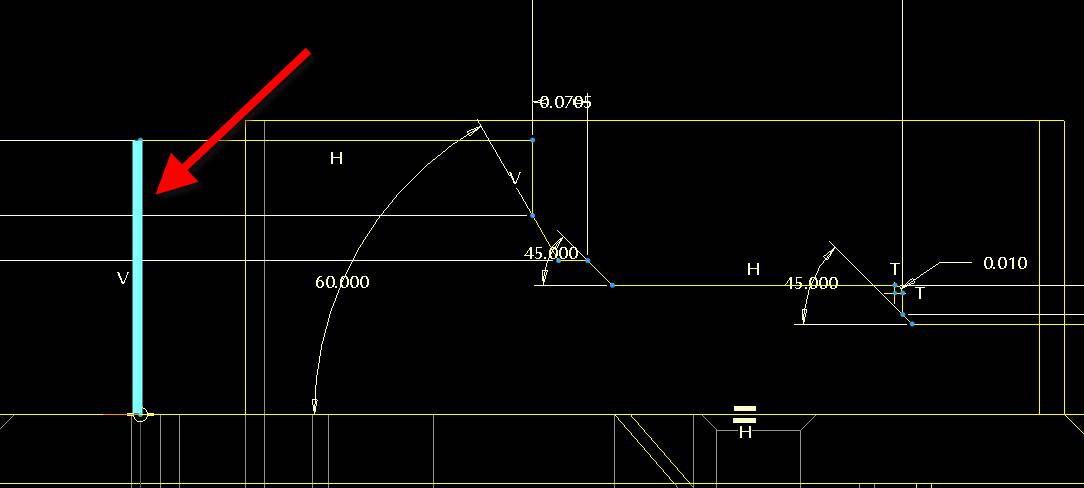
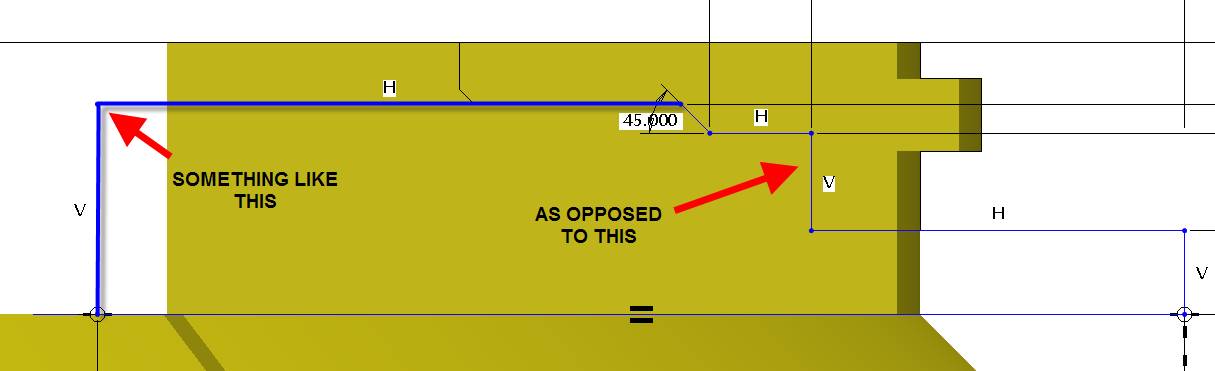
Is there an option to modify the SKETCHED Line Thickness?
Being color blind, it can be a challenge when working with complicated
parts....Doh!
Thanks in advance!
-Art
ProE Wildfire 2.0
.
.
This message (including any attachments) contains
confidential and/or proprietary information intended
only for the addressee. Any unauthorized disclosure,
copying, distribution or reliance on the contents of this
information is strictly prohibited and may constitute a violation
of law. If you are not the intended recipient, please notify the
sender immediately by responding to this e-mail, and delete the
message from your system. If you have any questions about this
e-mail please notify the sender immediately.
Being color blind, it can be a challenge when working with complicated
parts....Doh!
Thanks in advance!
-Art
ProE Wildfire 2.0
.
.
This message (including any attachments) contains
confidential and/or proprietary information intended
only for the addressee. Any unauthorized disclosure,
copying, distribution or reliance on the contents of this
information is strictly prohibited and may constitute a violation
of law. If you are not the intended recipient, please notify the
sender immediately by responding to this e-mail, and delete the
message from your system. If you have any questions about this
e-mail please notify the sender immediately.
4 REPLIES 4
Jan 27, 2010
07:39 PM
- Mark as New
- Bookmark
- Subscribe
- Mute
- Subscribe to RSS Feed
- Permalink
- Notify Moderator
Please log in to access translation
Jan 27, 2010
07:39 PM
Is there a way to change the SKETCHED Line Thickness in WF2? It would
be nice if the sketched entities were bolder.
Thanks you.
-Art
.
.
This message (including any attachments) contains
confidential and/or proprietary information intended
only for the addressee. Any unauthorized disclosure,
copying, distribution or reliance on the contents of this
information is strictly prohibited and may constitute a violation
of law. If you are not the intended recipient, please notify the
sender immediately by responding to this e-mail, and delete the
message from your system. If you have any questions about this
e-mail please notify the sender immediately.
be nice if the sketched entities were bolder.
Thanks you.
-Art
.
.
This message (including any attachments) contains
confidential and/or proprietary information intended
only for the addressee. Any unauthorized disclosure,
copying, distribution or reliance on the contents of this
information is strictly prohibited and may constitute a violation
of law. If you are not the intended recipient, please notify the
sender immediately by responding to this e-mail, and delete the
message from your system. If you have any questions about this
e-mail please notify the sender immediately.

Jan 28, 2010
10:07 AM
- Mark as New
- Bookmark
- Subscribe
- Mute
- Subscribe to RSS Feed
- Permalink
- Notify Moderator
Please log in to access translation
Jan 28, 2010
10:07 AM
Changing the thickness is only possible for plotting.
You can change the color, though: View > Display Settings > System Colors and change the Sketch color.
Then save the settings to a file. You can copy the file contents to Your config.pro to load it automatically.

Jan 28, 2010
10:10 AM
- Mark as New
- Bookmark
- Subscribe
- Mute
- Subscribe to RSS Feed
- Permalink
- Notify Moderator
Please log in to access translation
Jan 28, 2010
10:10 AM
Did you try the "SHADE CLOSED LOOP" option? That helps a bit...
though, my biggest complaint about that is I can't set it to be ON as a
default... Can't set the "HIGHLIGHT OPEN ENDS" or "OVERLAPPING
GEOMETRY" sketcher helps as default on either... grrrrrrrrr...
Thanks...
Paul Korenkiewicz
FEV, Inc.
4554 Glenmeade
Auburn Hills, MI., 48326
though, my biggest complaint about that is I can't set it to be ON as a
default... Can't set the "HIGHLIGHT OPEN ENDS" or "OVERLAPPING
GEOMETRY" sketcher helps as default on either... grrrrrrrrr...
Thanks...
Paul Korenkiewicz
FEV, Inc.
4554 Glenmeade
Auburn Hills, MI., 48326

Jan 29, 2010
12:08 PM
- Mark as New
- Bookmark
- Subscribe
- Mute
- Subscribe to RSS Feed
- Permalink
- Notify Moderator
Please log in to access translation
Jan 29, 2010
12:08 PM
Also being color blind, I found that playing with the line colors until you get a good contrast... or you could change the line font -give sketched lines a phantom or abroken font. Have you tried that?