
4-Participant
September 8, 2025
Solved

Plotting just a portion of a vector in Mathcad Prime 11

  • September 8, 2025
  • 2 replies
  • 791 views

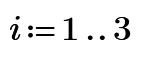
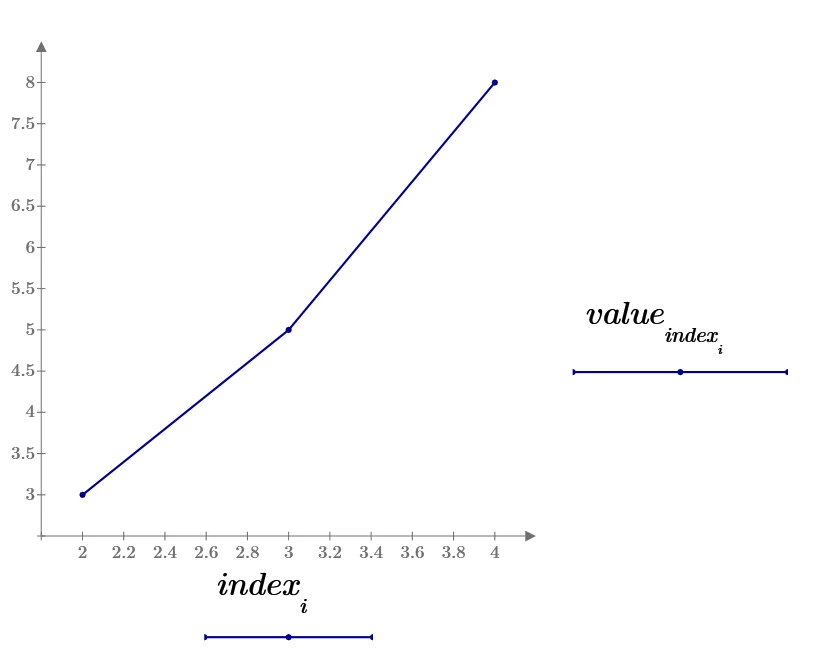
I have a vector of data points, and I'd like to be able to selectively plot just a portion of that vector. For example, I have a vector value:=[2 3 5 8 13 21] and I want to plot just elements 2, 3, and 4. I created an index:=[2 3 4] and tried to plot value[index on the vertical axis. I've tried both the chart component and the native plotting tool, and neither worked. The only way I've figured out how to do this is to write a mathcad program to fill a third vector with just the portion that I wish to plot, then plot that third vector. That's awkward. Can you tell me what I'm doing wrong?
Best answer by ttokoro

image.pngimage.png

2 replies

ttokoro
21-Topaz I
ttokoro21-Topaz IAnswer
21-Topaz I
September 8, 2025

image.pngimage.png

t.t.
21-Topaz II
September 8, 2025

The key is the submatrix statement to extract a region of the vector.

Capture.JPG

4-Participant
September 9, 2025

Good to know about the submatrix function. Thanks!

25-Diamond I
September 8, 2025
@terryhendicott wrote:

The key is the submatrix statement to extract a region of the vector.


@terryhendicott 

But that only works if the values in the "index" vector are in sequential order without any value missing in-between. This may be the intention of @MJ_10071773  (at least the values in his example vector "index" are in sequential order) but we cannot be absolutely sure about it.


A small user defined function can be used for more versatility and this function also could be useful in other situations as well.

I used a modified vector "index" (2;3;5) to demonstrate the function.

Werner_E_0-1757375351248.png


@MJ_10071773 

I wonder why you created the vector "values" in such a cumbersome way!?

Sure could be done easier (and actually you did when you defined "index").

Werner_E_2-1757375559826.png

Prime 11 sheet attached

4-Participant
September 9, 2025

It was my intention that the indices would be sequential. Sometimes I want to plot the full vector, and sometimes I want to eliminate the first data point, the last data point, or both.

I defined the vector one datapoint at a time because I was debugging my issue one step at a time. In my actual work, each datapoint is generated one point at a time and assigned to a results vector and I wanted to be sure that I wasn't doing something wrong by indexing the datapoints one at a time. Thank you for showing me stack() and Ctrl-M. 

Nice Fibonacci routine!