6-Contributor
January 9, 2024
Solved

Bar chart has default CSS rules with padding

  • January 9, 2024
  • 1 reply
  • 974 views

Hello.
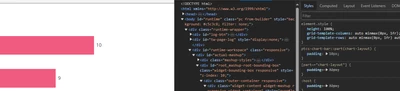
I am implementing mashup for a client and he wants to display on screen various bar charts, similar to those  you see in the picture. I used Themable  Bar Chart in Thingworx 9.3
I used collection widget, each collection cell has only has this single chart widget.
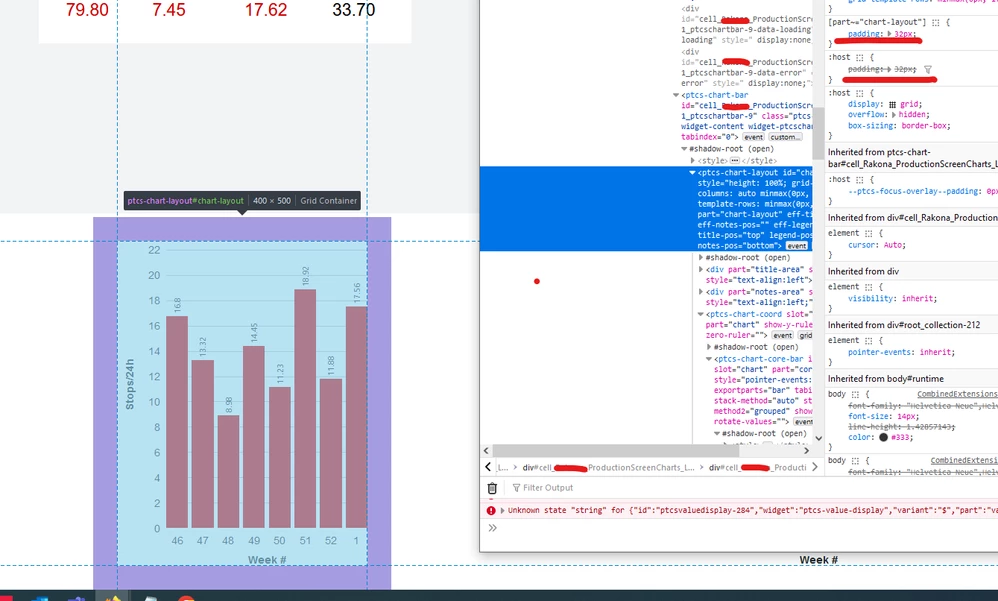
The problem is that client screen has small resolution and I can not allow to widget to have 32px padding. (see picture)
Is there a way to remove/modify this two CSS rule (:host{} and [part~="chart-layout"])  from Shadow DOM?
Thank you.
Illya.
padding.png

Best answer by Velkumar

Hi @IR_10730188 


You can use Custom CSS to control chart padding

.customCss ptcs-chart-bar::part(chart-layout)
{
 padding : 10px;
}


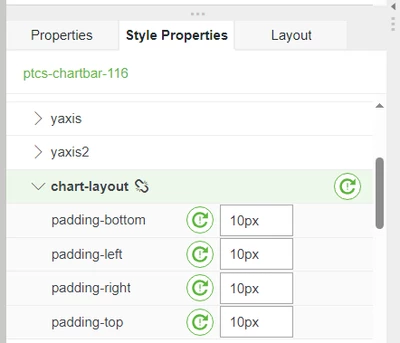
Or directly on Widget Style Properties

Velkumar_1-1704862490579.png


Velkumar_0-1704862374644.png


/VR


1 reply

Velkumar19-TanzaniteAnswer
19-Tanzanite
January 10, 2024

Hi @IR_10730188 


You can use Custom CSS to control chart padding

.customCss ptcs-chart-bar::part(chart-layout)
{
 padding : 10px;
}


Or directly on Widget Style Properties

Velkumar_1-1704862490579.png


Velkumar_0-1704862374644.png


/VR