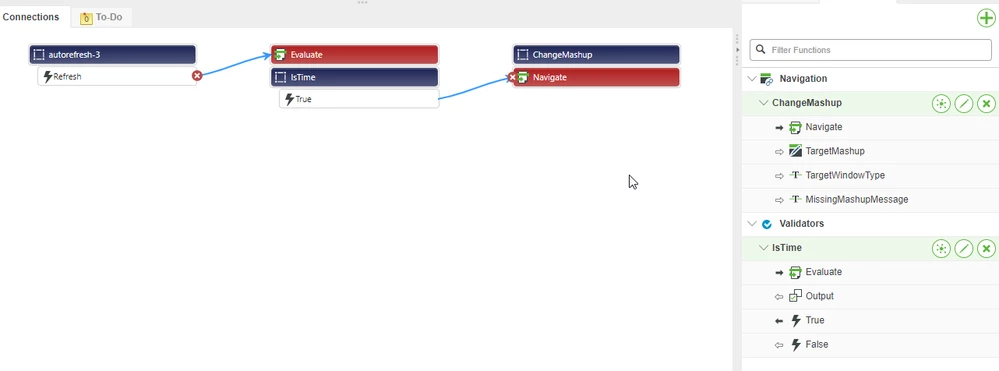
As @PaiChung said, you'll need a validator that checks the current time. Here's a demo of that:
1. Create a validator with the following code (I use the en-GB language because it will be in 24 hour format instead of 12 hour and won't include the AM/PM stuff at the end):
Output = (new Date().toLocaleTimeString('en-GB', {hour: '2-digit', minute: '2-digit'})) === "07:00"
or
Output = (new Date().toLocaleTimeString('en-GB', {hour: '2-digit', minute: '2-digit'})) === "07:10"
2. Put a refresh widget on the screen and set the Refresh Interval to 60. Connect the Refresh trigger to the Execute of the validator.
3. Create a Navigate action to go to the next mashup.
4. Connect the True trigger of the validator to the Navigate action.
5. Repeat on the secondary mashup to go back to the original one.
6. Be sure to test this on the target browser... I've heard that toLocaleTimeString may act differently on different browsers.