Question
Guest roles displayed on Add Members on CR Process tab?
Anyone know how to hide or remove this?
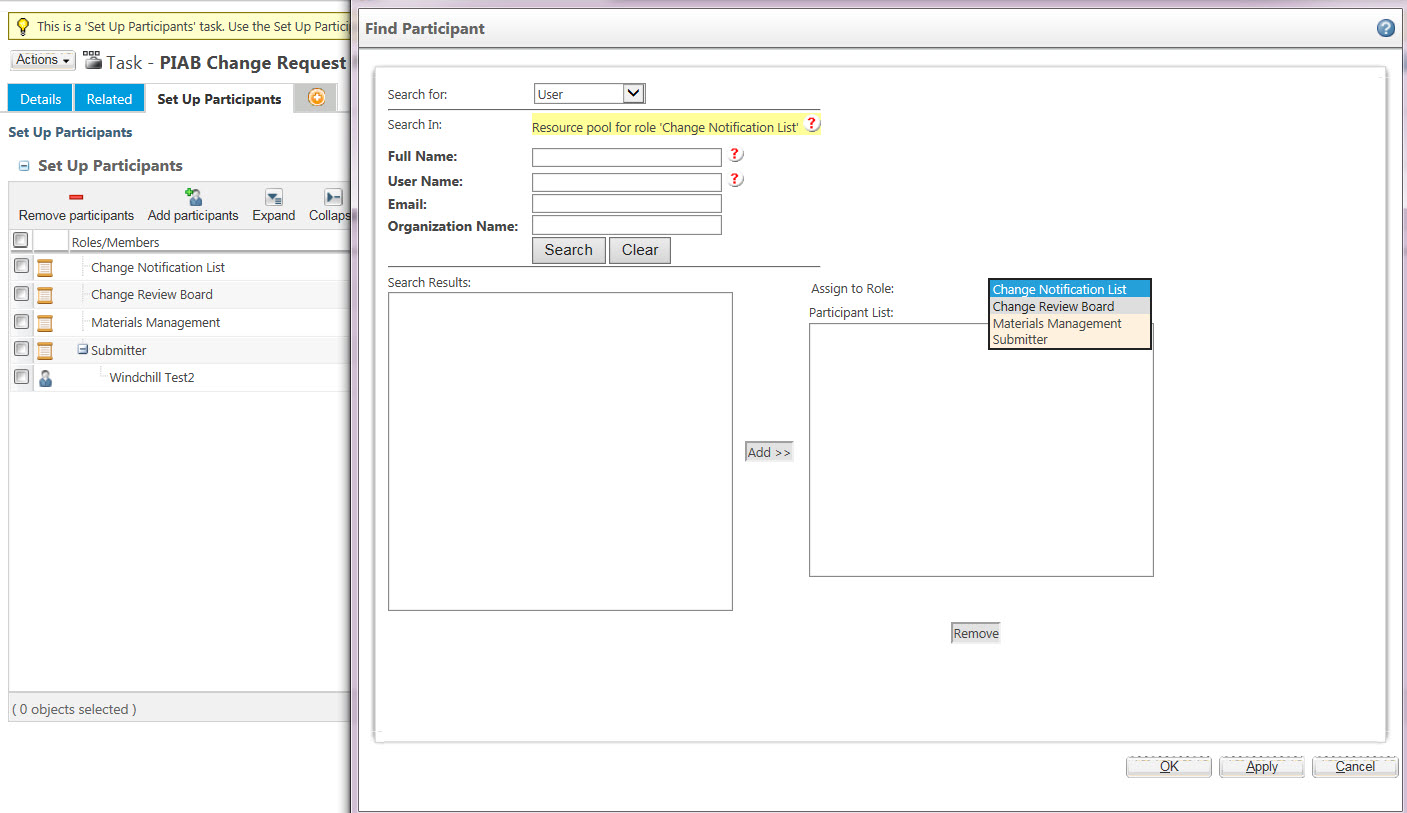
At Submit CR, the Participants tab only shows the Roles that are in the change team and they can only see the roles that are displayed in the workflow task. I do not use "guest" in the workflow.
But, if someone selects the Change Request and then the Process tab, they can see the Add Members icon. Once selected, Guest is listed as an option?
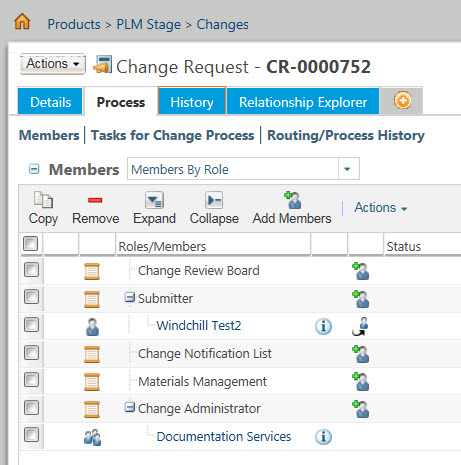
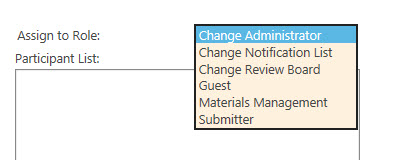
Guest is a Role in the Context Team (and can't be removed).
As you can see, the Guest role is not displayed on the Set Up Participants action.