
1-Visitor
November 16, 2017
Question

Shaded View Also Showing Wireframe

  • November 16, 2017
  • 2 replies
  • 2917 views

For some reason in my main assembly, the "Shaded With Edges" view also shows wireframe. No other subassemblies or parts show up this way. Graphics driver is up to date. I need to figure out how to turn off the wireframe because the clutter is preventing me from the design work that needs to be performed. 
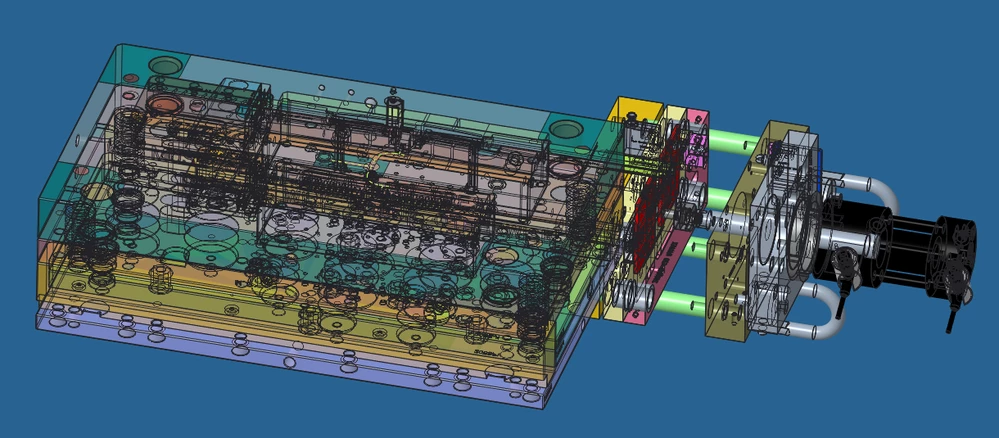
 

Capture.png

2 replies

23-Emerald III
November 16, 2017

Almost looks like everything is transparent??

dklein1-VisitorAuthor
1-Visitor
November 16, 2017

The plates are supposed to be transparent. Here is an example of what it is supposed to look like:Capture.png


17-Peridot
November 18, 2017

I've had graphics issues but never this one.


What happens when you disable colors an/or textures in the render tab?


There are times when your display makes the assembly transparent if a part is activated.

I believe there are config options to manage when things turn transparent.

Another IIRC is assembling a new part into the assembly and you have chosen your assembly reference.

Not to up on changes in this regard, but most of this is manageable through config options.

If you have PTC support, you can probably get a quicker answer to how you could manage this behavior.

24-Ruby III
November 20, 2017

Hi,


try following.


  • open problematic assembly ... assembly.asm.XXX
  • create its backup (maybe you can test also copy operation)
  • erase problematic assembly from session
  • open assembly backup
  • is its display correct ? ... if YES then change assembly.asm.1 to assembly.asm.nnn,
    where nnn = XXX+1 and move the file into directory where problematic assembly file is located (do not forget to remove backup)