
12-Amethyst
March 1, 2022
Question

Unbend a swept sheet-metal part

  • March 1, 2022
  • 1 reply
  • 2703 views

Hey guys,

I've created a thin sheet-metal part with a sweep which is folowing a 3D-curve.
Now I like to create a flat pattern of this part, but here creo does fail.
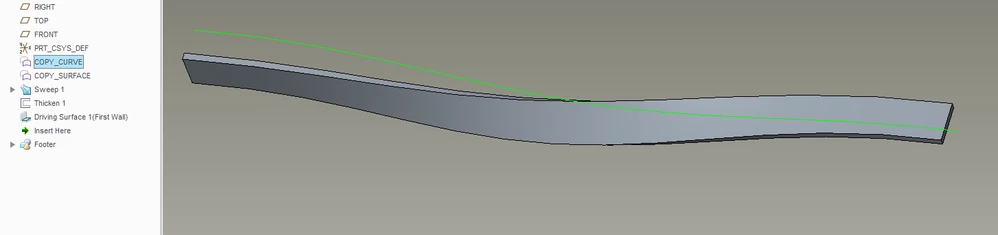
2022-03-01 11_05_38-Window.png
I've also tried to create a "flatten quilt", but this won't work either.
Does anybody know how to solve this?


1 reply

tbraxton
22-Sapphire II
22-Sapphire II
March 1, 2022

The issue is probably the curve. It may create geometry that can not be developed. If you post the model it can be reviewed.  You may be able to use forms to create it so it will flatten. 

Without the models it is difficult to diagnose the root cause.

12-Amethyst
March 1, 2022

Hey tbraxton,


here is a zip-file. You will find an assy in it and in this assy you will find part "2021248-concept_2-3013.prt.7", this is the part I was talking about.

2022-03-01 14_20_37-2021248-CONCEPT_2-3010 (Active) - Creo Parametric.png

I've created a work-around in this assy too by copy the surface of the part into another part, and I've created a "flatten quilt". But this is not the real solution I was looking for.

tbraxton
22-Sapphire II
22-Sapphire II
March 1, 2022

As I suspected, the geometry cannot be developed (flattened) in the mathematical sense.

To resolve this, you need to create construction geometry that will create your shape that can be developed. In this case I would use cylinders and cones to create the wave surface and then thicken it. Using this approach, you should be able to flatten the part in sheet metal mode.


As you can see in this analysis of your swept quilt it has nonzero gaussian curvature. This indicates that the surface cannot be developed so the flat pattern in sheet metal will not work. If you get flatten quilt to work in Creo be aware that this is not a true flat pattern of the part geometry.


Formally, in mathematics, a developable surface is a surface with zero Gaussian curvature.


tbraxton_0-1646146408784.png