14-Alexandrite
December 1, 2022
Solved

gear teeth and spline hub shaft

  • December 1, 2022
  • 1 reply
  • 7125 views

Hi community

I drawing  2 part:

  • shaft
  • Hub

I want to linked it with gear teeth  (involute profile)

i drawing involute on shaft and hub with the same parameter


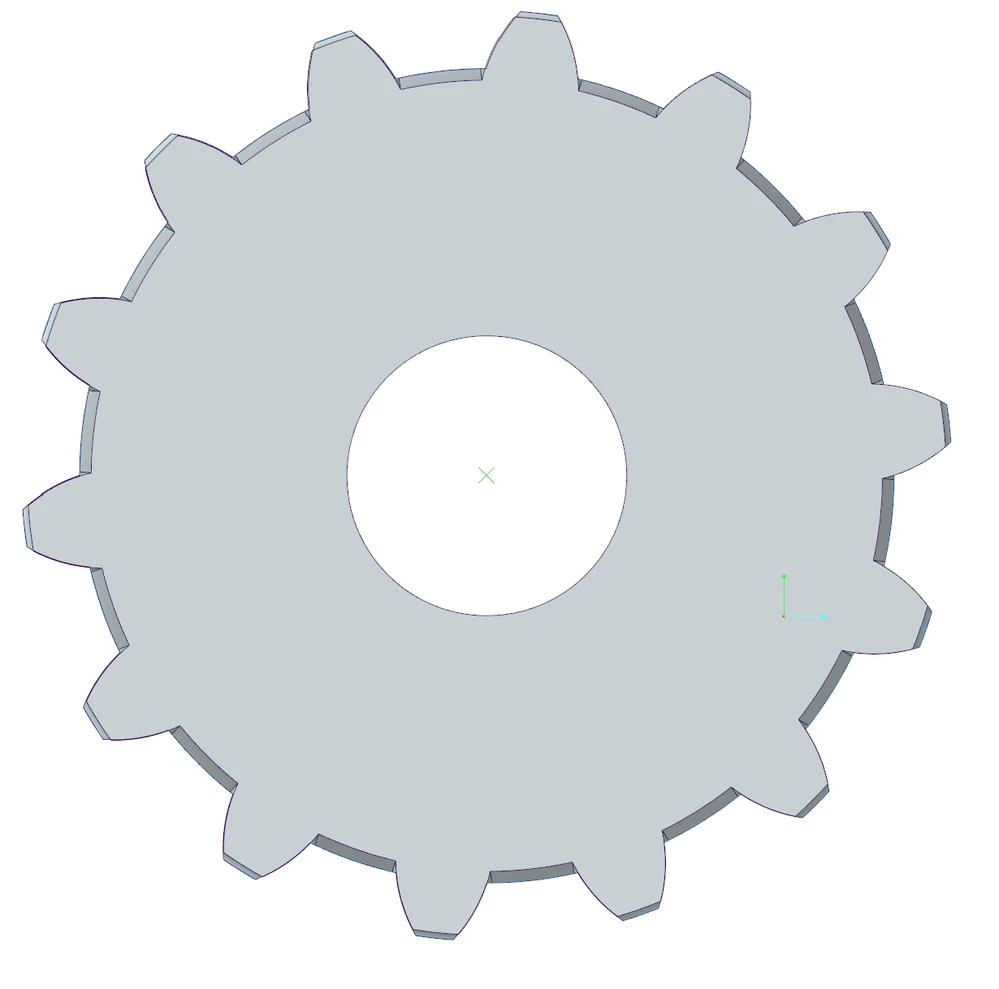
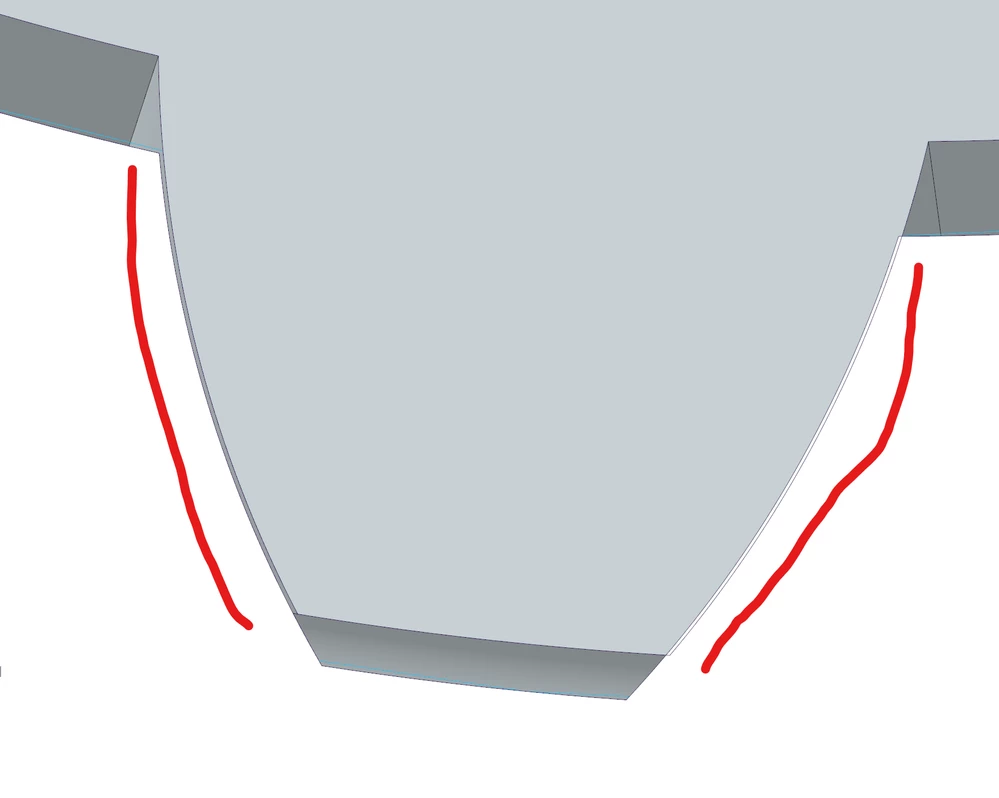
when i assembly shaft and hub  i find low profile decal.

pict1.png


pict2.png


in the hub, i use a simple function for cut teeth profile


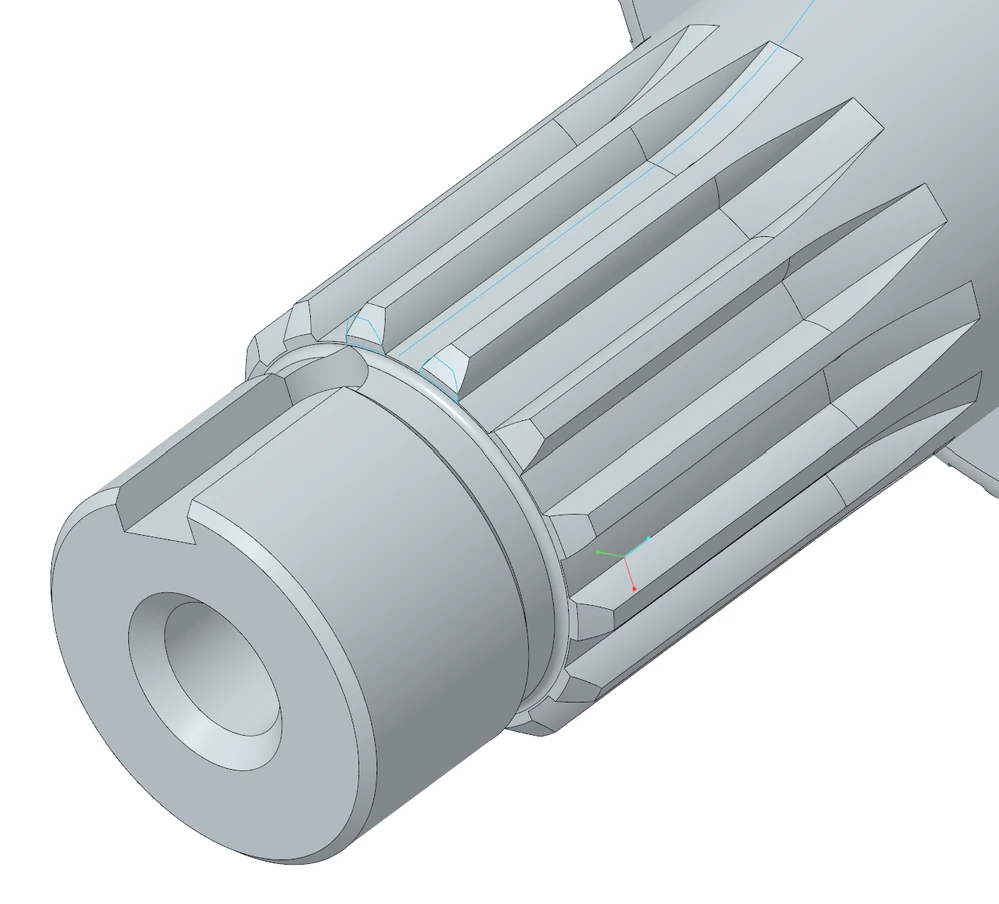
in the shaft, i use un sweep function

pict3.png


perhaps this decal come from sweep ?

i am sure of my involute


anyone have an idea ?

Best answer by XDN

Another way to drawing gear without mirror feature

only use :

  • modulus = m (or DP if you want )
  • tooth number = Z
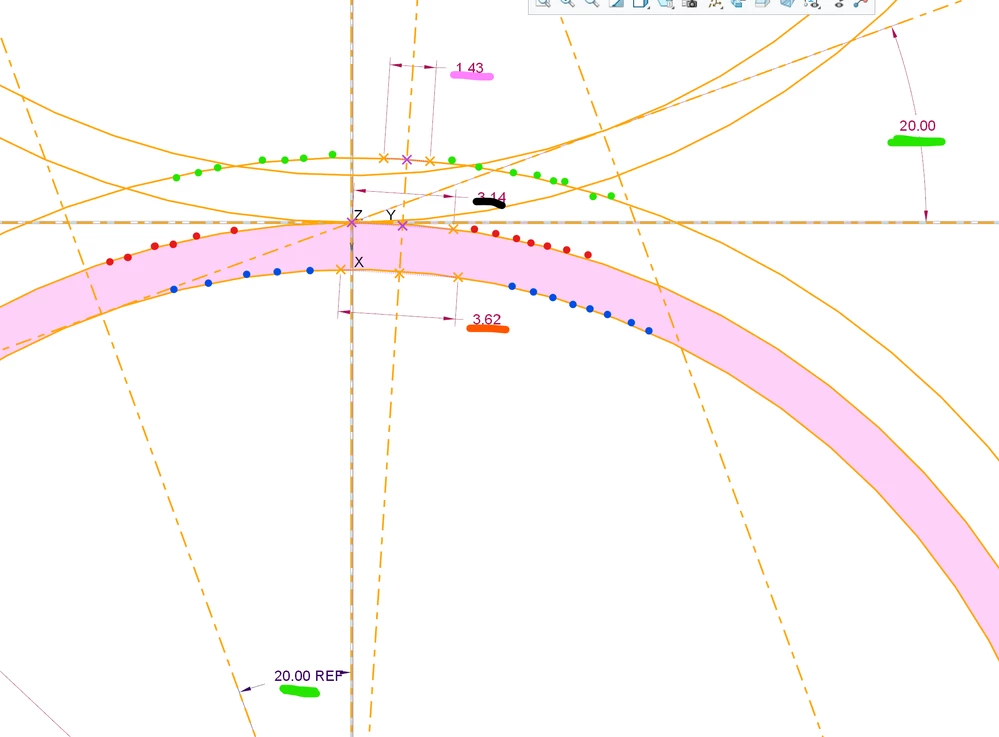
  • contact angle = ALPHA (green)

1/ make primitive radius : R = (m * Z)/2  (red point)

2/ make head circle :  RS=  R + m    (green point)

3/ make base circle : RB = R*cos(ALPHA)   (blue point)


First , we calculate the intermediate angle (angle of incidence)

TETA=acos(cos(alpha)*(R/Rs))  (it possible to check it, after in the sketch)

TETA1=tan(ALPHA)-(ALPHA*(pi/180))
TETA2=tan(TETA)-(TETA*(pi/180))
TETA3=TETA1-TETA2

Note : here i use a involute equation 😉


And now, we calculate the tooth thickness

1/ thikness @ primitive circle :  E=(Pi*m)/2  (black line)

2/thikness @ base circle : EB=R1* ( (E/R) +2*TETA1 )  (orange line)

3/ thiknesse @ head circle : T=RS*( (E/R) + 2*TETA3 )   (pink line)


now we can drawing a sketch:

the origin is the contact point of gear pair (green circle)
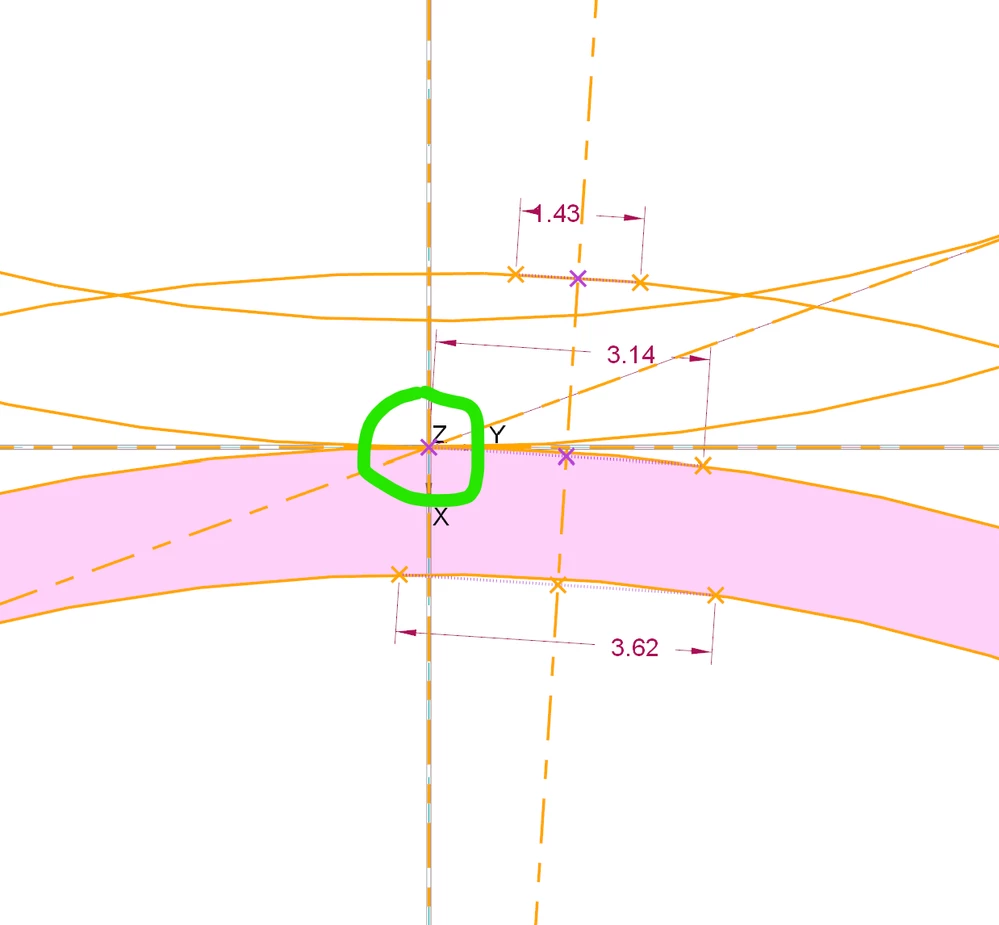
 

pict_gt1.png

pict_gt.png


and finally, you drawing a arc circle with 3 points
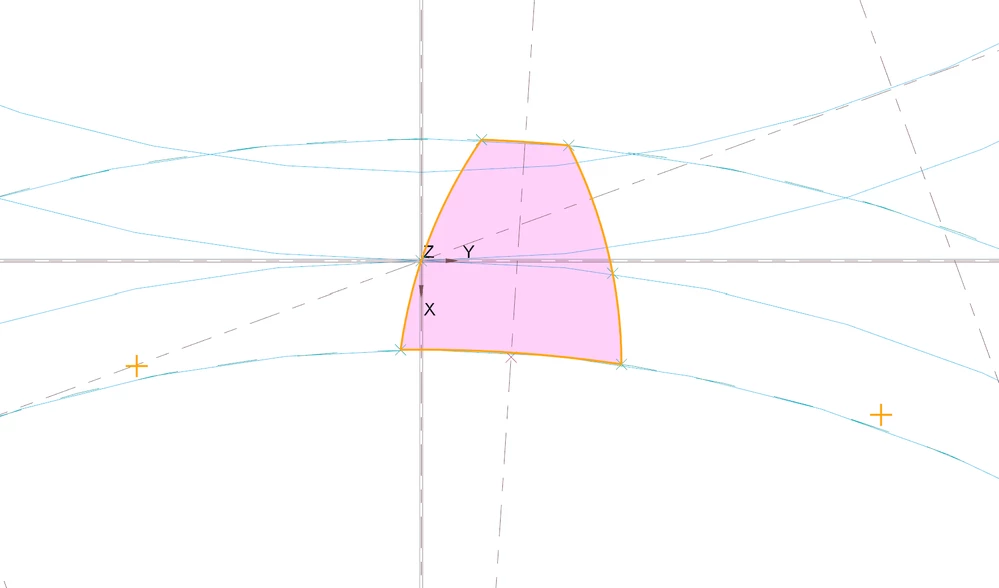
pict_gt31.png

obsiouvly, if you use diametral pitch DP  instead modulus

use this  : M * DP =25.4mm

example DP 4   give :

modulus : 25,4/4= 6.35


now we can apply feature at this sketch ( extrude or sweep) and we don't use mirror feature ðŸ¤£


1 reply

23-Emerald III
December 7, 2022

I don't understand what help you are asking for?

XDN14-AlexandriteAuthor
14-Alexandrite
December 8, 2022

first, i drawing hub and shaft with extrude feature

the involute profile is good, i make it with involute equation

this result is perfect!

see this picture

pict_5.png


pict_6.png


Now, drawing shaft

the sketch is make with the same involute equation

but i use a sweep feature ( not extrusion feature)

because in real life, when i machining the shaft i have the cutting tool geometry

pict_7.png


After this, i assembly this part, and now:

pict_9.pngpict_10.png

i have offset between hub and shaft😱

it is possible th sweep feature make it ?

sweep feature option perhaps

i use Normal To Trajectory

i don't uderstand this options,

Normal To Projection

Constant Normal Direction


thanks

23-Emerald III
December 8, 2022

If you look at this part of the shaft, does your sketch exactly match the sweep  cut made?

StephenW_0-1670512478469.png