Creo mechanism - simulate load of braking considering rigidity of structure
Hello.
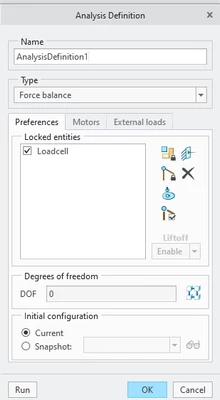
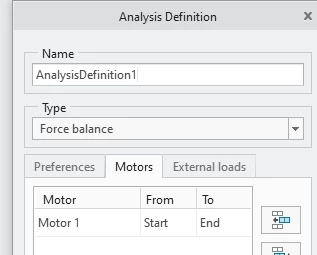
I am trying to simulate dynamic effects due to the braking of a rotation movement, considering the rigidity of my structure using static position and Force Balance Analysis.
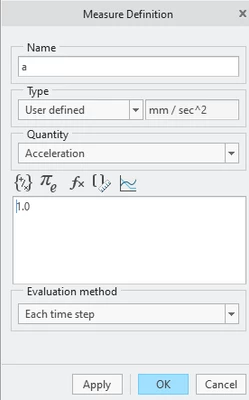
Using the prototype, or a similar machine, we measured the deceleration at point 2.
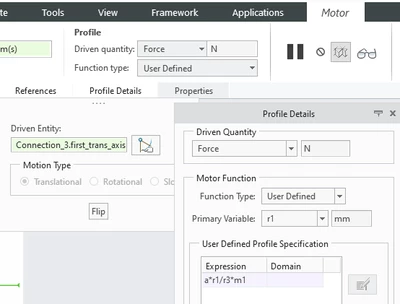
I'd like to apply forces to the center of mass of each body and correct the magnitude of deceleration according to the radius, in a parametric procedure, so I can easily simulate several positions.
We know this is not 100% accurate but is good enough for our application.
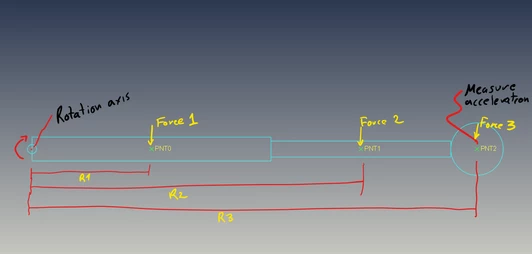
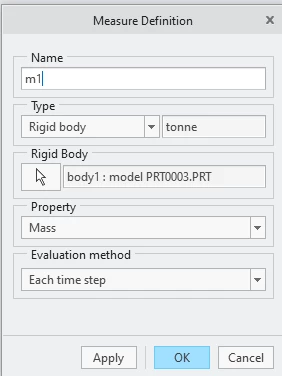
Force 1 = Acceleration point 2 * R1/R3 * Mass body 1
Force 2 = Acceleration point 2 * R2/R3 * Mass body 2
Force 3 = Acceleration point 2 * R3/R3 * Mass body 3
Strategies to parametrically change the magnitude of Forces:
Option 1:
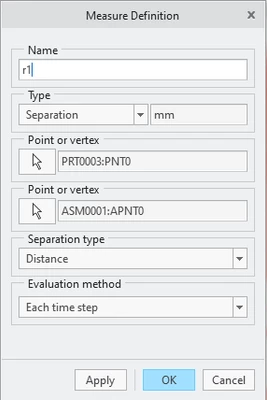
R1 = using a Measure of Position inside Mechanism of point 0 to the rotation point
Problem: The analysis does not run. I don't even receive a error message. Nothing happens.
I believe this is happening because first Creo need to run an analysis in order to create the value of R1, only then would be possible to calculate Force 1.
Option 2:
Create the FORCE 1 inside relations of the assembly:
FORCE_1=ACCELERATION * DISTANCE:FID_172 / DISTANCE:FID_171 * WEIGHT:3
Then, use "FORCE_1" as the constant of the Force inside Creo Mechanism.
Problem: The magnitude is only corrected after I regenerate the model for every position.
Procedure: Run Force Balance Analysis to set the position, regenerate the model to correct the magnitude of Force 1, then run the Force Balance Analysis again with the corrected.
Is there any way to make this works properly in Force Balance Analysis without the need of manually regenerate every time or without use MODS license?
I don't want to use Dynamic Analysis to avoid the dynamic effects caulculated by Creo.
Thanks!