
Turn on suggestions
Auto-suggest helps you quickly narrow down your search results by suggesting possible matches as you type.
Showing results for
Please log in to access translation
Turn on suggestions
Auto-suggest helps you quickly narrow down your search results by suggesting possible matches as you type.
Showing results for
Community Tip - You can change your system assigned username to something more personal in your community settings. X
- Community
- Creo+ and Creo Parametric
- Customization
- Re: window created by ProObjectWindowCreate has no...
Translate the entire conversation x
Please log in to access translation
Options
- Subscribe to RSS Feed
- Mark Topic as New
- Mark Topic as Read
- Float this Topic for Current User
- Bookmark
- Subscribe
- Mute
- Printer Friendly Page
window created by ProObjectWindowCreate has no ribbon and can't be closed.


Jun 29, 2016
09:42 PM
- Mark as New
- Bookmark
- Subscribe
- Mute
- Subscribe to RSS Feed
- Permalink
- Notify Moderator
Please log in to access translation
Jun 29, 2016
09:42 PM
window created by ProObjectWindowCreate has no ribbon and can't be closed.
hello all,
I recently made a dll with toolkit. I want to open 2 models at the same time, and I used the codes like this:
ProObjectwindowCreate( mdl_name, mdl_type, &w_id);
ProWindowActivate( w_id);
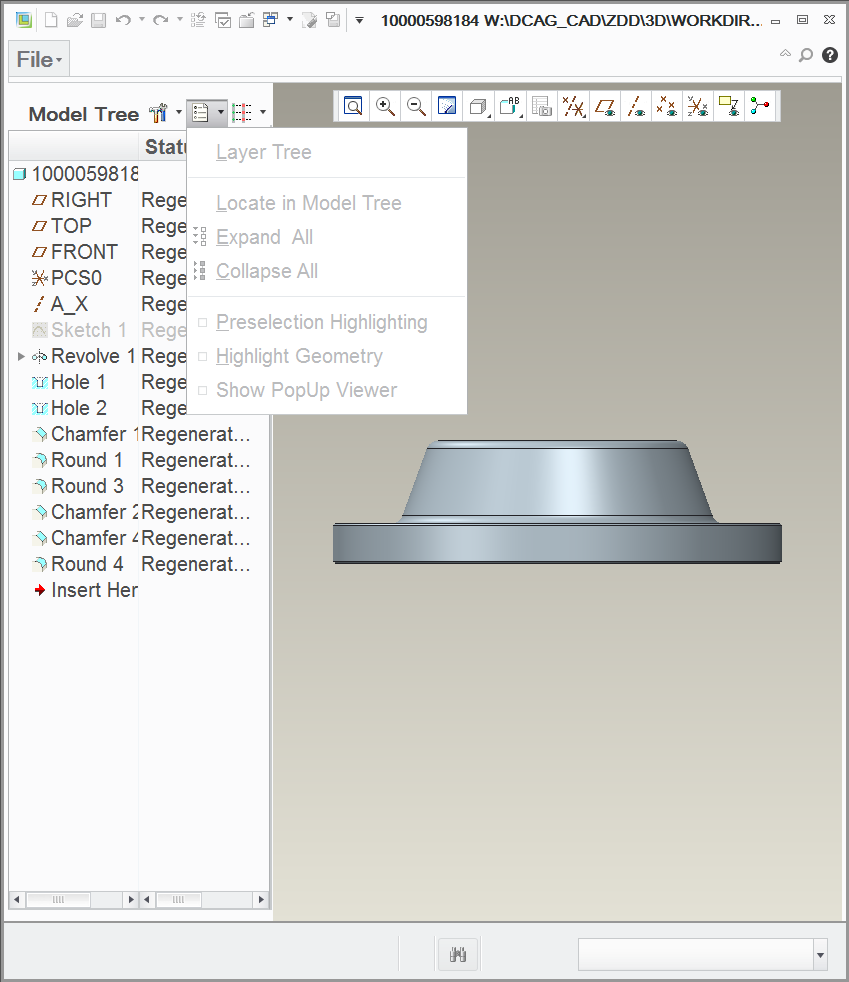
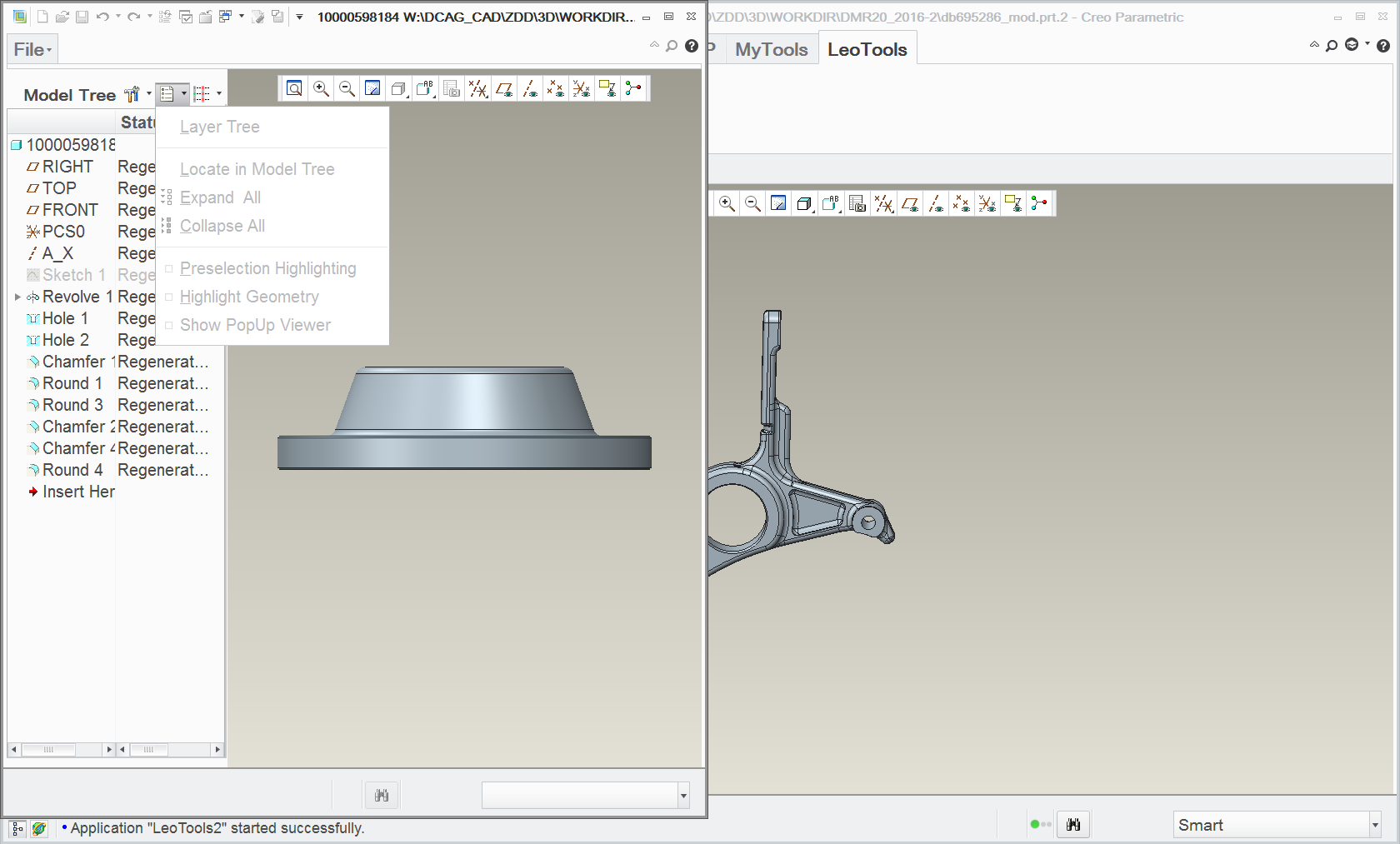
But the created window has no ribbon and can't be closed.
Does anyone know why?
Thanks in advance.
This thread is inactive and closed by the PTC Community Management Team. If you would like to provide a reply and re-open this thread, please notify the moderator and reference the thread. You may also use "Start a topic" button to ask a new question. Please be sure to include what version of the PTC product you are using so another community member knowledgeable about your version may be able to assist.
Solved! Go to Solution.
Labels:
- Labels:
-
General
ACCEPTED SOLUTION
Accepted Solutions


Jun 30, 2016
11:05 AM
- Mark as New
- Bookmark
- Subscribe
- Mute
- Subscribe to RSS Feed
- Permalink
- Notify Moderator
Please log in to access translation
Jun 30, 2016
11:05 AM
You'll need to use ProWindowCurrentSet instead of ProWindowActivate
This sequence works from WF5 to Creo 3 (WF3 and WF4 would need a different one)
ProObjectWindowCreate(...);
ProWindowCurrentSet(...)
ProMdlDisplay(...)
2 REPLIES 2
Jun 30, 2016
11:05 AM
- Mark as New
- Bookmark
- Subscribe
- Mute
- Subscribe to RSS Feed
- Permalink
- Notify Moderator
Please log in to access translation
Jun 30, 2016
11:05 AM
You'll need to use ProWindowCurrentSet instead of ProWindowActivate
This sequence works from WF5 to Creo 3 (WF3 and WF4 would need a different one)
ProObjectWindowCreate(...);
ProWindowCurrentSet(...)
ProMdlDisplay(...)
Jun 30, 2016
08:26 PM
- Mark as New
- Bookmark
- Subscribe
- Mute
- Subscribe to RSS Feed
- Permalink
- Notify Moderator
Please log in to access translation
Jun 30, 2016
08:26 PM
OK, thank your for you answer,  .
.
I will try these codes this evening.

Announcements


Top Tags
