

Mathcad Express 11 Timing Functions
I've been doing a bit of revamping my Mathcad Express worksheets to Mathcad Express 11. As part of this activity, I've updated my library of timing functions to reflect the way I've been using them.
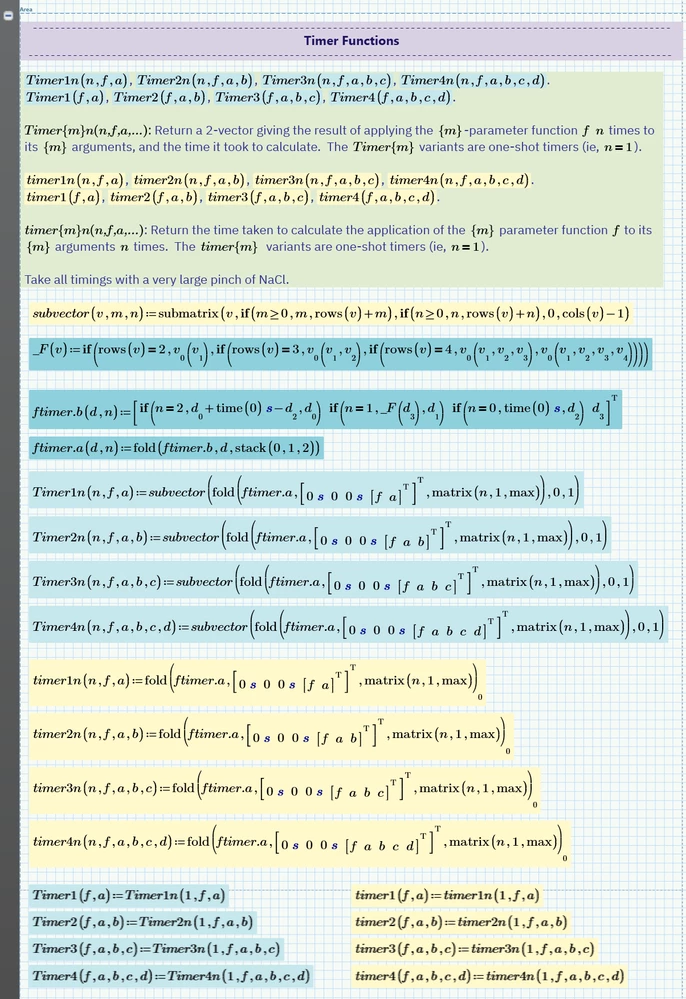
For example, timer1(f,a) used to return both f(a) and the time it took to evaluate f(a); now, it just returns the time taken, whilst timer1n(n,f,a) executes f(a) n times.
For those of you with prior versions of Mathcad, here are the timing function definitions:
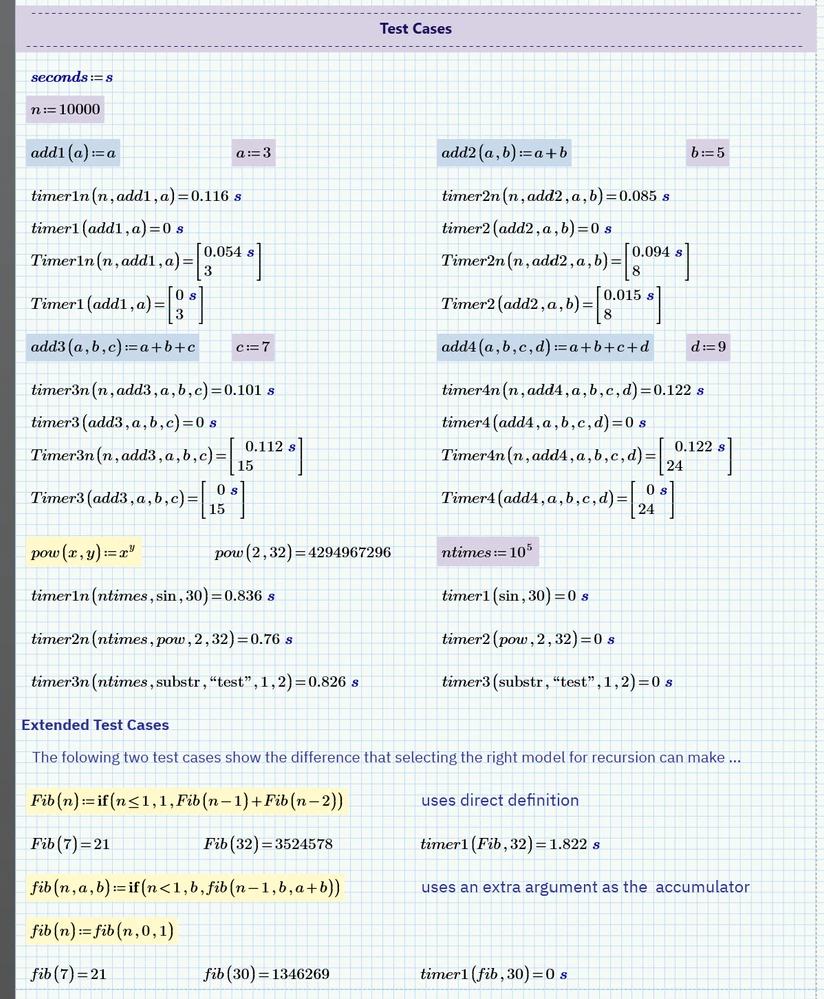
Here is a good example of how writing recursive algorithms should be done with care, fib vs Fib.
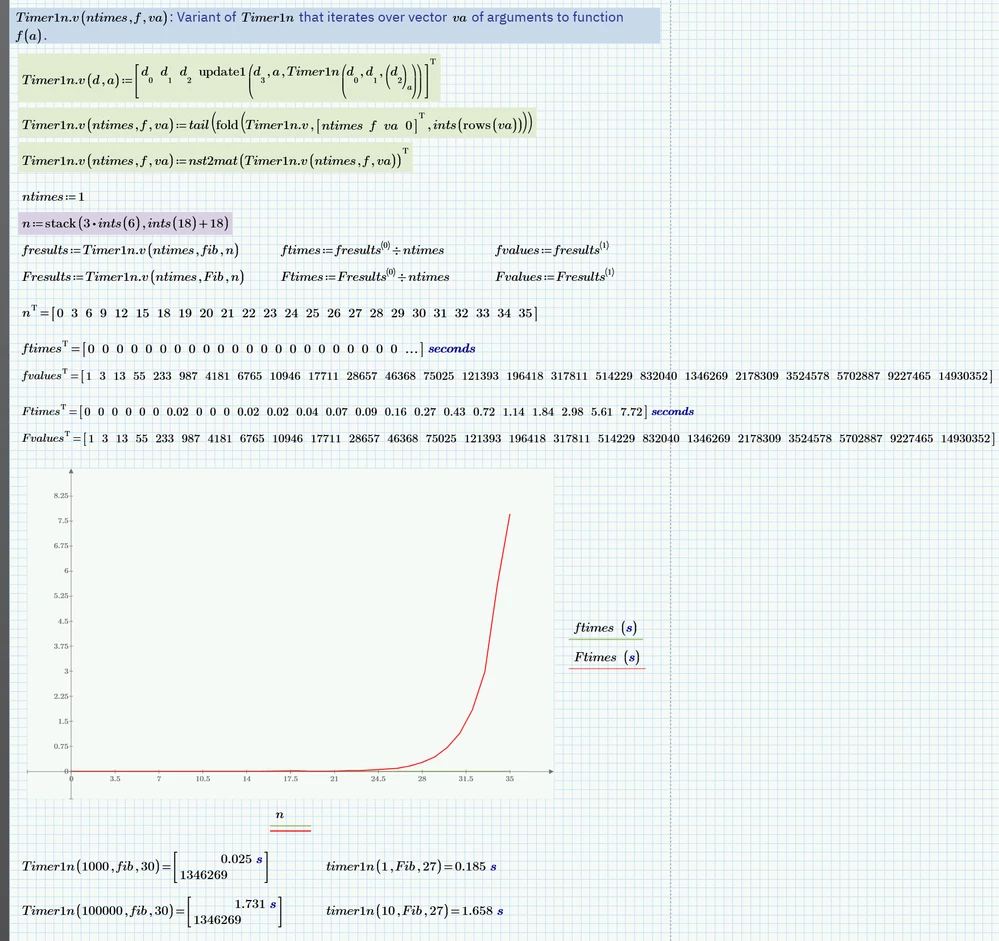
And here's a graph showing just how much worse the difference in Fib's performance gets as its input argument n increases.
The timing functions are in the first Area in the attached Mathcad Express 11 worksheet (to make it easier to copy them to another worksheet or include them in a template).
The utility of such functions is also evinced in:
https://community.ptc.com/t5/Mathcad/Mathcad-Express-speeding-up-vec/m-p/1036853
(I've also got a set of Mathcad Prime programmed functions that are simpler and easier to visually interpret, but since I only have Express, I can't check if they work!)
Stuart