
Solved
saving a text input in vuforia
hi all,
I created a textarea in vuforia, how can i save this and where does the data goes?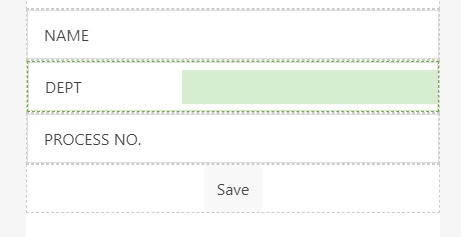

hi all,
I created a textarea in vuforia, how can i save this and where does the data goes?
Hi
my opinion is that a good way to solve this problem -> is to write a data to a json file (local in session) and then save the json file to the server. Here is one example how to save a json file to repository
...
$scope.compJSON_loc_Data 	= {"widget": {
 "debug": "on",
 "window": {
 "title": "Sample Konfabulator Widget",
 "name": "main_window",
 "width": 500,
 "height": 500
 },
 "image": {
 "src": "Images/Sun.png",
 "name": "sun1",
 "hOffset": 250,
 "vOffset": 250,
 "alignment": "center"
 }
}} ;
// you can generate also the JSON dynamicaly in a script
console.log(JSON.stringify($scope.compJSON_loc_Data))
$scope.SaveJsonToTwxRepository('/CADFiles/json_lists/compJSON_loc_Data.json',$scope.compJSON_loc_Data);
...
//////////////////////////////// DEFINITION Of the JS method //////////////////
$scope.SaveJsonToTwxRepository = function(path, content) {
 $scope.$applyAsync(function() {
 $rootScope.$broadcast('app.mdl.CAD-Files-Repository.svc.SaveJSON',
 {"content": content, "path":path}
 );} ,500 );
};
//////////////////////////////////////////////////////////////
//CAD-Files-Repository is here a repository thing where the specified path exist
So here is the CAD-Files-Repository a Repository thing in thingworx and where the service SaveJson is added in the external data as service and also runtime access is allowed for the user (es-public-access)
In the example a static json file was assigneed to a varaible but of course, you can generate the file by javaScript e.g. as mention in stackoverflow post
function createJSON() {
 jsonObj = [];
 $("input[class=email]").each(function() {

 var id = $(this).attr("title");
 var email = $(this).val();

 item = {}
 item ["title"] = id;
 item ["email"] = email;

 jsonObj.push(item);
 });

 console.log(jsonObj);
}
or in the post
dynamic product = new JObject();
product.ProductName = "Elbow Grease";
product.Enabled = true;
product.Price = 4.90m;
product.StockCount = 9000;
product.StockValue = 44100;
product.Tags = new JArray("Real", "OnSale");

Console.WriteLine(product.ToString());
// {
// "ProductName": "Elbow Grease",
// "Enabled": true,
// "Price": 4.90,
// "StockCount": 9000,
// "StockValue": 44100,
// "Tags": [
// "Real",
// "OnSale"
// ]
// }
This example is one possible solution what I used in the past but may be other solution approaches could exist.
Enter your E-mail address. We'll send you an e-mail with instructions to reset your password.