
3-Newcomer
February 3, 2025
Solved

Getting started with Torque Tool Ethernet Driver

  • February 3, 2025
  • 1 reply
  • 2021 views

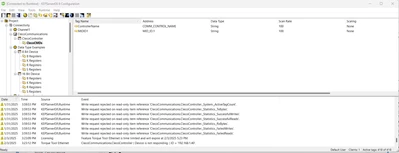
How do I configure a static tag for basic MID001 start communication with a Cleco Controller using OPEN PROTOCOL? OPC quick client confirms I have connectivity to the controller, shows me the IP address configured. But everything I try to setup a basic tag for MID001 to transmit a 20Byte sequence fails.

I created two static tags but I can't make them read/write, are read only. Doesn't let me set a value to send to the controller.  And Controller name is not reading anything back from controller.
 

Screenshot 2025-02-03 153521.png


Best answer by rajskumar

Posting here for the wider community,

Based on internal findings, it was a port issue, and after configuring the correct port in Kepserver, it started working fine. Closing this community post as solved. Thanks

1 reply

16-Pearl
February 3, 2025

Hi Nicole,


Thank you for your question regarding the MID 0001 Application Communication start. I noticed that you also created a case with Kepware support for this issue.


To provide a quick summary for everyone:

The MID 0001 command is sent internally by the driver to initiate communication when data is requested. There is no direct tag for MID 0001, as the driver handles this automatically when you connect a tool.


For more detailed assistance, please refer to the case you created with us. We will be able to provide you with specific guidance and support.


If we find anything during our troubleshooting, I will update here for the wider community. Thanks

3-Newcomer
February 3, 2025

Ok so what are the MID_ID.1 - MID_ID.4 addresses for? And how do I set those for any other MID commands? 

16-Pearl
February 3, 2025

Hi Nicole,

MID_ID.1 - MID_ID.4 addresses are Identifier. The Identifiers command set is used to manage the multiple identifiers in the controller. All tags prefixed by MID_ are subscription-based and use MID 151 (Multiple Identifiers Work Order Subscribe) for the subscription request. The device sends the item data to the server through MID 152 (Multiple Identifiers Work Order), which the server responds to with MID 153 (Multiple Identifiers Work Order Acknowledge).

Here is how you can configure these in Kepware:

rajskumar_0-1738619584792.png