
Solved

OK, I see the problem but unfortunately because of a bug in Mathcads 3D component I can't offer a satisfying solution.
When you calculate Z and later plot it, all information about the original values X and Y is lost, so the best Mathcad can do is to use the matrix indices.
The usually preferred way is to plot a function. And using "CreateMesh" gives you better control than plotting the function directly.
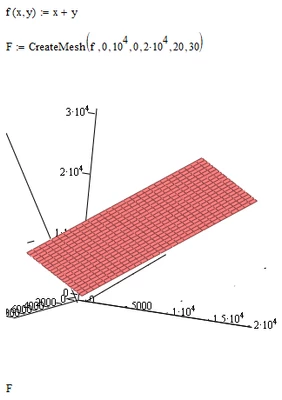
But because the 3D plot is buggy (maybe it does not like large values for x and y ?) we see some nasty artefacts.
Actually on my screen it looks even worse:
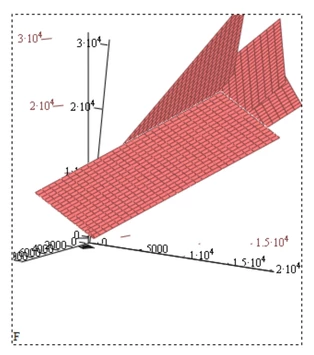
I don't know how to fix this - maybe someone else has some ideas on this.
Maybe its just the installation on my machine, so try the attached file yourself.
I also tried to plot the function directly
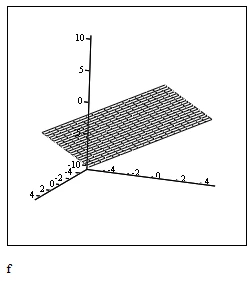
Look good, but Mathcad had automatically chosen the default values for x and y running from -5 to 5.
We can change this in the "3-D Plot Format" menu
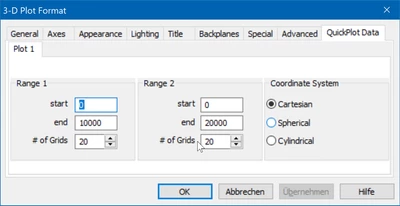
and when I do this, I see this
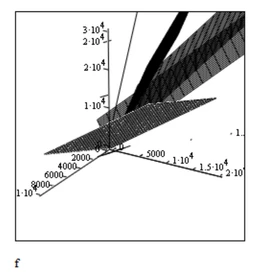
So give it a try yourself - maybe its just my graphics driver, graphics card, OS, ....?
Enter your E-mail address. We'll send you an e-mail with instructions to reset your password.