
12-Amethyst
July 25, 2018
Solved

This value must be a scalar

  • July 25, 2018
  • 1 reply
  • 26977 views

i am using a table for various parameters used in later calculations.  It all seems to be working well until page 5 of 8 where the error message "this value must be a scalar" is displayed for 2 of the calculations.  Being relative new to mathcad i have not been able to find a solution to solve this error.  any assistance would be appreciated.
Best answer by Werner_E

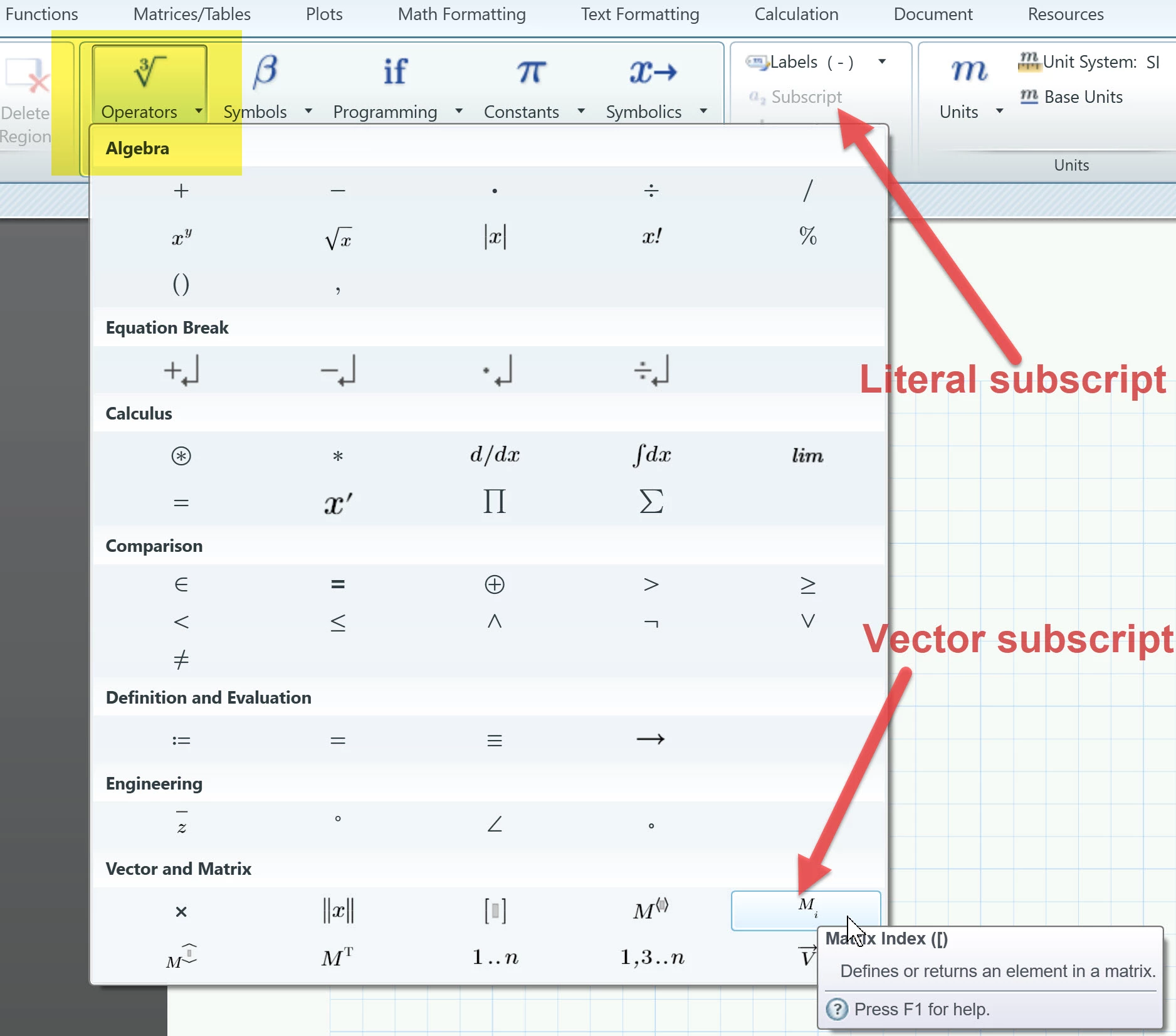
The subscript i is a vector/matrix subscript. This is different from the literal subscript you get by typing "Ctrl -".

You get the vector subscript by typing "[".

You can also use the menus:

B.jpg

1 reply

25-Diamond I
July 25, 2018

When you defined your table, you have defined B and the other 3 variables as vectors.

In your first failing calculation you used a comparison operator (<). You can only compare scalars, not vectors. Thats the reason for the error.

One way out would be to turn all calculations into function which are dependent by the for input variables B,L,D.f and D.w.

The variables have not to be defined before.

You can now define the variables and call this functions. If one of the variables is a vector, you have to vectorize (the arrow over the expression) that function call and Prime will feed the vector values singly into the function and returns a vector of the results.

I have done that here with the first calc which failed.

B1.jpg

Less preferred (in my opinion) is a solution which uses a little program which runs via a for loop through all the values in your vectors:

B2.jpg

idahoan12-AmethystAuthor
12-Amethyst
July 25, 2018

thank you.  in your last solution, what are the steps to initializing the variables within the program, i.e., placing the sub-subscript i?

Werner_E25-Diamond IAnswer
25-Diamond I
July 25, 2018

The subscript i is a vector/matrix subscript. This is different from the literal subscript you get by typing "Ctrl -".

You get the vector subscript by typing "[".

You can also use the menus:

B.jpg