
1-Visitor
August 24, 2014
Solved

About Error after Installing Creo 2.0 student edition

  • August 24, 2014
  • 1 reply
  • 1628 views

On, 24th August 2014, after installing Creo 2.0 student edition when I started the "Creo Parametric 2" it gives a error message like below


"Fatal error encountered. A traceback has been written to C:\Users\Public\Documents\traceback.log

Please send it to Technical Support"
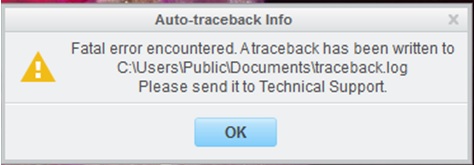
Fatal error.jpg


Please help me to solve this so that I can use Creo 2 smoothly.


Best answer by MarkCheli

Hi Mohammad,

This is a relatively common issue at this time with certain Intel graphics drivers. Here's how to fix it...

  1. Download the attached config.pro file and unzip it
  2. Put the config file in C:\Users\Public\Documents
  3. Restart Creo 2.0

If you are interested, an extended write of of the issue is located here: https://support.ptc.com/appserver/cs/view/solution.jsp?n=CS156839

1 reply

MarkCheli5-Regular MemberAnswer
5-Regular Member
August 27, 2014

Hi Mohammad,

This is a relatively common issue at this time with certain Intel graphics drivers. Here's how to fix it...

  1. Download the attached config.pro file and unzip it
  2. Put the config file in C:\Users\Public\Documents
  3. Restart Creo 2.0

If you are interested, an extended write of of the issue is located here: https://support.ptc.com/appserver/cs/view/solution.jsp?n=CS156839