1-Visitor
July 7, 2021
Solved

not able to login localhost

  • July 7, 2021
  • 1 reply
  • 5307 views

yesterday, I installed local version of 90 days. but now I am not able to login at localhost:8080/Thingworx/ 
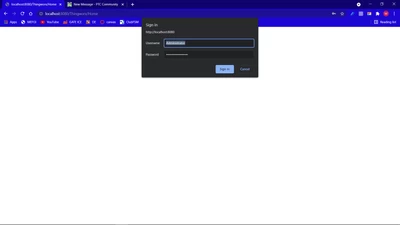
 

Screenshot (529).png


I am sure about password. And I am using "Administrator" as user.


please help me out, Thank you.

 

Best answer by milan.pansuriya

Thank you so much for your help,


I have solved the issue. I came to know that I had imported "User" in localhost which was exported from my Cloud composer. So, I reinstalled localhost and then imported every entity again (except User.xml)

1 reply

5-Regular Member
July 7, 2021

You are seeing the login pop up but once you enter username -Administrator and password it does not open the composer? In that case, I believe the issue is with your password. If feasible can you attach security logs from ThingWorxStorage->logs directory?

1-Visitor
July 7, 2021

Yesterday I was able to login with same password and I have saved password in chrome. I have attached today's and yesterday's security logs. 

5-Regular Member
July 8, 2021

It is clear from the logs that your password is not correct and after many unsuccessful attempts your user is getting locked and then unlocked after 15 min.

2021-07-07 14:07:04.408+0000 [L: WARN] [O: S.c.t.s.u.User] [I: ] [U: ] [S: ] [P: ] [T: http-nio-8080-exec-10] User: Administrator was UNLOCKED after timeout of 15 Minutes
2021-07-07 14:07:15.134+0000 [L: WARN] [O: S.c.t.s.a.AuthenticationUtilities] [I: ] [U: ] [S: ] [P: ] [T: http-nio-8080-exec-10] Authentication FAILED for [user = Administrator] using [directory service = ThingWorxDirectoryService] : Invalid Password
2021-07-07 14:07:15.134+0000 [L: ERROR] [O: S.c.t.s.a.AuthenticationFilter] [I: ] [U: ] [S: ] [P: ] [T: http-nio-8080-exec-10] Authentication failed: Please make sure the credentials are correct.

May i know you are using which persistence provider for ThingWorx (Postgresql/H2/Mssql) ?