1-Visitor
July 7, 2021
Solved

not able to login localhost

  • July 7, 2021
  • 1 reply
  • 5312 views

yesterday, I installed local version of 90 days. but now I am not able to login at localhost:8080/Thingworx/ 
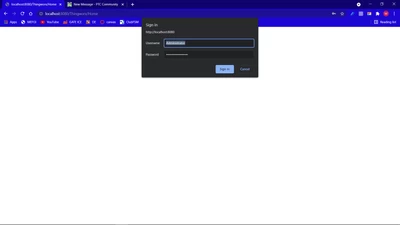
 

Screenshot (529).png


I am sure about password. And I am using "Administrator" as user.


please help me out, Thank you.

 

Best answer by milan.pansuriya

Thank you so much for your help,


I have solved the issue. I came to know that I had imported "User" in localhost which was exported from my Cloud composer. So, I reinstalled localhost and then imported every entity again (except User.xml)

1 reply

5-Regular Member
July 7, 2021

You are seeing the login pop up but once you enter username -Administrator and password it does not open the composer? In that case, I believe the issue is with your password. If feasible can you attach security logs from ThingWorxStorage->logs directory?

1-Visitor
July 7, 2021

Yesterday I was able to login with same password and I have saved password in chrome. I have attached today's and yesterday's security logs. 

milan.pansuriya1-VisitorAuthorAnswer
1-Visitor
July 8, 2021

Thank you so much for your help,


I have solved the issue. I came to know that I had imported "User" in localhost which was exported from my Cloud composer. So, I reinstalled localhost and then imported every entity again (except User.xml)