1-Visitor
July 28, 2022
Question

Add Related object to part using REST API

  • July 28, 2022
  • 2 replies
  • 1263 views

I'm currently aware on how to create a Part and how to create a Document using the REST API. I'm currently on V11M30. What I need to reproduce using the API are the following steps. 


1- Check out the part
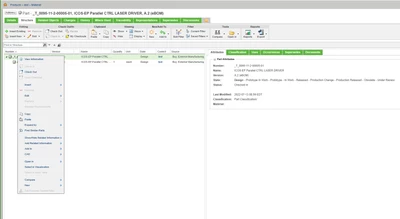
CM_10339207_0-1658982610167.png


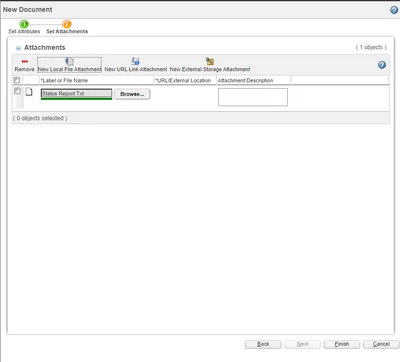
2- Create a new Document with attachments 
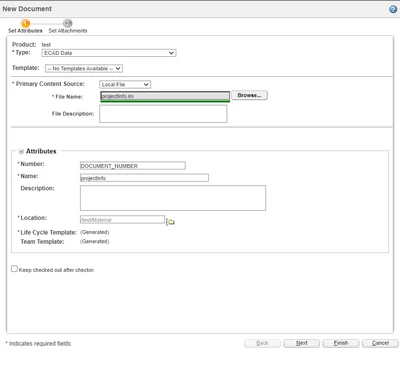
CM_10339207_1-1658982727011.pngCM_10339207_2-1658982776726.png

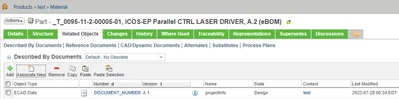
3- Add the document to the part

CM_10339207_3-1658982908071.png


Using the REST API I know how to:

1- Check out the part

/ProdMgmt/Parts('WTPartID')/PTC.ProdMgmt.CheckOut


2- Create the document

/DocMgmt/Documents


3- Check out the document

/DocMgmt/Documents('WTDocumentID')/PTC.DocMgmt.CheckOut


4- Upload content from local file or URL to the new document (Attachments/Primary content)

5- Check in the document

6- Check in the part


What I don't know is how to relate the document to the part. This means that the document will be created, but it won't show up in the "Related Objects" section of the part.


2 replies

10-Marble
November 25, 2024

Hi, have you find the solution. I did some customization to relate the WTPart and WTDocument. if you are interested I can share the solution. Also, I am struggling to upload primary content to the document. I am wondering if you can help me with this.


Fadel
23-Emerald I
November 25, 2024
10-Marble
November 25, 2024

Thanks @Fadel . I already implemented it. Now, I want to upload primary content to a document. I found some help to do it through UploadStage 1,2,3 action. In Windchill Rest Services I am working on I can't find the UploadStage 2 action as you can see in the screenshot. Also, There is no POST method available to upload primary content. I would really appreciate if you have some clue about it.image.png