7-Bedrock
August 4, 2023
Solved

Getting 401 error when trying to use datalogger API

  • August 4, 2023
  • 1 reply
  • 2569 views

I’m using the Demo version of KEPServerEX 6.14 and I would like to import a CSV into the datalogger using the API.
I followed the instructions in this github https://github.com/PTCInc/Kepware-Example-Scripts/tree/master/Datalogger/CSV%20to%20DataLogger%20API but I got a HTTP 401 error:
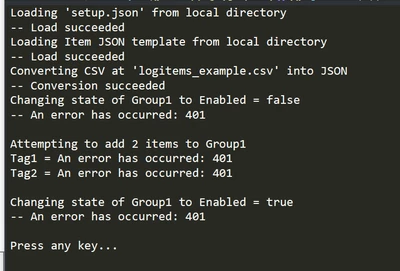
 

VL_10726996_0-1691160960192.png

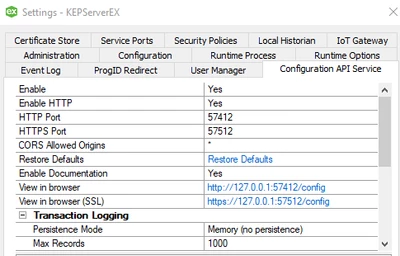
Settings:

VL_10726996_2-1691161438137.png


Any ideas?
Thanks


Best answer by VL_10726996

Hi,
After multiple attempts, I decided to uninstall Kepserver completely and reinstall it.
I had been using version 6.5 previously and then installed version 6.14 without deleting all data, which I believe caused the issue. It is now functioning properly.


Thanks for your assistance!

1 reply

12-Amethyst
August 4, 2023

A 401 error is an authentication error. Can you confirm that you are passing the correct user credentials to the API endpoint?


Best regards,

Andy Servetas
Principal Technical Support Engineer | Kepware Technologies

7-Bedrock
August 6, 2023

In the setup json file, I'm writing the user and password defined during the Kepserver installation. Is this correct?

Best regards.

VL_107269967-BedrockAuthorAnswer
7-Bedrock
August 13, 2023

Hi,
After multiple attempts, I decided to uninstall Kepserver completely and reinstall it.
I had been using version 6.5 previously and then installed version 6.14 without deleting all data, which I believe caused the issue. It is now functioning properly.


Thanks for your assistance!