7-Bedrock
August 4, 2023
Solved

Getting 401 error when trying to use datalogger API

  • August 4, 2023
  • 1 reply
  • 2569 views

I’m using the Demo version of KEPServerEX 6.14 and I would like to import a CSV into the datalogger using the API.
I followed the instructions in this github https://github.com/PTCInc/Kepware-Example-Scripts/tree/master/Datalogger/CSV%20to%20DataLogger%20API but I got a HTTP 401 error:
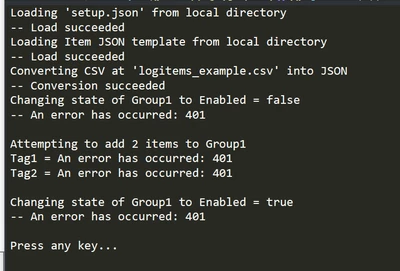
 

VL_10726996_0-1691160960192.png

Settings:

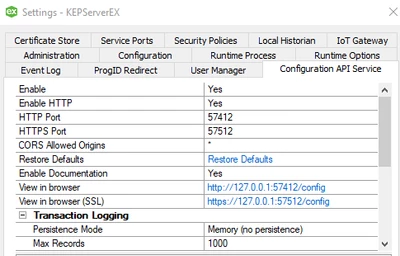
VL_10726996_2-1691161438137.png


Any ideas?
Thanks


Best answer by VL_10726996

Hi,
After multiple attempts, I decided to uninstall Kepserver completely and reinstall it.
I had been using version 6.5 previously and then installed version 6.14 without deleting all data, which I believe caused the issue. It is now functioning properly.


Thanks for your assistance!

1 reply

12-Amethyst
August 4, 2023

A 401 error is an authentication error. Can you confirm that you are passing the correct user credentials to the API endpoint?


Best regards,

Andy Servetas
Principal Technical Support Engineer | Kepware Technologies

7-Bedrock
August 6, 2023

In the setup json file, I'm writing the user and password defined during the Kepserver installation. Is this correct?

Best regards.

15-Moonstone
August 9, 2023

I spoke with the engineer that wrote the script that you are using for the CSV import. He states that "The setup JSON is loaded into the script and the creds are passed into the header as normal."


Please verify that you've modified the header information in that script to pass the correct credentials as set in your User Manager to match the authentication required by the API.


-Andy