
14-Alexandrite
January 16, 2016
Question

Value from table
  • January 16, 2016
  • 1 reply
  • 4298 views

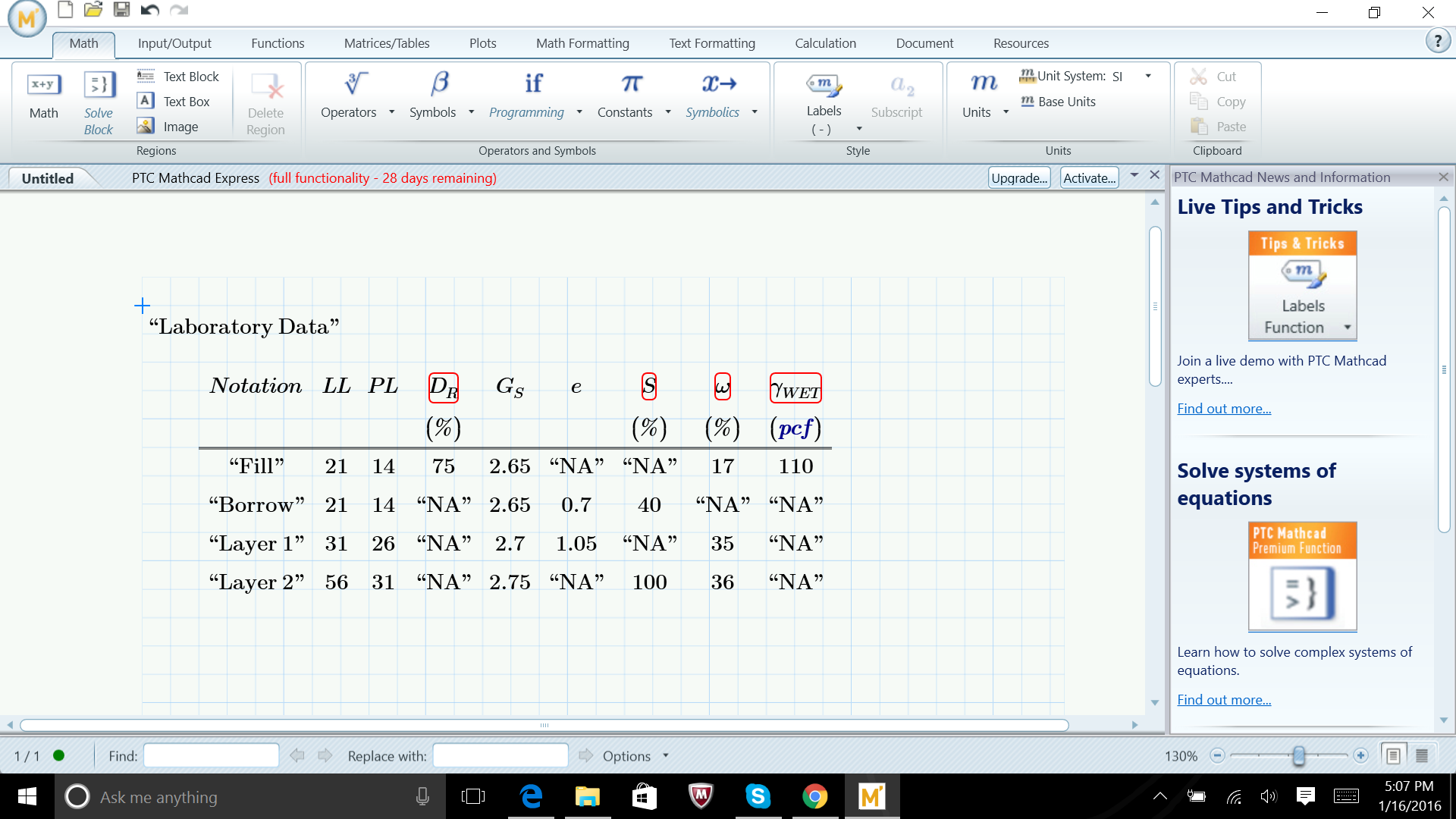
2016-01-16.png Hello...can anyone please help as how to use a table in mathcad to make a chart as shown in the picture. The software is showing some red marks on the notations as shown. Also, I want to get the software to take the values from this table, when called and use it in a equation as in excel. Thanks in advance

1 reply

23-Emerald IV
January 17, 2016

Prime is complaining because it cannot have a value "NA" with units, like % or pcf. (Note that you do not get an error for the column labeled e that also contains "NA"s.)

If you change all occurrences of "NA" to NaN (without quotes ! ) it should work.

NaN is a special symbol that means "not a number".

Once you've gotten rid of the errors, you can calculate with your variables. Note that every column of the table is in effect a vector.

You could for example calculate LL+PL, and get a vector with values (35 35 57 87).

Success!

Luc

fahmed-214-AlexandriteAuthor
14-Alexandrite
January 17, 2016

Thanks a lot .......I need one more help.....suppose I want to use the first value of a and the first value of b in a equation. How will I write it in Mathcad....

25-Diamond I
January 17, 2016

Faisal Ahmed wrote:

Thanks a lot .......I need one more help.....suppose I want to use the first value of a and the first value of b in a equation. How will I write it in Mathcad....

vector by default are numbered with indices beginning at 0. You can change this via the system variable ORIGIN.

So to add the first values of a and b you would type a[0+b[0

The "[" is the shorcut for the matrix index. You can also get it via the menu.

WE