
1-Visitor
November 14, 2019
Solved

Mashup Resolution on Mobile

  • November 14, 2019
  • 1 reply
  • 4817 views

Hello everyone,


I have created a Mashup that should be accessed via mobile. Unfortunately the resolution is too high, so the mashup looks something like this:
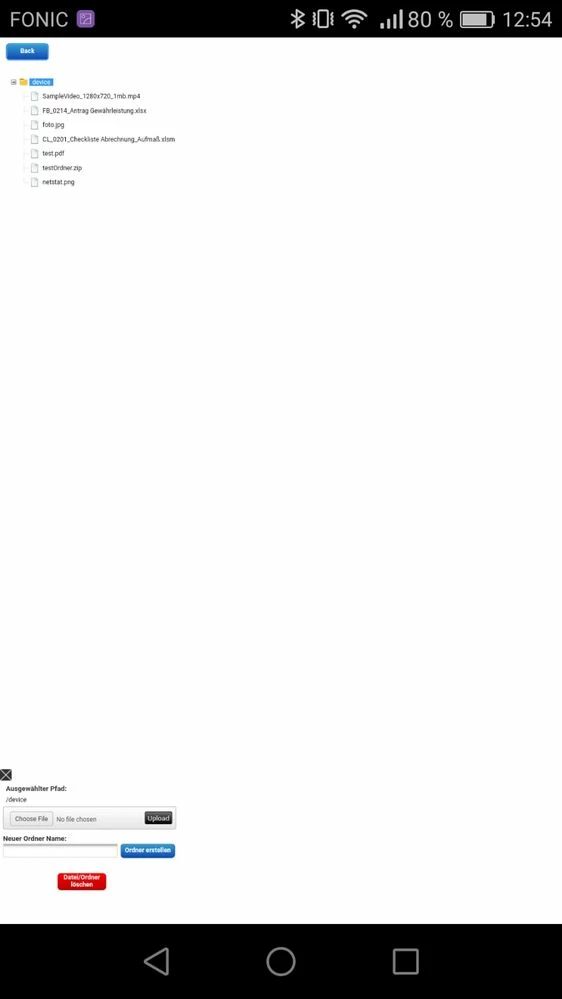
TwxBrowser.jpeg


Now I know one could use static Mashups and so on, but what I found out is, that if you display the very same mashup in the VuforiaView App in a Webview it looks like this:
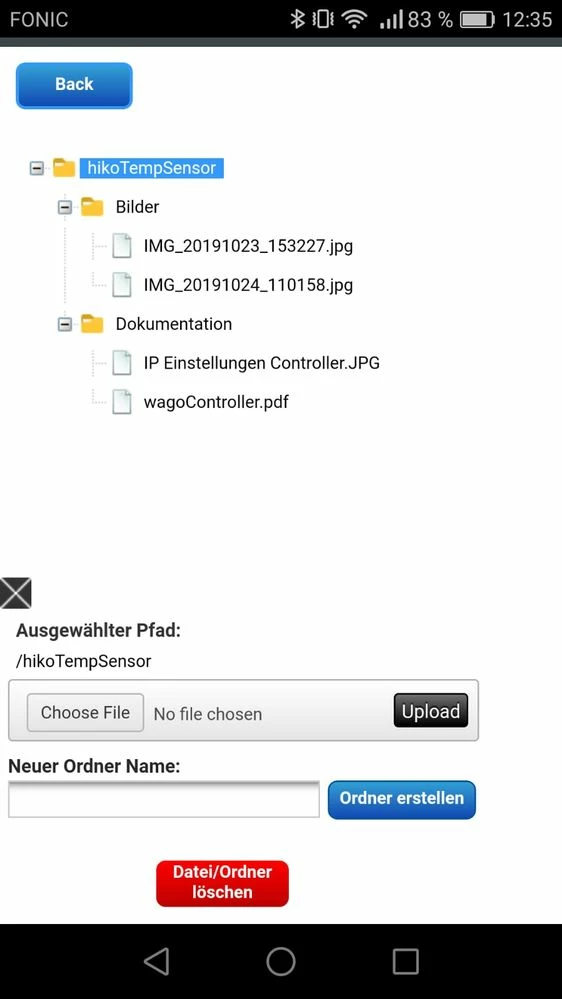
 

TwxView.jpeg


Which is exactly the way I want it to be. So there must be a mechanism which displays the mashup in a way the View App does it.


Does anybody know what to do in order to display the mashup the same way in a browser like e.g chrome (on mobile!)?


In our case it is not suitable to use the ViewApp...

Any help is appreciated very much.


Best Regards,

Dominik

Best answer by slangley

Hi @drieder.


ThingWorx 9.0 was released yesterday.  Please take a look and if you still have issues, please feel free to post a new thread with details of the problem, devices affected, etc. or open a case to report the issues.


Since this post now has a solution, your time to mark the Accepted Solution would be greatly appreciated.


Regards.


--Sharon


1 reply

16-Pearl
November 15, 2019

Hello Dominik,


I just had a look at the information provided and was curious if this issue pops up on other devices or mobile browsers as well. Have you tried any other devices or browsers?


If this seems isolated to a specific resolution we could look to open a case and file a defect.

drieder1-VisitorAuthor
1-Visitor
November 15, 2019

Hello @tmisner,


thank you for your reply. Unfortunately (or fortunately?) the issue appears regardless of the used mobile device. 

I have also tried it with mozilla firefox and it behaves the same way. 


I am wondering what the display size actually depends on... Since the mashup is dynamic and I use layouts for every "Container" it would be so nice to have it in the browser just like in the view app.

drieder1-VisitorAuthor
1-Visitor
November 18, 2019

Hello @tmisner , 

please find the exported Mashup file attached. There is no data contained, but you should still be able to import and view the mashup.


I am working on a hosted server with the TWx version 8.2.8

The link I access the mashup with has the following structure: 

https://servername:8443/Thingworx/Mashups/ProjectMashup?someVariable=someValue


So basically the same as I would do with a browser on desktop. Maybe the link needs some additional parameters? like ?isMobile=true.


Any way thank you for digging into it.


Best Regards,

Dominik


Edit: I built an Ionic app and displayed the Mashups in a Webview. There again it is displayed as desired. This would explain why it also is displayed correctly in the thingworx View app. 


So In webview elements (I think also with android studio) it seems to work, but on regular mobile browser (testet chrome and firefox) it is displayed in desktop view