
1-Visitor
November 14, 2019
Solved

Mashup Resolution on Mobile

  • November 14, 2019
  • 1 reply
  • 4817 views

Hello everyone,


I have created a Mashup that should be accessed via mobile. Unfortunately the resolution is too high, so the mashup looks something like this:
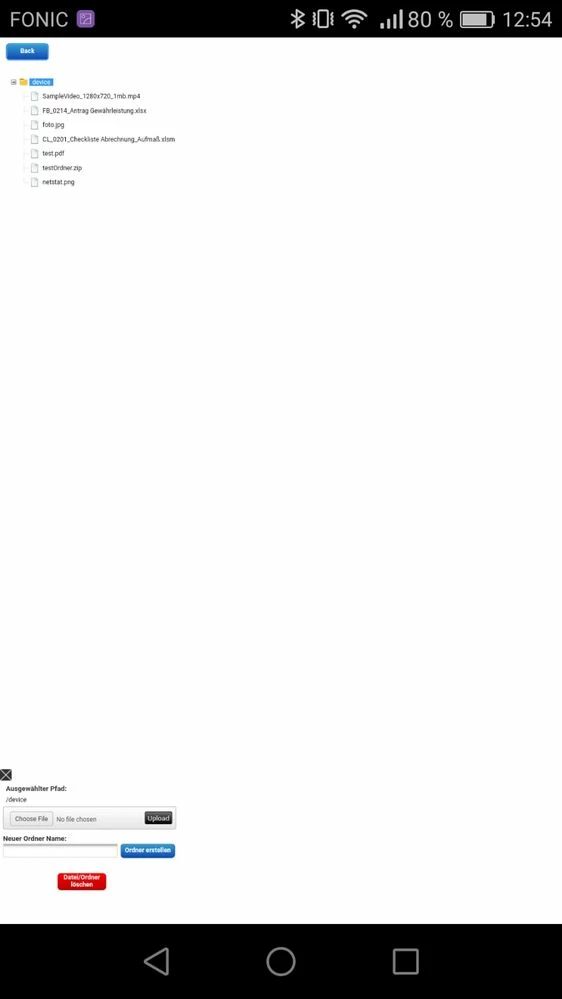
TwxBrowser.jpeg


Now I know one could use static Mashups and so on, but what I found out is, that if you display the very same mashup in the VuforiaView App in a Webview it looks like this:
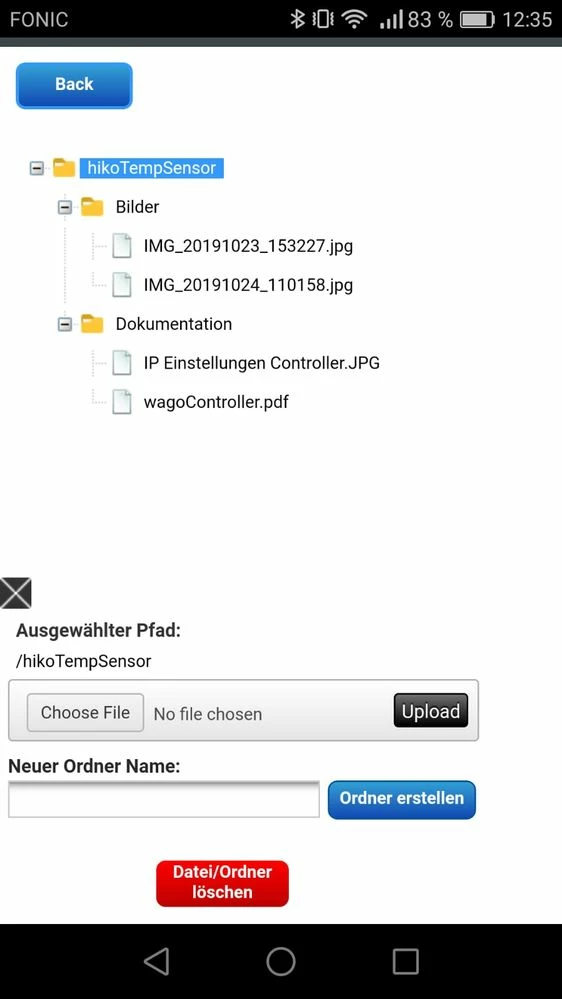
 

TwxView.jpeg


Which is exactly the way I want it to be. So there must be a mechanism which displays the mashup in a way the View App does it.


Does anybody know what to do in order to display the mashup the same way in a browser like e.g chrome (on mobile!)?


In our case it is not suitable to use the ViewApp...

Any help is appreciated very much.


Best Regards,

Dominik

Best answer by slangley

Hi @drieder.


ThingWorx 9.0 was released yesterday.  Please take a look and if you still have issues, please feel free to post a new thread with details of the problem, devices affected, etc. or open a case to report the issues.


Since this post now has a solution, your time to mark the Accepted Solution would be greatly appreciated.


Regards.


--Sharon


1 reply

16-Pearl
November 15, 2019

Hello Dominik,


I just had a look at the information provided and was curious if this issue pops up on other devices or mobile browsers as well. Have you tried any other devices or browsers?


If this seems isolated to a specific resolution we could look to open a case and file a defect.

drieder1-VisitorAuthor
1-Visitor
November 15, 2019

Hello @tmisner,


thank you for your reply. Unfortunately (or fortunately?) the issue appears regardless of the used mobile device. 

I have also tried it with mozilla firefox and it behaves the same way. 


I am wondering what the display size actually depends on... Since the mashup is dynamic and I use layouts for every "Container" it would be so nice to have it in the browser just like in the view app.

16-Pearl
November 20, 2019

Hello Dominik,


I took a look at the available URL Parameters which can be passed and utilized by a Mashup. Unfortunately setting something like isMobile is not one of them. I believe the WebView interaction is differentiated from a normal mobile browser with a cookie that is passed but I would need to confirm this.


I was however able to find an internal enhancement that indicates R&D is actively looking at adding specific functionality to allow developers to optimize their mashups for mobile devices.


As such we have a couple of options to move forward here:

  1. Create a case so we can contact R&D directly to see how the WebView interactions are distinguished from other mobile web sessions
  2. Create a case and attach you to the enhancement I had mentioned above so that you will be notified when it is implemented.


Please shoot me a private message with your Customer Number and SCN. I will go ahead and create this case for you.


Regards,

Tyler