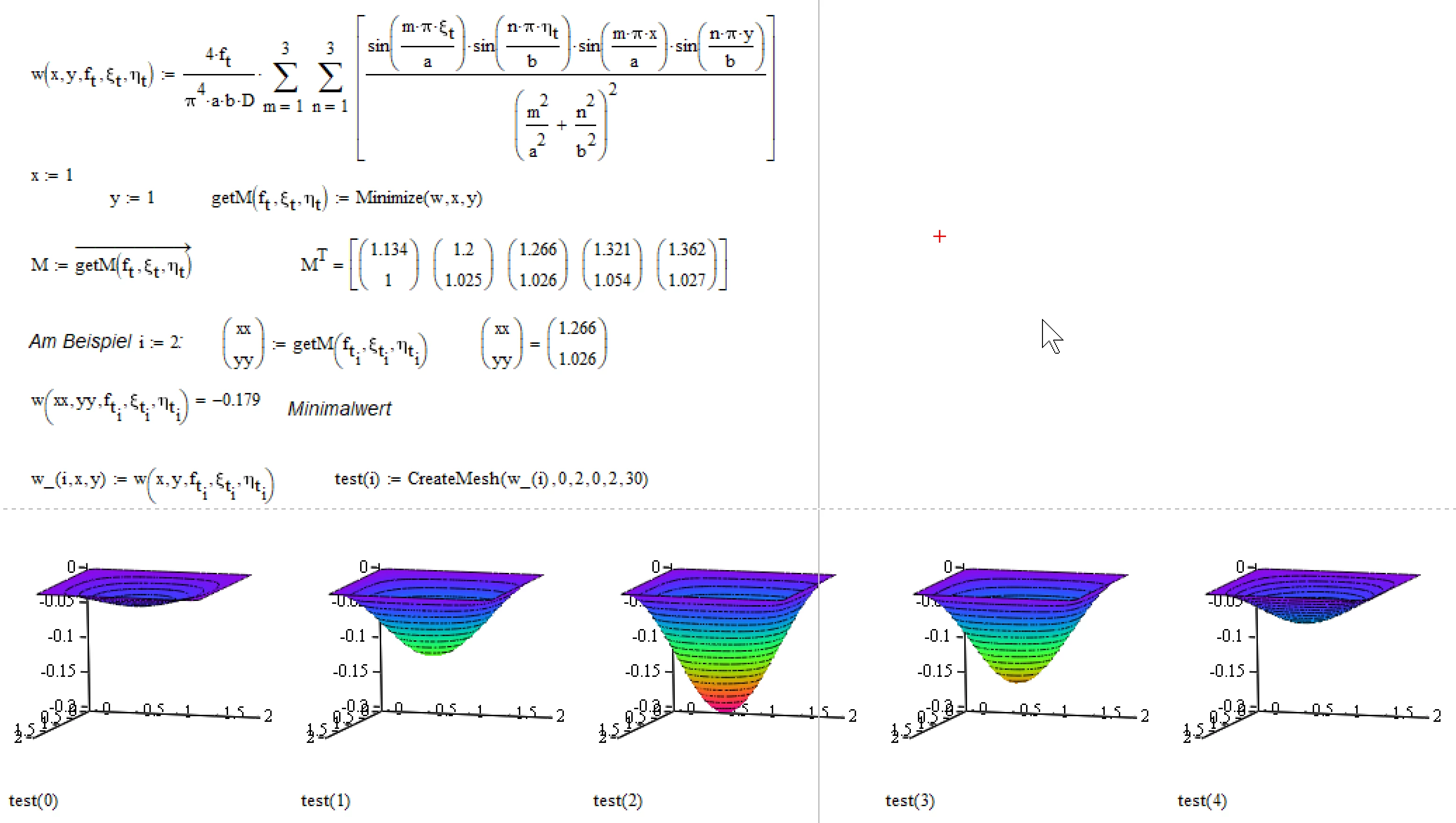
I am sorry, but I have to tell you, that the results you get for a single set of values is wrong.
You ran into a common trap when dealing with vectors.
Short explanation what went wrong: you define a function w(x,y) which uses a couple of vectors (the forces).
You calculate sin(..vector) and this is a vector, as it should be. You do it a second time and the you multiply the two sines. That means, thats you multiply two vectors and Mathcad does as commanded and if you multiply two vectors, Mathcad uses the dot product and the result is a scalar. Not what you intended. The whole double sum simplifies to a single scalar value which is then multiplied by the result of the expression in front of the sums and this is a vector, so the whole result is a vector and it looks like all was done as you expected - it wasn't.
A way out could be to use a Mathcad feature called vectorization (the arrow over an expression). If you multiply two vectors and use vectorization, the vectors are multiplied element wise. If mathcad encounters an operation which is not defined for vectors (like sin(vector) or vector^3) it switches automatically to vectorization (otherwise it would have to throw an error because of an invalid operation).
The main reason for falling in the trap is a wrong approach to the problem by defining the input vectors first and applying them to all calculations (this should work OK if you use vectorization, but its not tge best way to do it). Most of times its better to set up the calc sheet by defining functions which depend on all variables you later wish to change. After calculations are turned into functions you can define your input vectors and call the function(s) with them (but of course you would vectorize that call!).
So you always can test your calc functions with single values and different vectors at will side by side.