

Question
TML widget X-ray shader
hi there,
I tried to apply x-ray shader on model Item with TML widget
<script name="xray_green" type="x-shader/x-fragment">
 precision mediump float;

 varying vec3 I;
 varying vec3 N;

 const float edgeFalloff = 1.0;
 const float intensity = 1.0;
 const float ambient = 0.2;

 void main() {
 vec4 color = vec4(0.1,0.9,0.3,1.0);
 float opacity = abs(dot(normalize(-N), normalize(-I)));
 opacity = ambient + intensity*(1.0-pow(opacity,edgeFalloff));
 gl_FragColor = opacity * color;
 gl_FragColor.a = opacity;
 }
</script>

<script name="xray_green" type="x-shader/x-vertex">
 attribute vec3 vertexPosition;
 attribute vec3 vertexNormal;

 varying vec3 I;
 varying vec3 N;

 uniform mat4 modelViewProjectionMatrix;
 uniform mat4 modelViewMatrix;
 uniform mat4 normalMatrix;

 void main() {
 vec4 vp4 = vec4(vertexPosition,1.0);
 vec4 P = modelViewMatrix * vp4;
 I = P.xyz - vec3(0);
 N = vec3(normalMatrix * vec4(vertexNormal,0.0));
 gl_Position = modelViewProjectionMatrix * vp4;
 }
</script>
and the result looks like
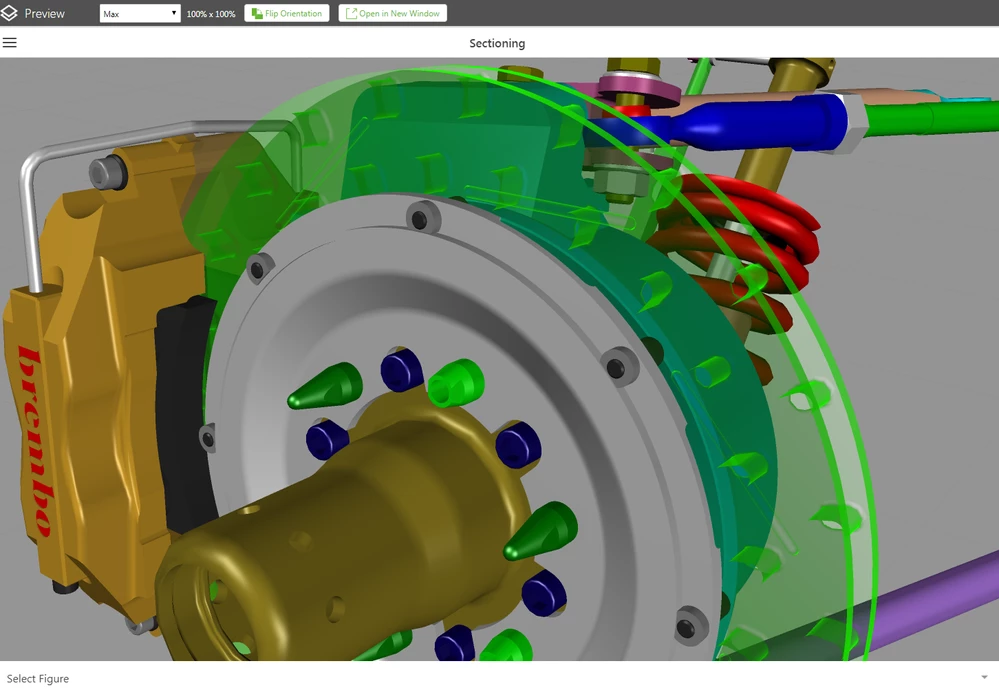
How do I get the details like this? https://www.youtube.com/watch?v=0UJt9mYSSis
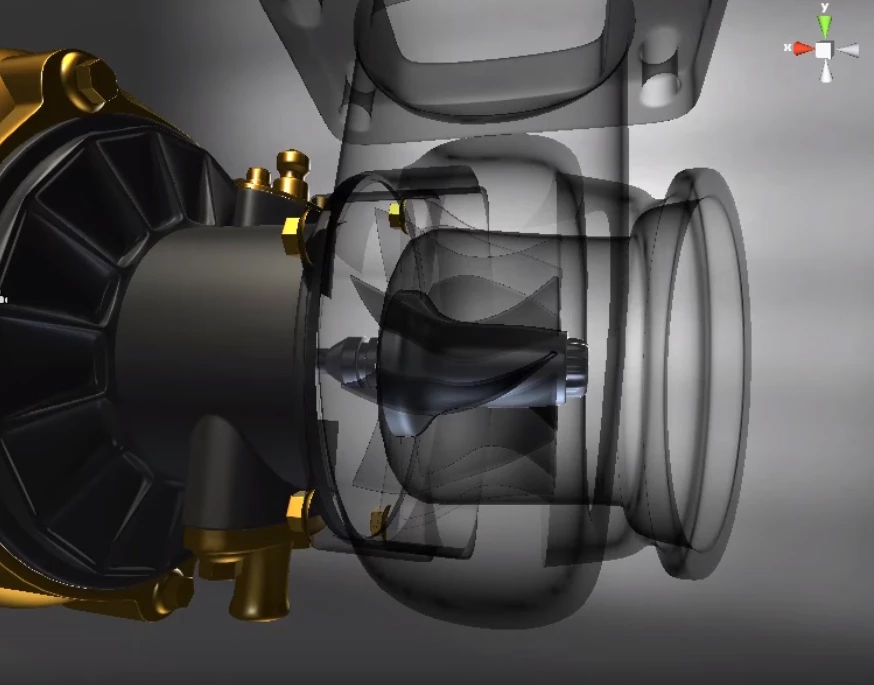
Especially the surfaces inside the structure.
Any feedback would be appreciated. 
ClarK