14-Alexandrite
December 11, 2015
Solved

Importing OBJ file

  • December 11, 2015
  • 1 reply
  • 7278 views

Hello,

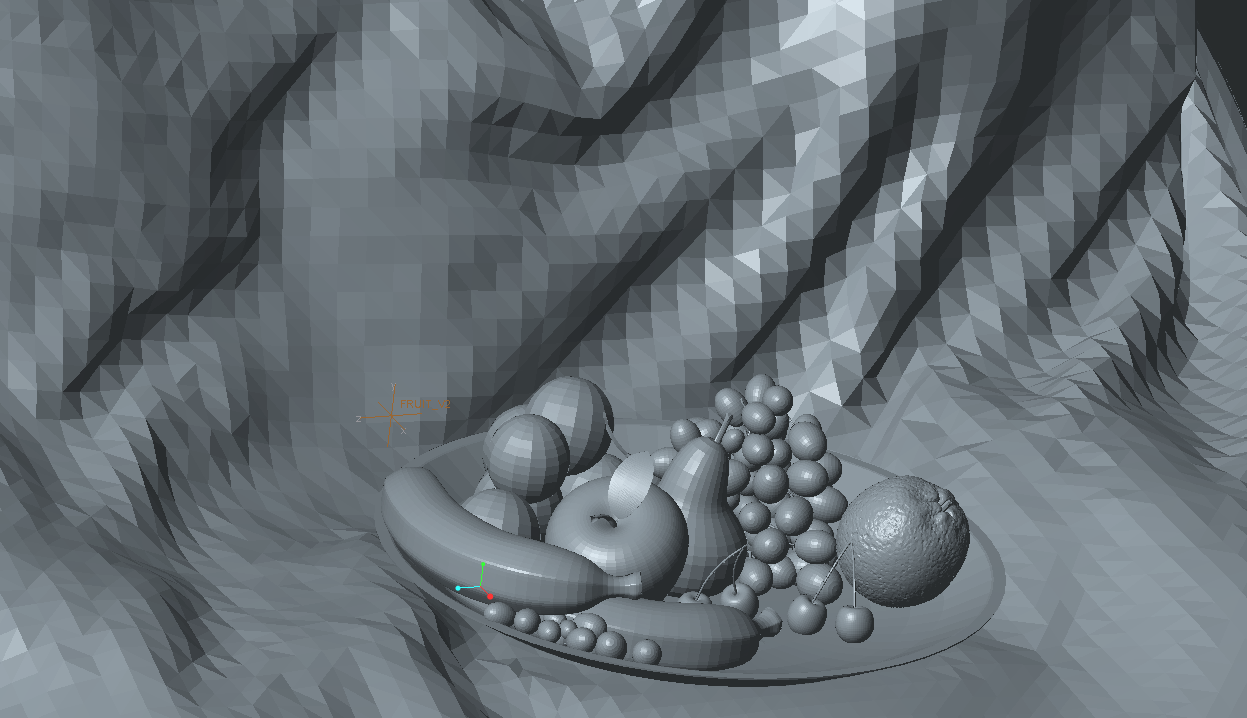
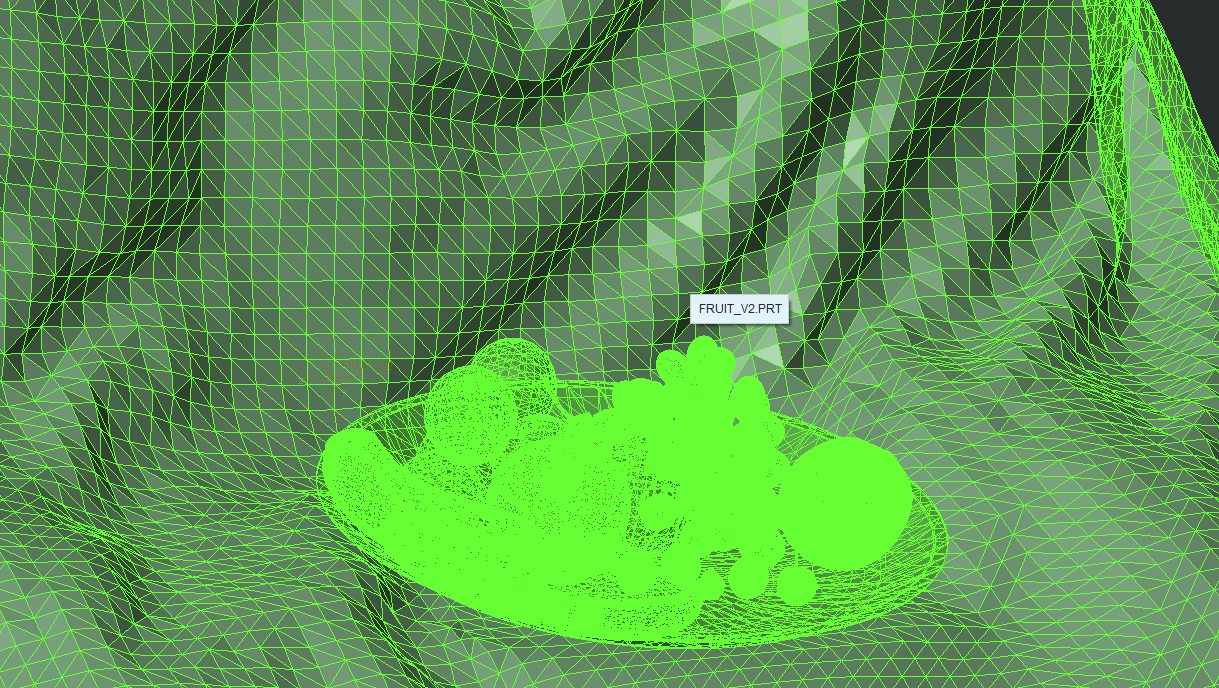
I imported an OBJ file into Creo. It seems too much tessellated, and the worst thing is that I cannot apply material appearances. When I try to do such thing, it selects the entire part!

Is there a way to solve such problem? I attached the file.

1.png

2.png


This thread is inactive and closed by the PTC Community Management Team. If you would like to provide a reply and re-open this thread, please notify the moderator and reference the thread. You may also use "Start a topic" button to ask a new question. Please be sure to include what version of the PTC product you are using so another community member knowledgeable about your version may be able to assist.
Best answer by ckeller

Smoothing facets is not possible in facet models as far as I know.

Assigning appearances to individual facet features in a single model is also not possible (as far as I know)

One thing you can do, however, is to import your obj file into a part, and then create a family table where each family table member represents a single appearance or physical object in the scene.  You can then assembly each family table member into an assembly and assign the appearance within the assembly.

Since you can't assign appearances to individual facet features, then you are stuck assigning a single appearance to the model and all it's features.  however you can get around this by assigning each object in an assembly a different appearance.  So, once you create all the family table members and assemble each into an assembly, you can then assign a different appearance to each part.

I grouped the sets of components since there were over 100 features in there.  that way I could add the group as a feature to the family table instead of picking every single grape etc, and then having to toggle on/off in the family table.  if you needed more individual parts, you would have to make a separate instance for each separate appearance/moveable part.

I do realize this is probably not "aesthetically" what you are looking for, however it is actually a good question, and I think this is a pretty good work-around when you are importing an underlay/reference model and need to be able to show/hide different parts and/or have different parts be different appearances.
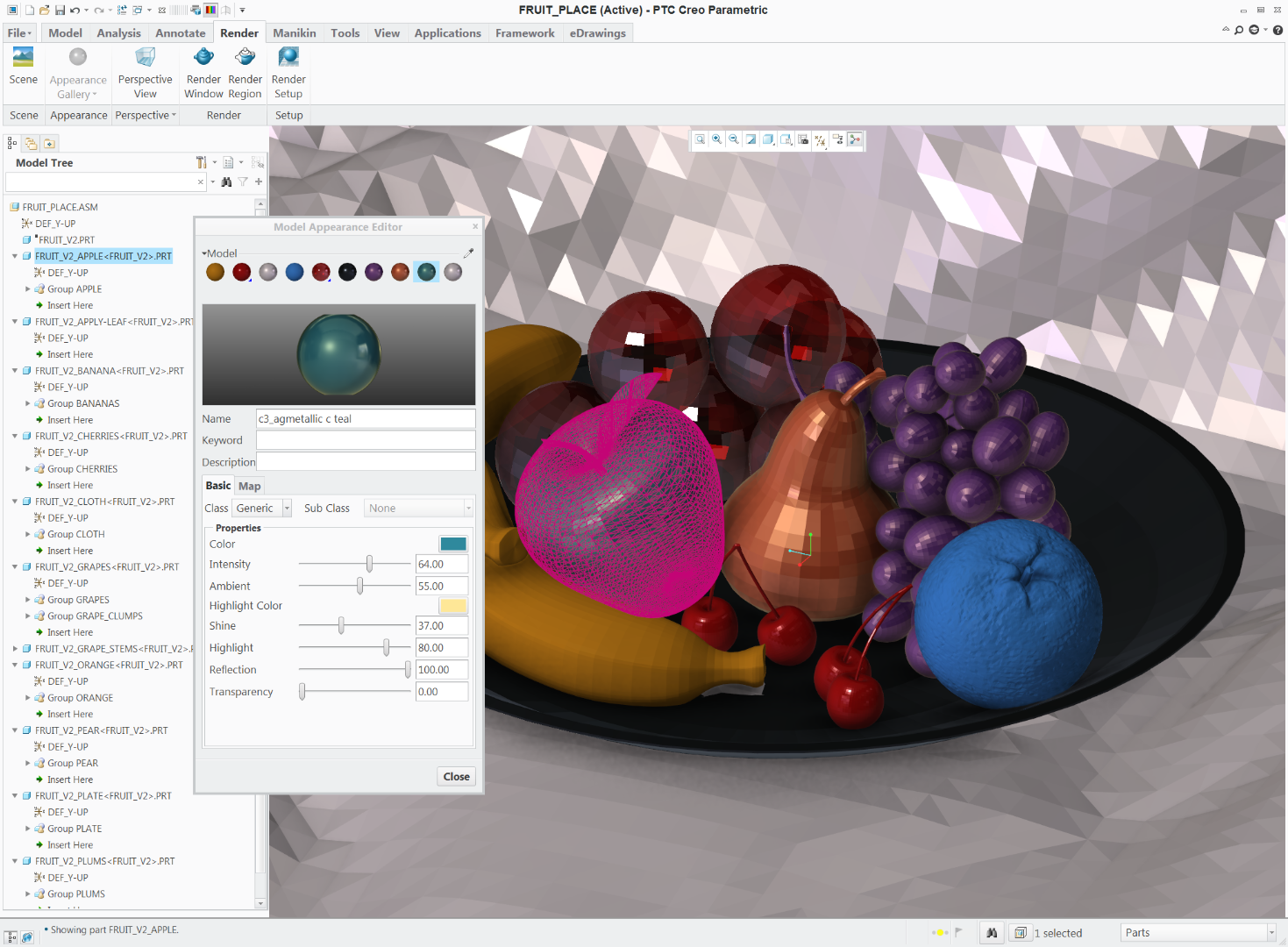
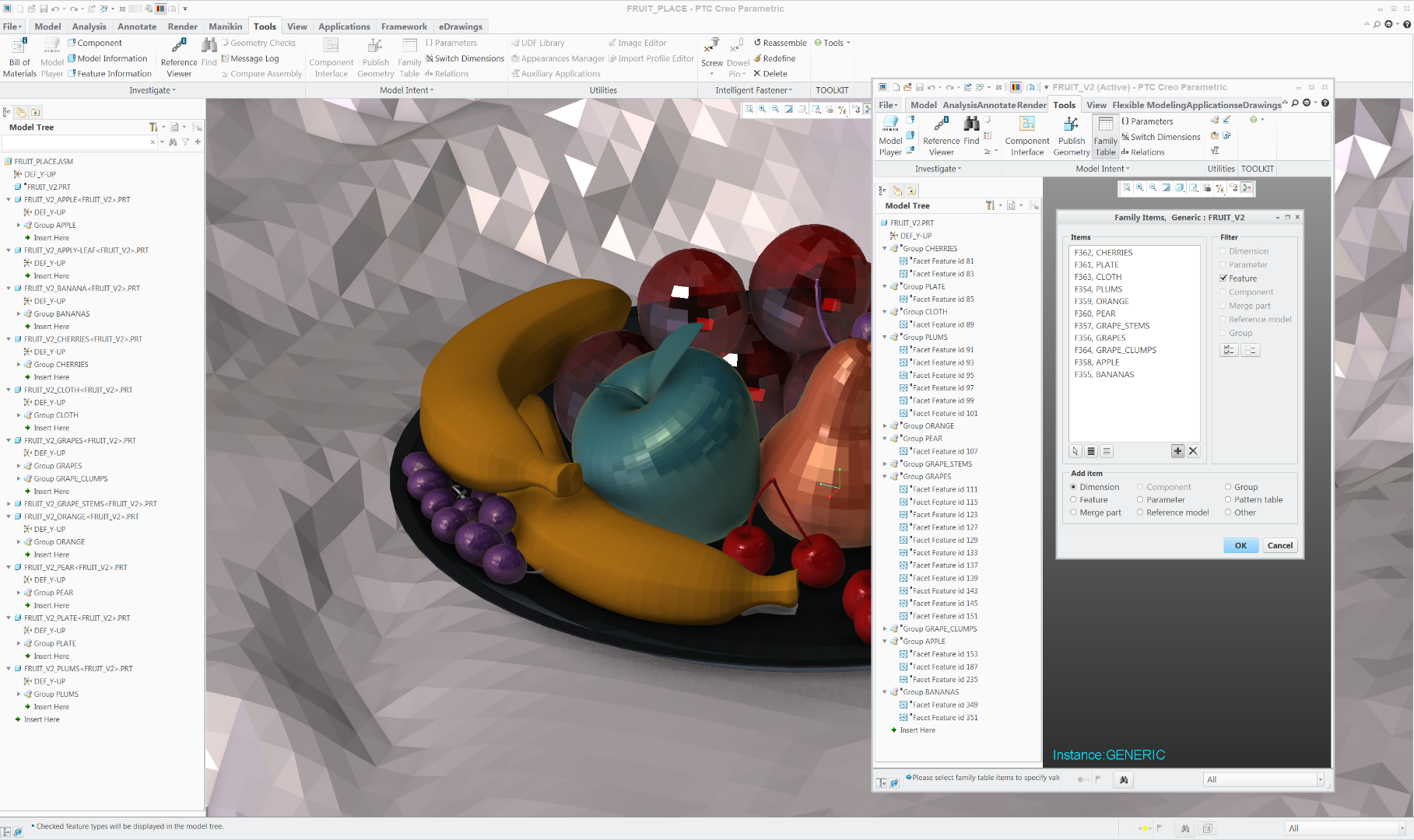
2016-08-07_11h33_04.png2016-08-07_11h32_01.png

1 reply

ckeller1-VisitorAnswer
1-Visitor
August 7, 2016

Smoothing facets is not possible in facet models as far as I know.

Assigning appearances to individual facet features in a single model is also not possible (as far as I know)

One thing you can do, however, is to import your obj file into a part, and then create a family table where each family table member represents a single appearance or physical object in the scene.  You can then assembly each family table member into an assembly and assign the appearance within the assembly.

Since you can't assign appearances to individual facet features, then you are stuck assigning a single appearance to the model and all it's features.  however you can get around this by assigning each object in an assembly a different appearance.  So, once you create all the family table members and assemble each into an assembly, you can then assign a different appearance to each part.

I grouped the sets of components since there were over 100 features in there.  that way I could add the group as a feature to the family table instead of picking every single grape etc, and then having to toggle on/off in the family table.  if you needed more individual parts, you would have to make a separate instance for each separate appearance/moveable part.

I do realize this is probably not "aesthetically" what you are looking for, however it is actually a good question, and I think this is a pretty good work-around when you are importing an underlay/reference model and need to be able to show/hide different parts and/or have different parts be different appearances.

2016-08-07_11h33_04.png2016-08-07_11h32_01.png

14-Alexandrite
August 7, 2016

Thank you very much for answer, until now I wasn't able to do it. Thank you.

15-Moonstone
November 4, 2016

I think you going the wrong way.  Those OBJ files probably came from Maya or Max.  Keep in those tools. There you will have all the tessellation and decimation tools you would ever want.  The render tools are much better there anyway. The only reason I can think you would want to bring in OBJ to Creo is so you can use the Reverse Engineering tools on them for an assembly or something.

Bart Brejcha

Design-engine.com