

12-Amethyst
February 1, 2016
Solved

Is There A Round Feature?

  • February 1, 2016
  • 5 replies
  • 5689 views

We come across this issue every once in awhile in our Wire EDM Department. The wire needs a straight line radius because the wire should not bend.

Is there a round feature that will give us a point to point constant round between these two primitives.

A cone being intersected by a tapered cube. 
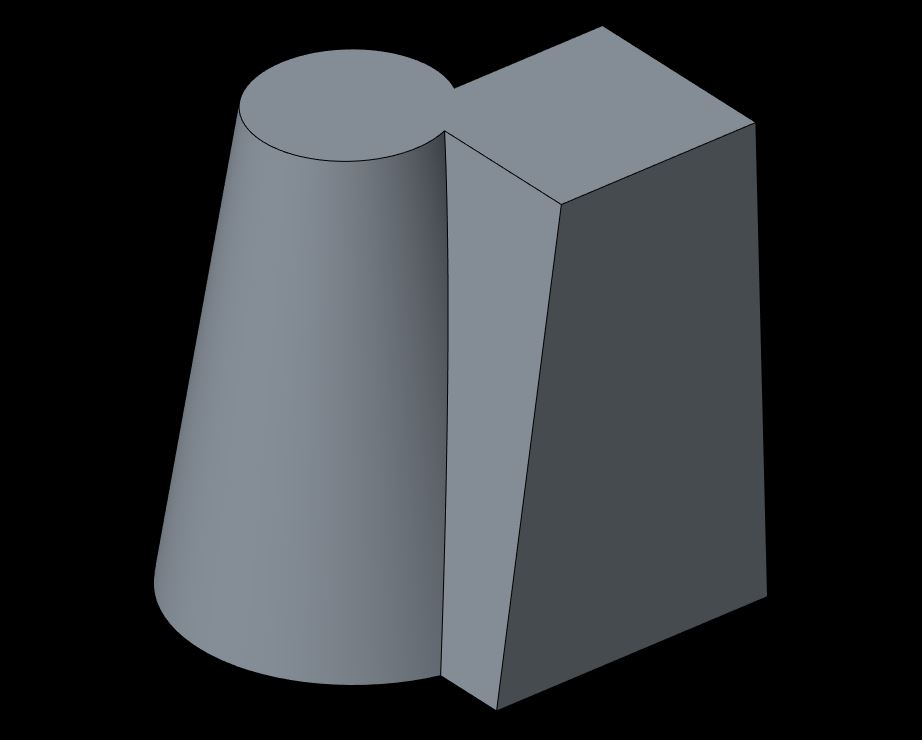
primitives.JPG

When we add a constant round the resulting (long) edges of the round become bent.
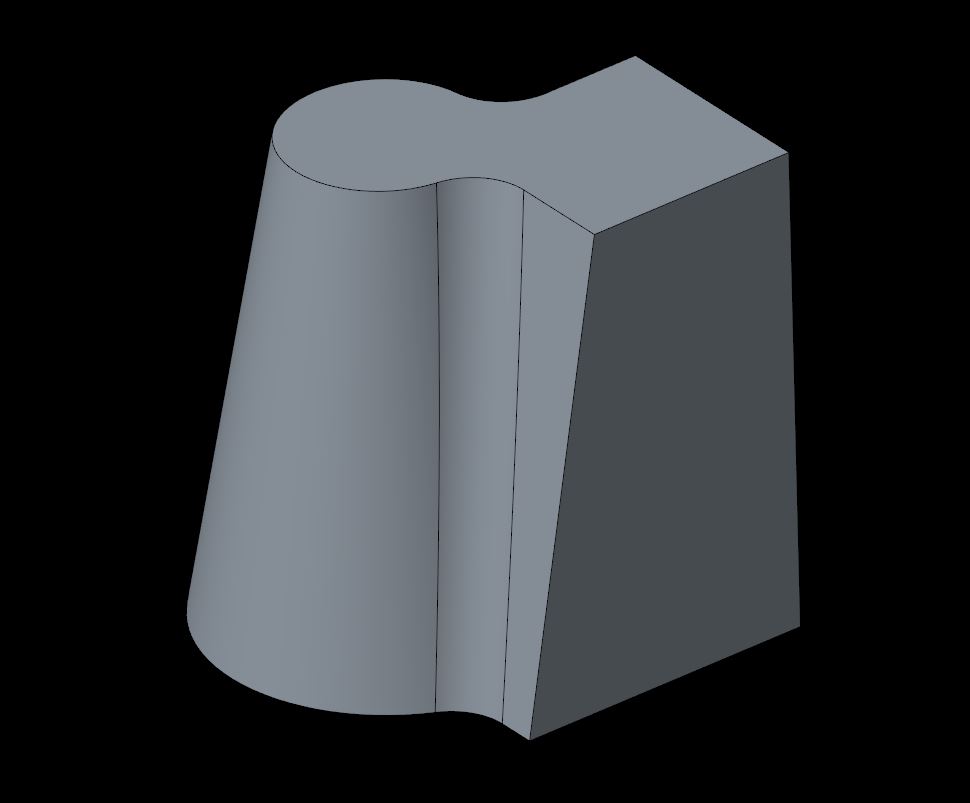
radius_iso.JPG

When looking from the top they look like this.
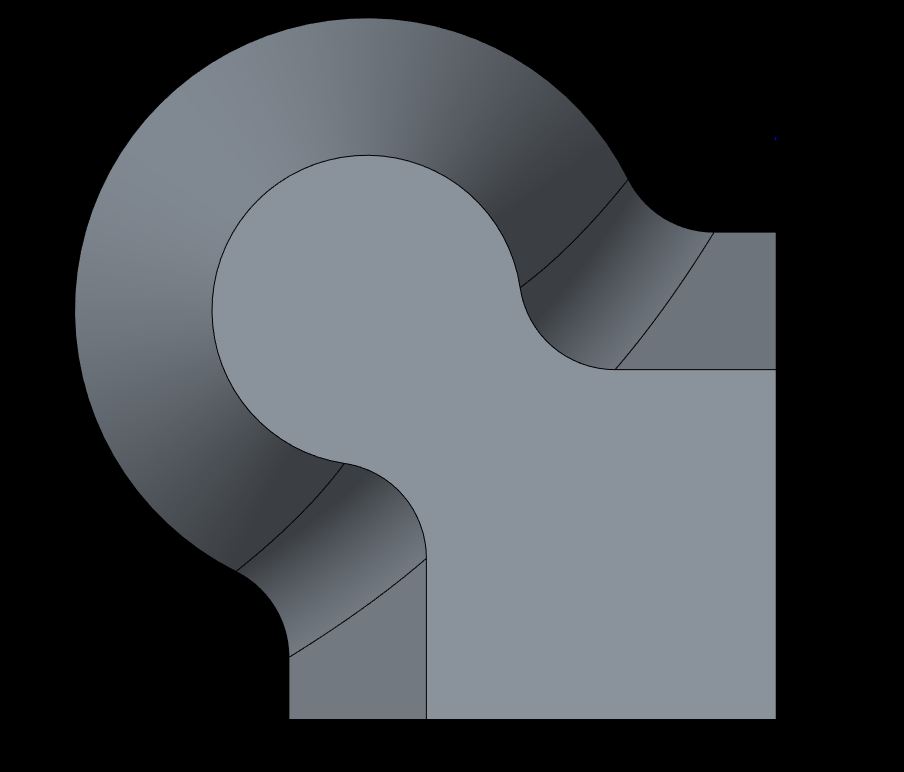
radius_top.JPG

Here I created a boundary blend (yellow edges) between the upper cure and the lower cure (short edges of the round) to shot what result we are looking for. You can clearly see the bend in the long edges.
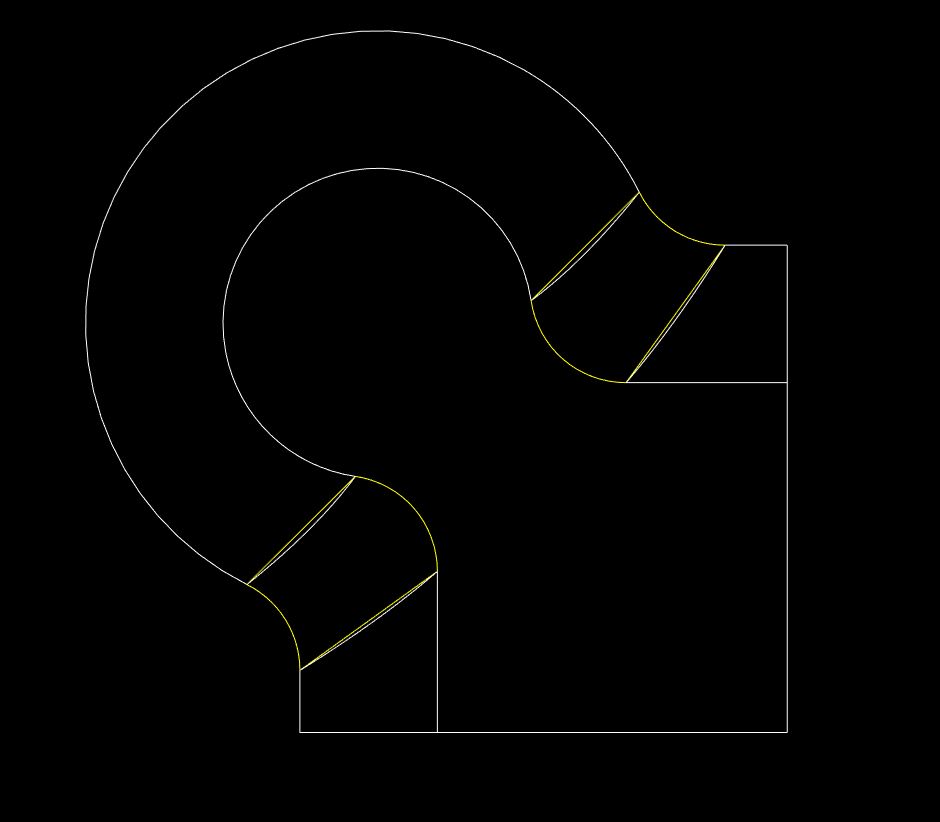
straight-line_rad.JPG

Is there a round feature that will give me the straight long edges of the round. Or, is this just impossible.

Thanks in advance for your help.

Dan


This thread is inactive and closed by the PTC Community Management Team. If you would like to provide a reply and re-open this thread, please notify the moderator and reference the thread. You may also use "Start a topic" button to ask a new question. Please be sure to include what version of the PTC product you are using so another community member knowledgeable about your version may be able to assist.
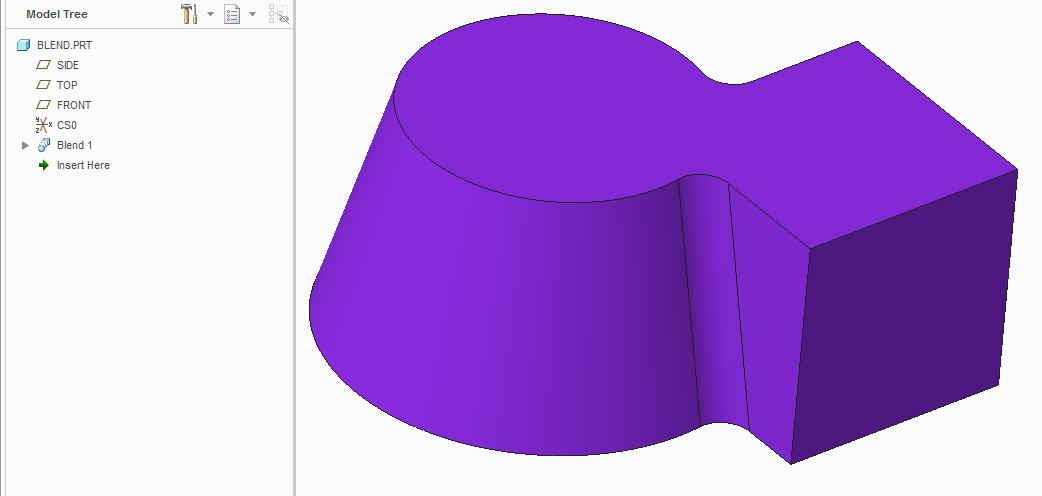
Best answer by TomU

What about using a blend (for the whole thing)?

5 replies

1-Visitor
February 1, 2016

Your first picture looks like the intersection between the cone and the tapered square is curved.  If it's curved, the radius will be curved too.

1-Visitor
February 2, 2016

I agree - the intersection between a cone and a plane that is not through the axis of the cone is a curve.

16-Pearl
February 2, 2016

Is this what you wanted to do?

Capture.JPG@

12-Amethyst
February 2, 2016

Thanks for the replies. This is how we currently get around the issue, with a boundary blend surface (a lot of features). I was checking with the community to see if maybe there was a new type of round (maybe chordal) that would replicate this behavior.

Thanks again,

Dan

16-Pearl
February 2, 2016

This is another alternative way to model that round...Capture.JPG

12-Amethyst
February 2, 2016

David Schenken and David Gallup,

I agree that the main intersection is curved. I was curious if there is new functionality that would create a transition between them that would replicate what is actually produced from the Wire EDM. If you are not familiar with a Wire EDM, there is an upper head and a lower head with a small wire running between them. The upper head is programmed to follow the upper cure of the primitives and the lower head is programmed to follow the lower curve of the primitives. During the EDM process the wire is electrically charged and erodes the metal it comes in contact with. So, you can imagine the wire between the heads does not bend (or shouldn't in theory) and can not produce the curved lines produced by a "round" feature.

The reply from BH001 is the result we would like to have. However, there are many features required to produce this one round.

Thanks for your replies.

Dan

1-Visitor
February 2, 2016

See if you can use the "Thru curve" option for your round:

round_thru_curve_example.png

12-Amethyst
February 2, 2016

Could work. I was looking more for a constant radius, but let me take a look.

Thanks,

Dan

17-Peridot
February 4, 2016

The EDM probe can take on any shape you want if you are using a plunge EDM.

If you are wire EDM'ng this, then you have to decide on what is moving to get the noted draft.

So there is little limitation but if this draft if for molding, typically you would make the straight part and add draft afterward.

Doing this makes for more uniform drafts which are easier to machine (taper bit, single axis and all that).

In this vein, I find it very hard to match drafts with simple resulting rounds since their taper angle is not controllable in the Round feature dialog.

I think you are looking for a "full round" feature for this.  You would add your 3rd (intermediate/depth) surface in one of many ways.

17-Peridot
February 4, 2016

And don't forget boundary blend...

17-Peridot
February 4, 2016

...and sweep feature in combination of fills and boundary blends merged into a solid.

The challenge with the toolbox we have is to know when the surface is curved from normal.

Features such as Blend and Boundary Blend (top to bottom) is the way the connections are parced.

Even using sweep, you have to be sure to choose constant normal.

Highly configurable

Machinist's nightmare