
10-Marble
December 12, 2012
Question

Scale Dimension Arrows

  • December 12, 2012
  • 2 replies
  • 3120 views

Can anyone tell me if there is a way to scale dimension arrows on a view? I have a drawing that is 20:1 of a very small screw. I need to create a view at 1:1 on one of the sheets but the arrorws are way too big. See below...
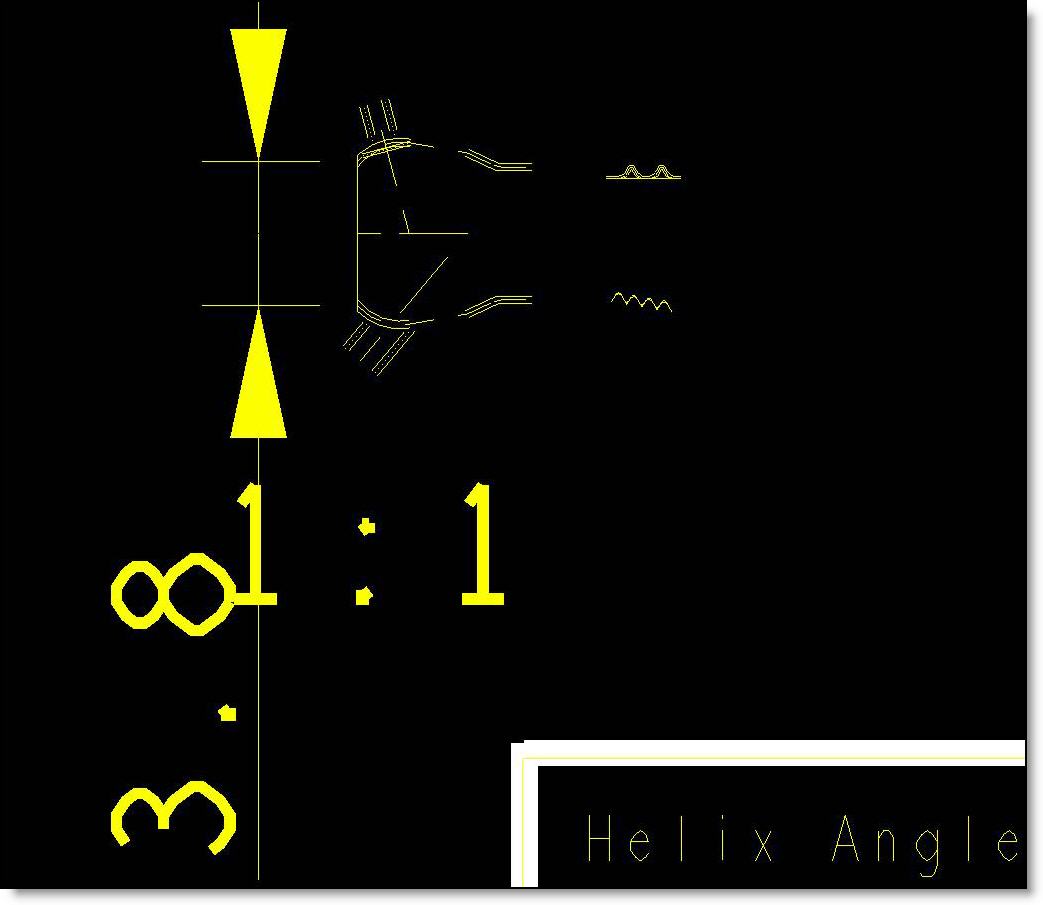
arrow.jpg


This thread is inactive and closed by the PTC Community Management Team. If you would like to provide a reply and re-open this thread, please notify the moderator and reference the thread. You may also use "Start a topic" button to ask a new question. Please be sure to include what version of the PTC product you are using so another community member knowledgeable about your version may be able to assist.

2 replies

17-Peridot
December 12, 2012

You set arrow parameters in the detail config file. Unfortunately, it acts on all arrows. The only real option would be to create a symbol and use it in place of the arrows.

draw_arrow_length draw_arrow_width

Default width is .0625" and length is .1875".

View arrows are treated separately.

1-Visitor
December 13, 2012

Isn't there a rule saying that the structure of all dims should be the same through the drawing?

You can set up drawing settings using a *.dtl file. See the following vid.

http://www.youtube.com/watch?v=6PEVWfUOVKc

17-Peridot
December 13, 2012

Yes there is. Rule or not, it made coding simple

From a drafting standard standpoint, it is logical. You want everything to be clear on your 1:1 plot. That is where ANSI Y14.41 comes in... now you have a dynamic "sheet". All other early adoptions strive for "consistency" throughout the drawing.

What the original post is seeking is to use what would typically be a 1:1 "template" of the part. I might change the arrow style to slash or something less obtrusive.

1-Visitor
December 13, 2012

Ah, right.

Dots should be used instead of arrows at this case then, or detail views if the 1:1 is required.

So this is more like technical drawing lesson.