10-Marble
January 23, 2023
Solved

Creo Illustrate - different Csys than in Creo Parametric.

  • January 23, 2023
  • 1 reply
  • 2250 views

Hi everyone!

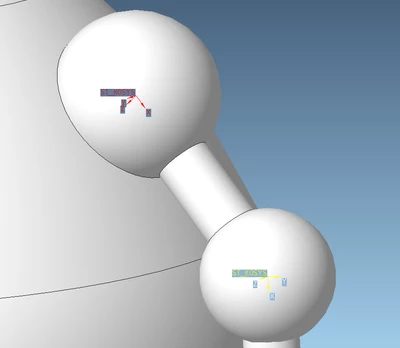
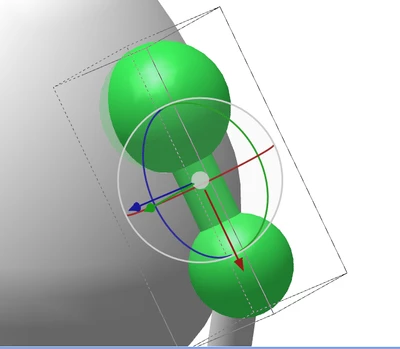
I have created a model in Creo Parametric 4 for a AR purposes. I wanted to create animations in Creo Illustrate 8.1 but when I select "Transform" I cannot select the original Csys from Creo Parametric, only this one created by Illustrate itself. Can someone explain how can I change that? Is there an option to select when importing model to Illustrate?
Pawel_D_1-1674484350641.png


Pawel_D_0-1674484331806.png


Best answer by agarland

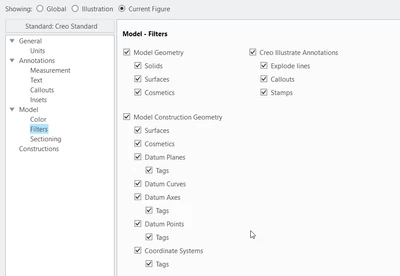
Have you checked that all your construction geometry is visible:

agarland_0-1674485835622.png

If it is then I think you'll have to look at your recipe file for generating the pvz from Creo, as it looks like it's stripping too much out.

1 reply

16-Pearl
January 23, 2023

Hi,


You can reposition the csys using the 'Select CSYS' option in the RMB menu.

agarland_0-1674485166842.png

This will allow you to align select a centre line or other axis to position the csys on.


Depending on what exactly you wanted to animate this may help.

Pawel_D.10-MarbleAuthor
10-Marble
January 23, 2023

Hey,

Thank you for a quick reply, I've already tried this option but it does not work in this case. I have a sphere where I can't select any axis, center line or edge to create csys 😞

Pawel_D_0-1674485521034.png


agarland16-PearlAnswer
16-Pearl
January 23, 2023

Have you checked that all your construction geometry is visible:

agarland_0-1674485835622.png

If it is then I think you'll have to look at your recipe file for generating the pvz from Creo, as it looks like it's stripping too much out.