This is not an Idea topic, but a general CreoView question.
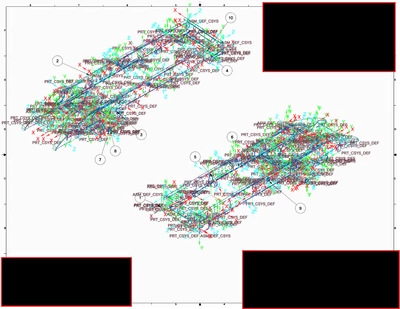
Since CreoView is publishing every job to an internal content as a .pvz file, which is a PDF embedded with other attributes. You need to adjust the Creo configuration on the publishing machine to turn off datums and csys so they don't get published with the object geometry or drawings.
As for the publisher failing, how is it failing? Is it timing out due to the complexity of the models/drawings being published? You can adjust the timeout times in the recipe file, but also may need to adjust the timeout preference values with xconfmanager settings.
I have these lines in my config.pro on the publishing server:
!====================================================================
! Model Display
!====================================================================
display_planes no
display_coord_sys no
display_axes no
display_points no
display_plane_tags no
display_coord_sys_tags no
display_axis_tags no
display_point_tags no
!====================================================================
! Creo View Publishing settings
!====================================================================
! no longer valid - model_note_display no
disable_search_path_check yes
multiple_skeletons_allowed yes
web_browser_homepage about:blank
regenerate_read_only_objects no
atb_auto_check_on_retrieve off
package_constraints freeze
enable_3dmodelspace_browser_tab no
enable_partcommunity_tab no
enable_resource_browser_tab NO
dm_remember_server no
suppress_license_loss_dialog yes
suppress_dlg_license_expired yes
dm_auto_conflict_resolution yes
dm_checkout_on_the_fly continue
pipe_solid_centerline no
Preference settings that may need adjusted are:
Xconfmanager settings for publishing:
Publish.cadtimeout.assemblies 3600
Publish.cadtimeout.component 600
Publish.cadimeout.drawing 600 or 1200 (this will depend on the failure timeout value and may need increased even more)
In the recipe file set the following timeout values
Short 600
Long 3600